A research question rarely ends with one answer. You may need to assemble papers, extract comparable details, check conflicting information, and deliver a table that another researcher can inspect. An AI agent workflow organizes those actions around a goal, available tools, evidence, and points where a researcher makes the final decision.
This guide explains how an agent workflow works and follows a documented example in AIPOCH Open-Science: turning a defined set of ten papers into an evidence table and reading notes. The example is a teaching selection, not a comprehensive literature search or completed systematic review.
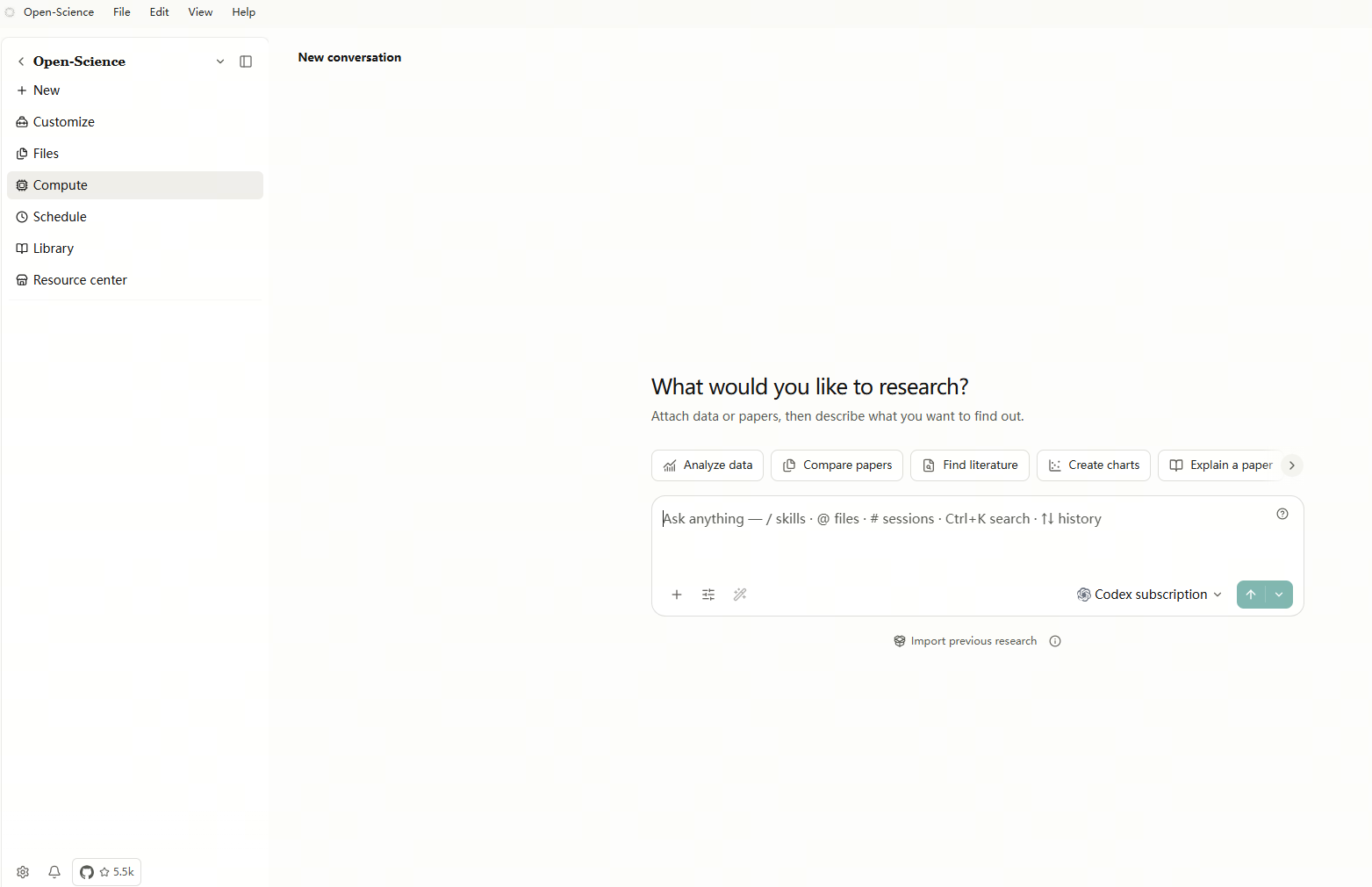
The Open-Science main interface. This screenshot shows a new conversation, not the completed literature example.
What is an AI agent workflow?
An agent workflow is an organized process in which an AI agent works toward a goal using the information and actions available to it. The process may combine predefined steps with decisions about what to read, check, or do next. The researcher still sets the task boundaries and reviews the results.
Terminology varies. Anthropic's guide to building effective agents distinguishes workflows with predefined code paths from agents that dynamically direct their own processes and tool use. Here, agent workflow describes the broader research process around an agent; it does not imply that every step is autonomous.
| Part of the workflow | Question to answer | Literature example |
|---|---|---|
| Goal | What should be produced? | A table with one row per study |
| Inputs | Which sources are in scope? | A specified list of ten papers |
| Actions | What can the agent read or produce? | Read study sections and create a table and notes |
| Checks | What requires verification? | Match estimates and populations to the original papers |
| Output | What can another person inspect? | The table, notes, and linked sources |
How an agent workflow differs from a single prompt
A single prompt can request a summary. A research workflow specifies which material the agent should use, what to do when evidence is missing, how to organize the output, and how a researcher will check it. The difference is the structure around the answer, not a guarantee that an agent will reason correctly.
For example, “summarize these papers” leaves the comparison fields open. A bounded request can instead specify each study's design, intervention, comparator, outcome, and source location. If a field is absent, the workflow should record the gap rather than fill it with an inference.
A research example: from ten papers to an evidence table
The Open-Science literature workflow uses ten selected trials on masks and respiratory infections to demonstrate structured extraction. Its documented output is an evidence table and reading notes. The source set is deliberately bounded, so the example demonstrates how to compare specified papers, not how to establish the complete body of evidence on masks.
1. Define the outcome and boundaries
Start by stating the research question, the source set, and the output. In the documented example, the requested table has one row per trial and includes fields such as setting, randomization unit, sample size, intervention, comparator, outcome, estimate, uncertainty, and a source locator.
Boundaries matter as much as fields. The documented request tells the agent not to pool heterogeneous trials or provide clinical recommendations. For your own project, specify whether the agent may use outside sources and what it should do when a paper or field is unavailable.
2. Prepare and check the sources
The public example provides a list of ten papers with identifiers and source links. Its preparation process collects the specified full-text records into a source pack while retaining study identity and section structure. The researcher attaches the resulting file to an Open-Science project and checks that the source list contains ten distinct studies.
A source pack makes a bounded extraction easier to inspect, but it is not a substitute for the original papers. Return to the source when layout, a figure, or an ambiguous table affects the interpretation. Check corrections or retractions at the source before relying on a study.
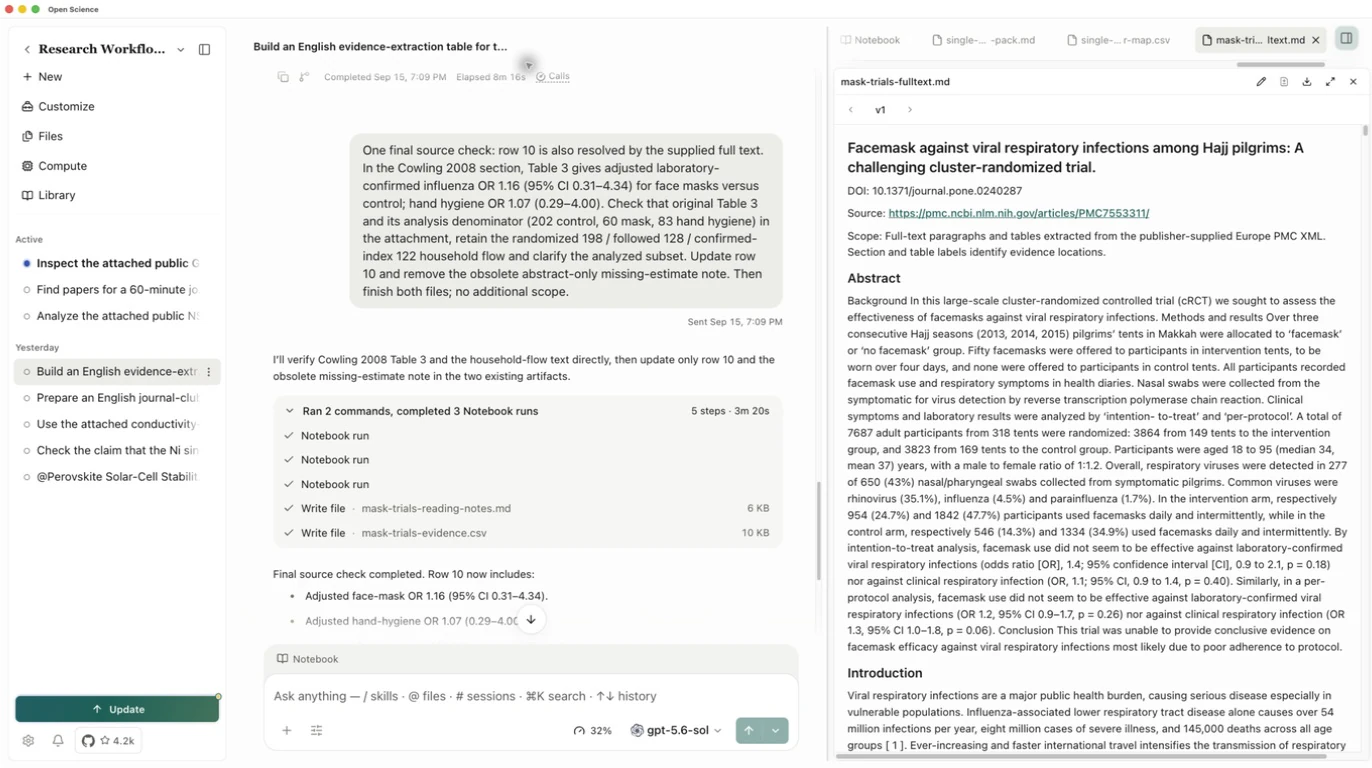
The right-hand pane keeps each paper’s title and DOI next to the text used for extraction. Match these identifiers to your source list.
3. Ask the agent to extract comparable information
Give the agent a consistent set of fields and request a location for each important claim. The documented example asks for a CSV evidence table and separate reading notes, including uncertainties and missing evidence.
For a different set of papers, adapt the field definitions to the question. A useful instruction might be:
Use only the supplied papers. Create one row per study with its identifier, population, study design, comparator, main outcome, reported result, uncertainty, and source section or table. Mark missing or unclear fields explicitly. Do not infer a missing result.
This is an illustrative prompt, not a claim that this article ran a new extraction. Review the agent's access requests and check that the intended sources were actually read.
4. Review the output against the papers
Open both the table and notes. Match study identifiers to the source list, then compare each important estimate and its analysis population with the relevant results section or table. The documented example emphasizes distinctions that a fluent summary can hide:
- The randomization unit may be a household or other group rather than an individual.
- Different outcome definitions should not be treated as interchangeable.
- A subgroup result should not silently replace the main comparison.
- Confidence intervals and inconclusive findings need to remain visible.
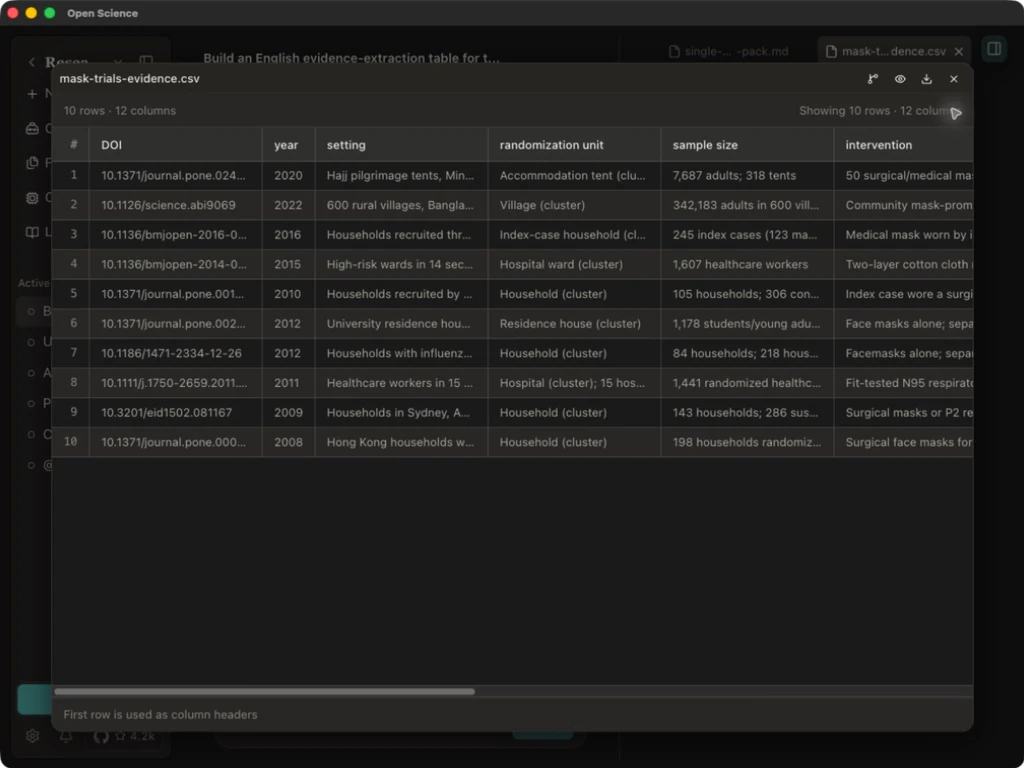
Read the randomization unit beside the sample size. A count of households and a count of participants describe different things.
If a row is wrong, identify the study and source location, request a correction to the saved outputs, and reopen them. A corrected chat response alone does not establish that a saved file changed.
5. Keep the evidence and decide what comes next
Keep the reviewed table alongside its source list and extraction notes so another researcher can understand what was included and what remains uncertain. The documented table contains ten rows and twelve columns; its accompanying notes explain why the studies should not automatically be pooled.
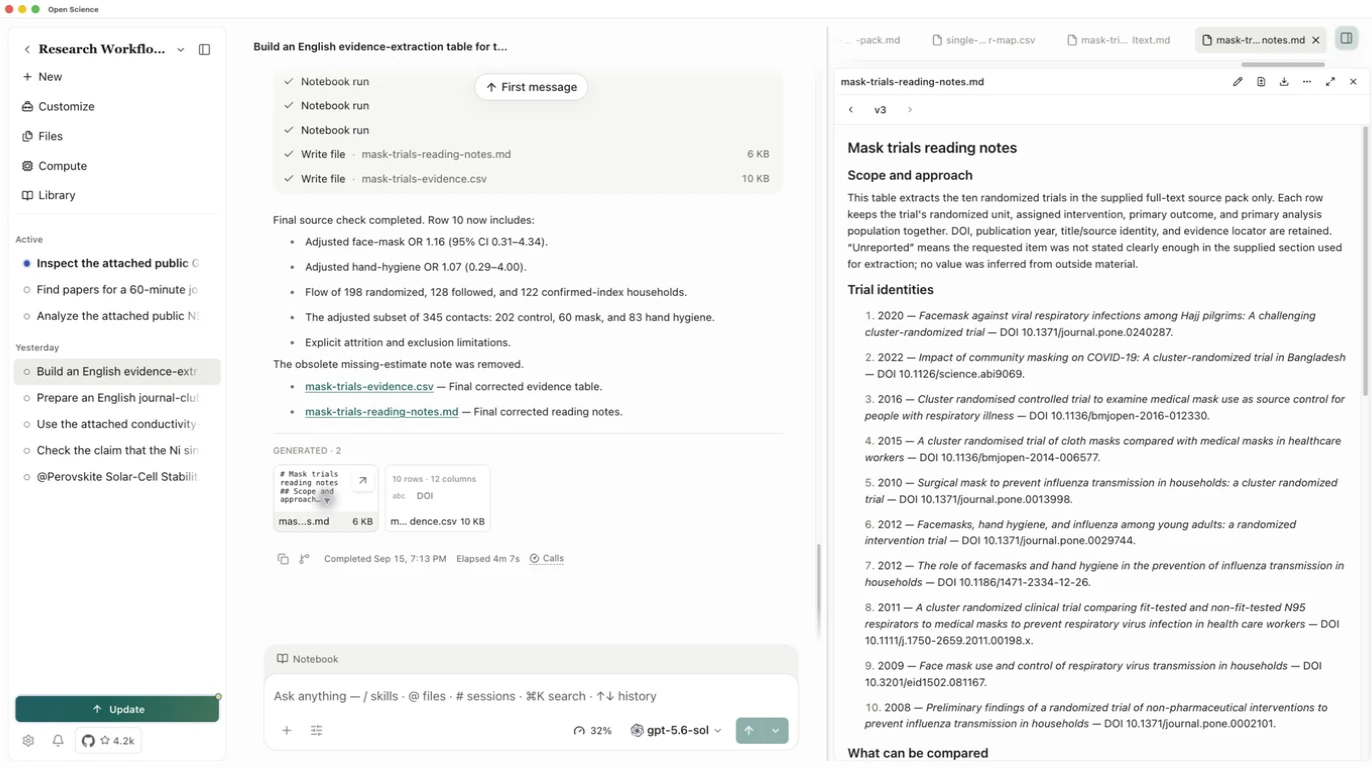
The notes on the right list the trials and explain how to interpret an “Unreported” field. Keep that explanation with the CSV when sharing the table.
If the next objective is a formal review, further work is needed: a documented search, eligibility criteria, screening, duplicate extraction, and an appropriate assessment of bias. The example gives a structured starting point, not a finished review.
Where human review belongs in agent workflows
Human review is most useful at decisions that determine what the evidence means. Reviewers should define the question and source boundary before extraction, inspect uncertain records during the work, and verify consequential numbers and interpretations against the original sources afterward.
AI agent workflow automation can reduce repeated formatting and help organize a large task. It cannot establish that a source set is complete or that a conclusion is clinically appropriate merely by producing a polished table. Keep the distinction between a source-linked claim and a claim that a researcher has checked.
Conclusion
An AI agent workflow is useful in research when its goal, source boundary, actions, checks, and outputs are visible. The ten-paper example shows one way to organize evidence extraction in AIPOCH Open-Science while keeping interpretation and verification with the researcher. Start with a small source set, inspect the output, and expand only when the checks work for your question.
FAQ
What is an AI agent workflow in research?
It is a structured way to connect a research goal with an agent's available information, actions, outputs, and review points. The amount of agent discretion depends on how the process is designed.
Can an agent workflow complete a systematic review?
An agent can assist with parts of a review, such as organizing or extracting information. A systematic review also requires a documented search and selection process, quality assessment, and review of the evidence. An evidence table alone is not a completed systematic review.
Do agent workflows always require multiple agents?
No. A workflow can use one agent, multiple agents, or a mixture of model-assisted and conventional steps. Choose a structure that fits the task and can be reviewed.
How can I check an AI-generated evidence table?
Match each row to the intended source, then verify consequential values, population definitions, outcomes, and limitations against the original paper. Record missing information and review the saved files after any correction.