AI agents can support a complete immune pathway GSVA or ssGSEA — from a normalized or preprocessed expression matrix to ranked differential results and heatmap PDF — without researchers writing a single line of R code. The AIPOCH Immune Pathway Analysis skill accepts three CSV files, runs GSVA scoring across a user-supplied immune gene-set table, applies limma differential analysis to GSVA or ssGSEA pathway scores between two predefined sample groups supplied in group_info.csv, and produces structured tables and a heatmap for researcher review.
Pathway analysis methods like GSVA have been validated in published literature since Hänzelmann et al. (BMC Bioinformatics, 2013), which reported that GSVA can provide increased statistical power to detect subtle pathway activity changes over a sample population in comparison to PLAGE, ssGSEA, and combined z-score methods under the simulation conditions evaluated in that study.
Despite its methodological maturity, setting up a reproducible GSVA pipeline for immune Reactome gene sets still requires coordinating R package dependencies, writing limma differential analysis code, formatting gene-set tables in the correct long format, and generating consistent heatmap outputs — a setup process that can require significant preparation time before any biology is reviewed. AIPOCH's Immune Pathway Analysis skill can assist researchers in reducing this setup overhead so teams can focus on interpreting pathway rankings rather than debugging R environments.
What Does the Immune Pathway Analysis Skill Do?
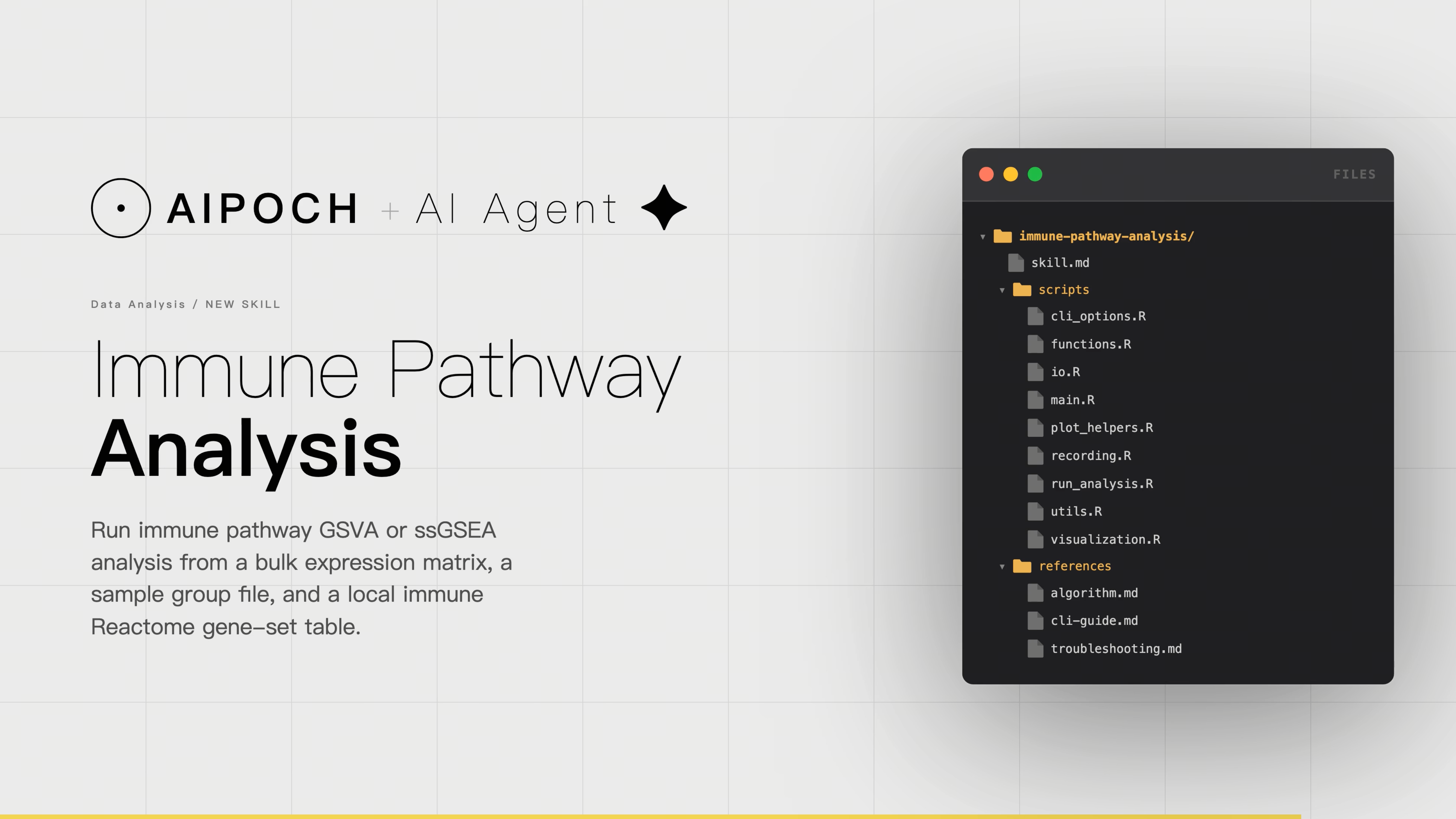
The AIPOCH Immune Pathway Analysis skill can assist researchers with running immune pathway GSVA or ssGSEA analysis from a bulk expression matrix, a sample group file, and a local immune Reactome gene-set table, then export differential pathway results and a heatmap for two-group comparison.
When Not to Use
- Immune cell fraction estimation or deconvolution
- Gene-level differential expression without pathway scoring
- Single-cell clustering, annotation, or communication analysis
- Clinical diagnosis or treatment selection This skill only covers bulk immune pathway GSVA or ssGSEA analysis from a local immune gene-set table.
Browse and download the full skill collection on GitHub →
Workflow Execution Example
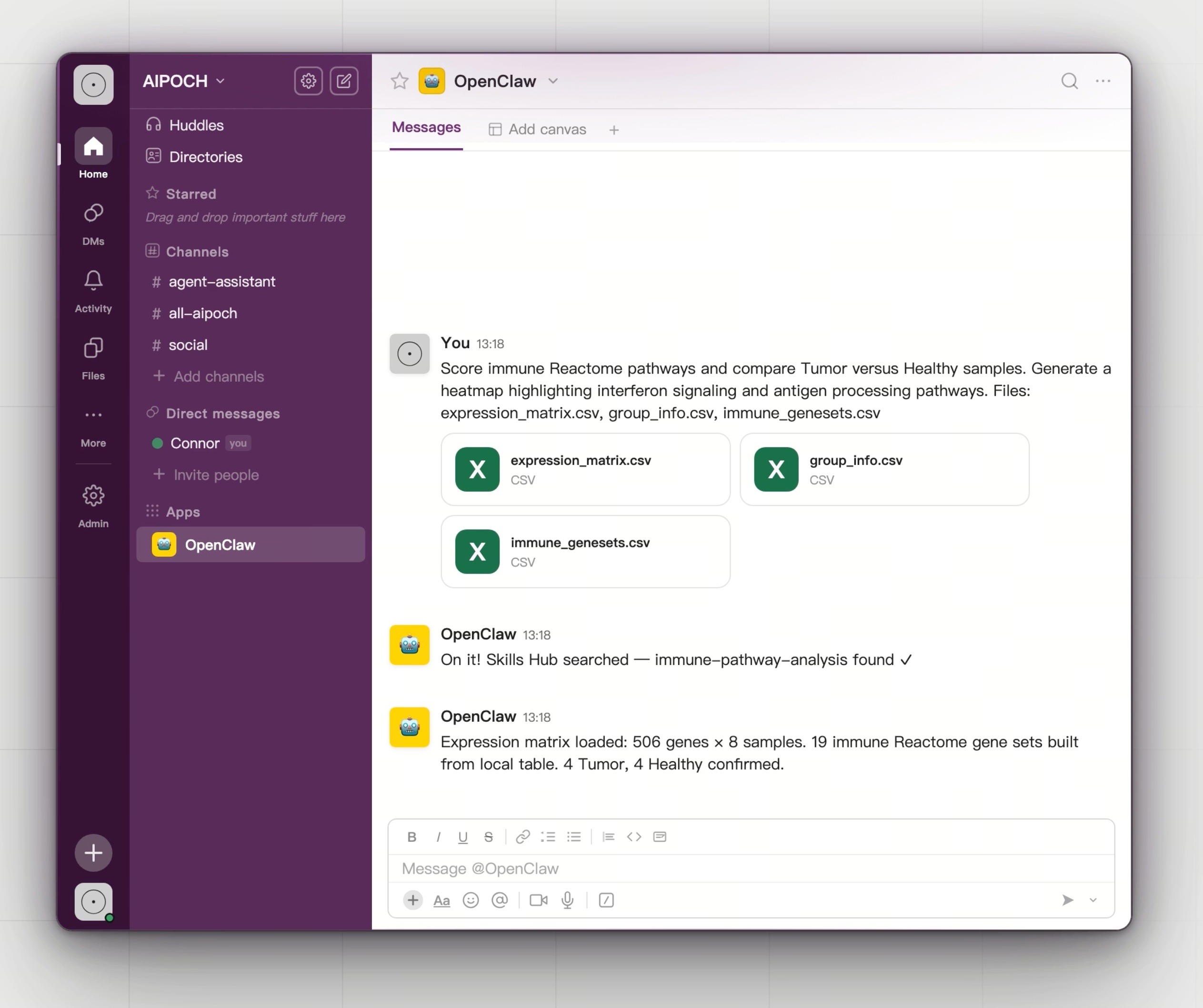
As shown in the first screenshot, a researcher provides three CSV files to the OpenClaw agent environment:
- expression_matrix.csv
- group_info.csv
- immune_genesets.csv The researcher's prompt specifies the comparison direction (Tumor versus Healthy), the scoring focus (interferon signaling and antigen processing pathways), and the output type (heatmap).
Step 2 — AI Workflow Execution
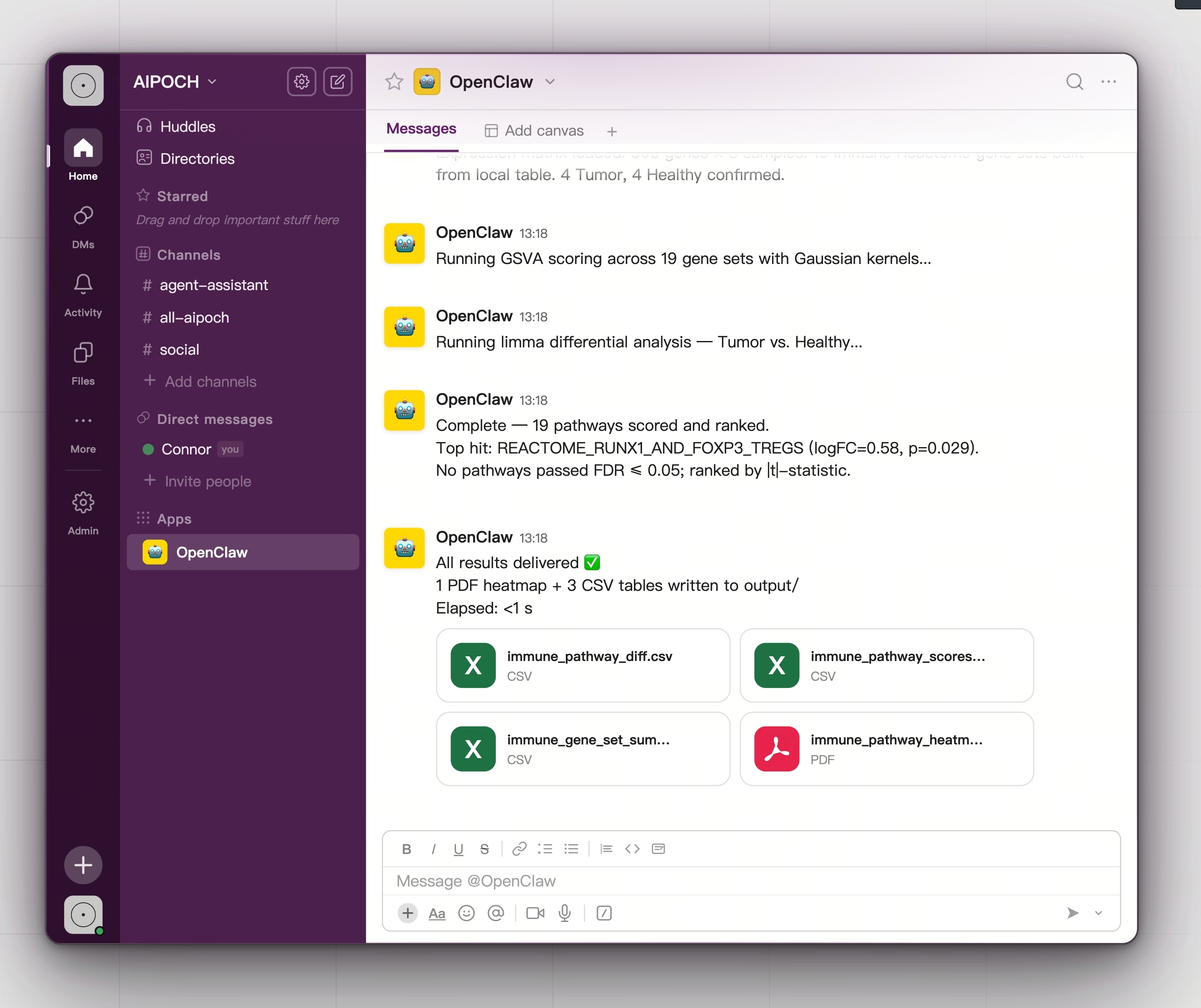
The second screenshot shows the agent's execution progress:
- Expression matrix load: 506 genes × 8 samples; 19 immune Reactome gene sets built from the local table; 4 Tumor and 4 Healthy confirmed.
- GSVA scoring
- Limma differential analysis
- Ranking and output: 19 pathways scored and ranked for researcher review. Top hit: REACTOME_RUNX1_AND_FOXP3_TREGS (logFC = 0.58, p = 0.029). No pathways passed FDR ≤ 0.05; ranked by |t|-statistic.
Step 3 — Structured Outputs
- immune_gene_set_summary.csv
- immune_pathway_diff.csv
- immune_pathway_scores.csv
- immune_pathway_scores_top.csv
- immune_pathway_heatmap.pdf
Demo Video
Watch the full workflow execution — from CSV input to ranked pathway table and heatmap PDF:
Manual Workflow vs AI Agent Workflow
| Task | Manual Workflow | AI Agent Workflow |
|---|---|---|
| Gene-set table formatting | Manually restructure Reactome export to long-format CSV | Skill accepts standard long-format table directly |
| R environment setup | Install GSVA, limma, pheatmap; resolve version conflicts | Skill manages dependencies viareferences/cli-guide.md |
| GSVA parameter configuration | Edit R script for kernel, min/max gene-set size, tau | Pass CLI arguments; defaults cover most use cases |
| Group label reconciliation | Manually align sample names across matrix and group file | Skill validates and reportsSKILL_SAMPLE_MISMATCHwith location |
| FDR fallback handling | Undefined in most manual pipelines; empty output | Documented fallback to ` |
| Heatmap regeneration | Re-run full scoring pipeline to adjust visual parameters | --mode visualizereuses saved.rdsobject; sub-second |
| Run provenance | Ad hoc notes or no record | Append-onlyrun_record.txtandoutput_manifest.txt |
| Completion reporting | Requires manual inspection of output files | Structured 3-part summary: method, outputs, warnings |
Who Can Benefit From This Skill
- Computational biologists running repeated immune pathway comparisons
- Translational medicine teams preparing pathway activity summaries from bulk RNA-seq datasets for manuscript figures
- Bioinformaticians supporting wet-lab collaborators who need pathway heatmaps without managing R pipeline infrastructure
- Graduate students and postdocs learning pathway analysis workflows with a reproducible, well-documented execution model
Conclusion
The skill reduces the repetitive workflow overhead of gene-set formatting, parameter configuration, group reconciliation, and heatmap regeneration — tasks that are consistent across projects but consume meaningful researcher time when handled manually. Biological interpretation of pathway rankings remains the researcher's responsibility.
AIPOCH is a collection of Medical Research Agent Skills created to support AI-assisted biomedical research workflows across literature review, evidence organization, bioinformatics preprocessing, data analysis support, and research writing tasks. Researchers can explore and download the Immune Pathway Analysis skill and related skills at the AIPOCH GitHub repository and the AIPOCH Skill Library.
FAQ
What inputs does the Immune Pathway Analysis skill require?
The skill requires three input files:
- A bulk expression matrix
- A sample group file
- A local immune Reactome gene-set table These files are used to calculate pathway-level GSVA or ssGSEA scores, compare pathway activity between sample groups, and generate structured output tables and heatmap visualizations.
What does the Immune Pathway Analysis skill not cover?
This skill only covers bulk immune pathway GSVA or ssGSEA analysis from a local immune gene-set table. It does not perform:
- Immune cell fraction estimation or deconvolution
- Gene-level differential expression without pathway scoring
- Single-cell clustering, annotation, or communication analysis
- Clinical diagnosis or treatment selection
Disclaimer
This article describes the Immune Pathway Analysis agent skill available through AIPOCH for research workflow support purposes only.
The outputs produced by this skill are intended to assist researchers in organizing and preprocessing research data. They do not constitute medical advice, clinical diagnosis, treatment recommendations, or validated scientific conclusions. All outputs require independent verification and expert interpretation before use in any research or clinical context.
AIPOCH agent skills are research workflow tools. They are not approved medical devices, clinical decision support systems, or substitutes for professional medical or scientific judgment. Researchers remain fully responsible for evaluating the accuracy, completeness, and appropriateness of any outputs generated by this skill.
References and external links in this article are provided for informational purposes. AIPOCH does not endorse and is not responsible for the content of third-party sources.