Open-Science v1.0.6: Import your Zotero library and read PDFs in automatic order
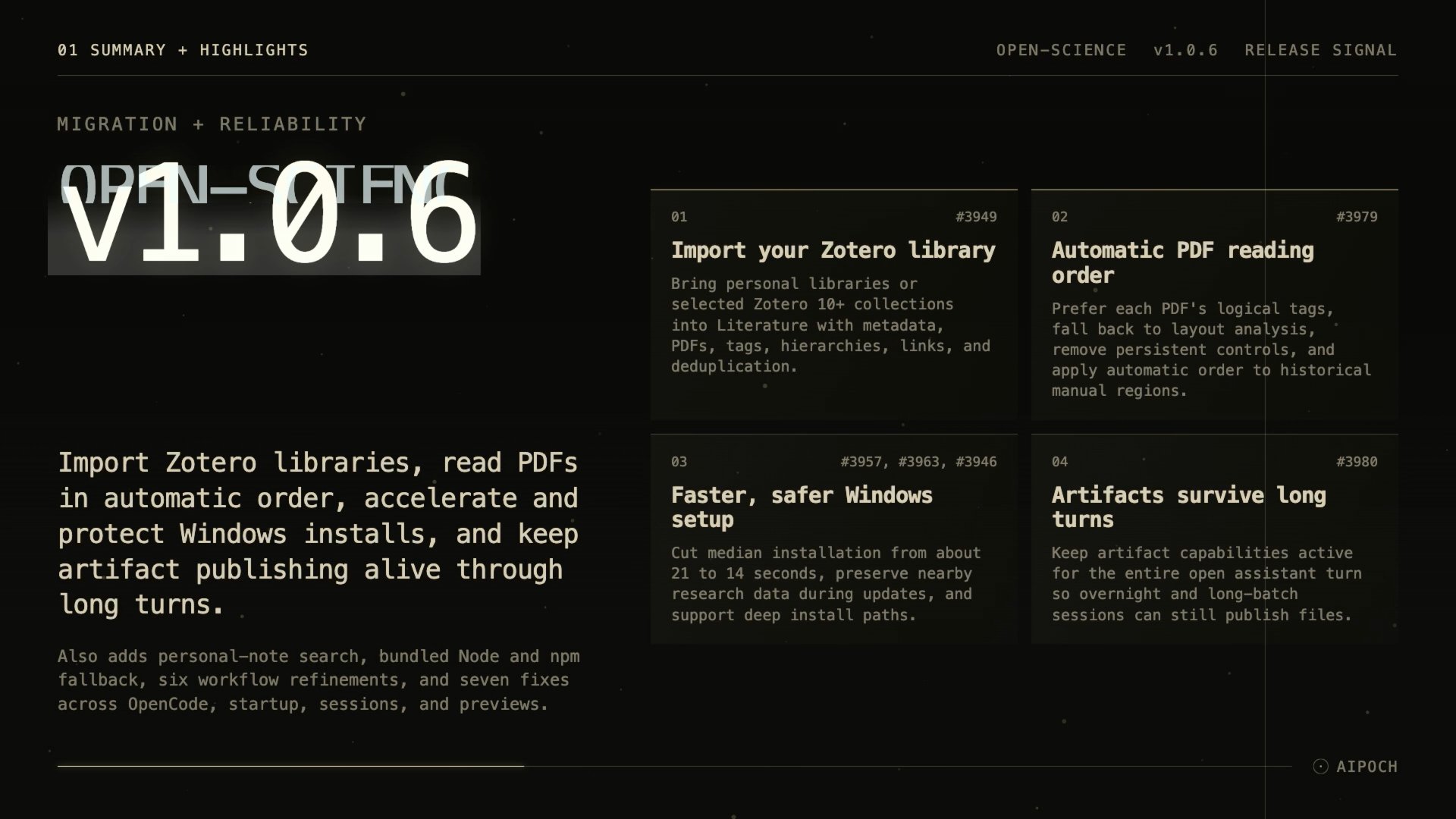
AIPOCH Open-Science v1.0.6 brings your Zotero library into the literature workspace, reads linked PDFs in automatic order, and installs a third faster on Windows while keeping research data in place.
Open-Science is AIPOCH's open-source, local-first research workbench — model-agnostic across macOS, Windows, and Linux — built so scientists can run reproducible, inspectable work with scientific agents, Python and R execution, and data connectors.
What new capabilities help researchers in v1.0.6?
Import your Zotero library
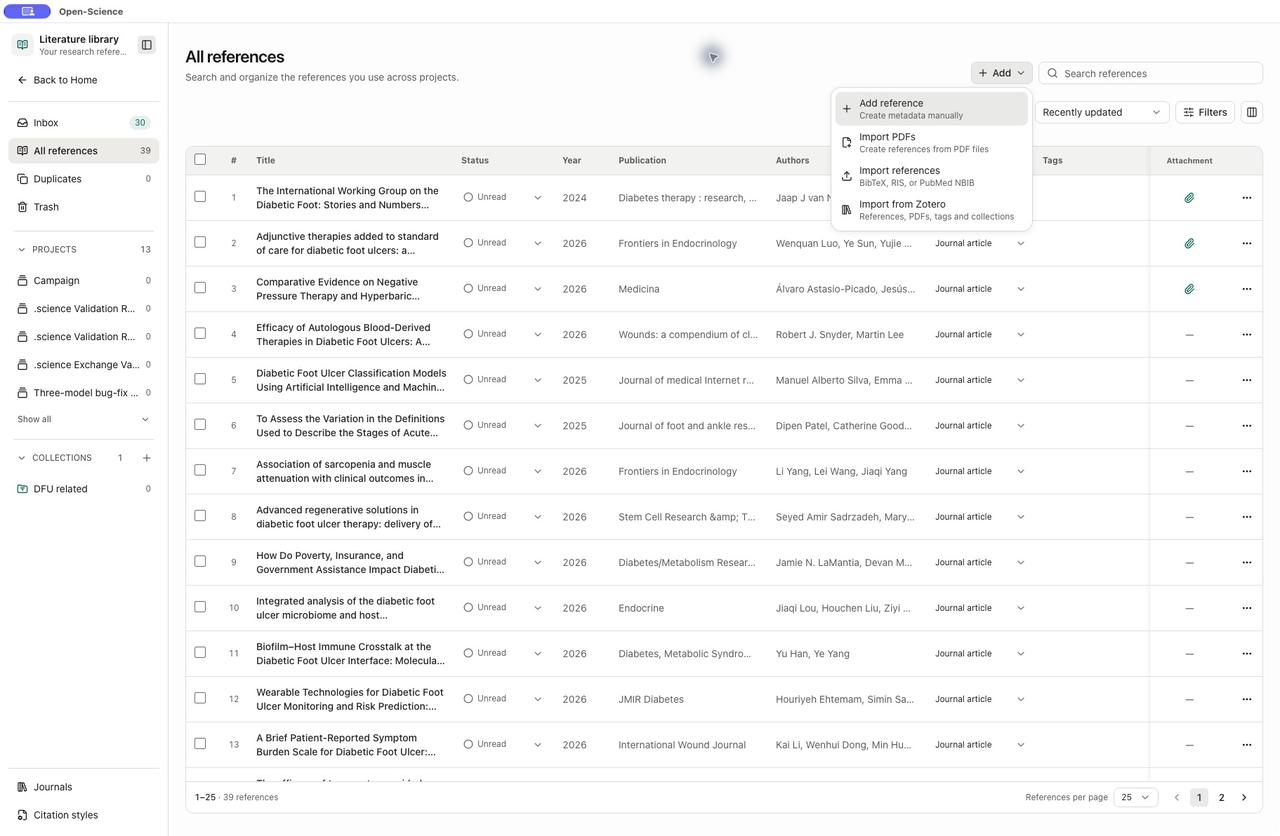
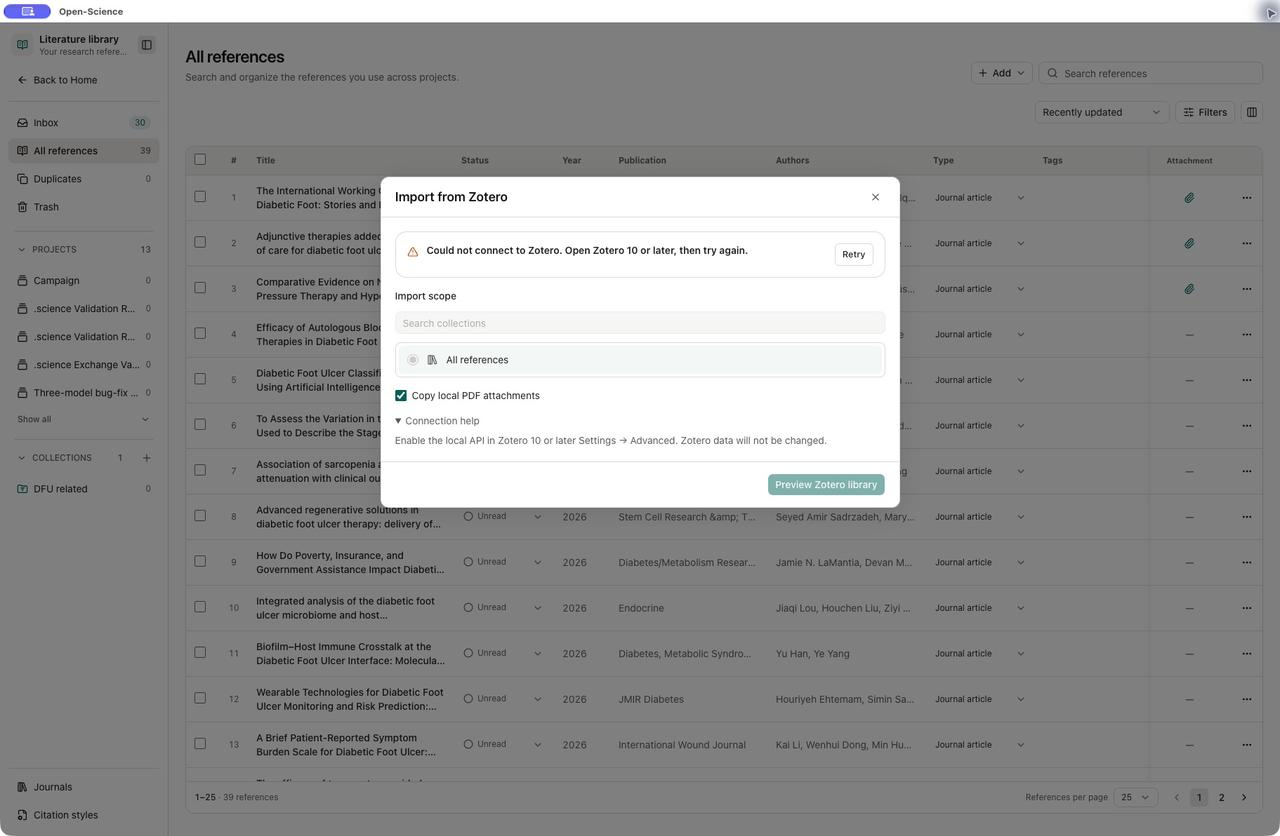
Researchers keep Zotero as the system of record for references, but moving that library into a workbench usually means duplicate entries or lost structure. The literature library now imports a personal Zotero library or selected collections from Zotero 10 or later on the same computer, carrying bibliographic metadata, PDFs, tags, collection hierarchies, and source links. Existing references are matched rather than duplicated, so your library lands in Open-Science intact and ready to search.
The Add menu in the literature library is the entry point:
The import dialog scopes the import to all references or selected collections, optionally copies local PDF attachments, and previews your Zotero library before anything is written:
PDF reading order is automatic
Linked PDFs used to open with persistent reading-order controls above the document — extra friction that didn't travel with the file. Opening a linked PDF now reads in automatic order that prefers the document's own logical tags and falls back to layout analysis when tags are missing or ambiguous; historical messages with manual regions also adopt the new order. You read the paper the way it was structured, without configuring regions first.
Windows setup is faster and safer
Windows installs were slow, and updates could delete research data kept next to the application. Installation now drops from a ~21 s median to ~14 s with a third fewer payload files and parallel extraction; updates no longer remove research data stored beside the app; and deep install paths complete instead of failing at the copy step. You get running quicker, and your co-located data stays put across updates.
Long-running turns keep their artifacts
Artifact publication used to expire two hours into a still-running assistant turn, cutting off overnight and long-batch sessions. Artifact capabilities now live for the entire open assistant turn. Long-running sessions keep publishing their files exactly as before.
Search references by your own notes
A useful reference is often memorable only by a note you wrote, not by title or author. The literature library now searches personal notes, so a phrase like "this method fits my data" finds its reference through the normal search box. You retrieve sources the way you actually think about them.
Custom connectors run without npx or npm
Stdio connectors configured with npx or npm failed on machines that didn't have those commands. Custom stdio connectors now run using the application's bundled Node and npm runtime when the commands are absent, while installed commands keep priority. Your connectors work on more machines without extra setup.
What else is new in v1.0.6?
- Translated PDFs open faster. First-open source verification now overlaps reads in small batches, and the unused local translation worker was removed, shrinking the installation.
- Slurm and terminal jobs recover cleanly. Queue, controller, and accounting observations resolve independently; terminal job outcomes persist before log collection; cancellations deliver exactly one final result; and short Windows SSH commands no longer hang on an idle input pipe.
- Split-button menus share one panel. Conversation send/queue/stop, permission approvals, literature conversation selection, and PDF marking and area tools now use one connected panel with automatic placement and reversible animations.
- Security alerts are addressed. Compatible dependency updates and bounded parsing replace backtracking-prone pattern matching.
- WSL setup guidance is clearer. Mirrored networking now states up front that it requires Windows 11 22H2 or later.
- Credential authorization waits longer. Interactive authorization now waits up to five minutes for approval, and timeout recovery explains what happened instead of looking like a missing key.
Bug fixes that affect daily use
- OpenCode sessions stay stable. Tool calls whose name arrives after the first output fragment, hidden 1.x compaction summaries, and Windows launch limits for large configurations no longer end the session with an internal error.
- Windows startup reads more cookie stores. Cookie stores with binary payload fields no longer block launch with a decryption failure.
- Native Windows R sessions handle spaces. The application's temporary directory can now contain spaces without breaking R.
- The desktop window stays in sync. A session snapshot read during busy large-transfer channels no longer desynchronizes the window.
- The first message behaves correctly. Thinking and elapsed time no longer appear before you submit, and stopping preparation restores your unsent draft.
- Imported sessions show clean history. Past delivery failures appear as collapsed, expandable history instead of a current error above the fork action.
- The DOCX preview toolbar stays on top. It remains above document content while scrolling, at any zoom.
Disclaimer
Open-Science assists researchers but does not replace scientific judgment or peer review.