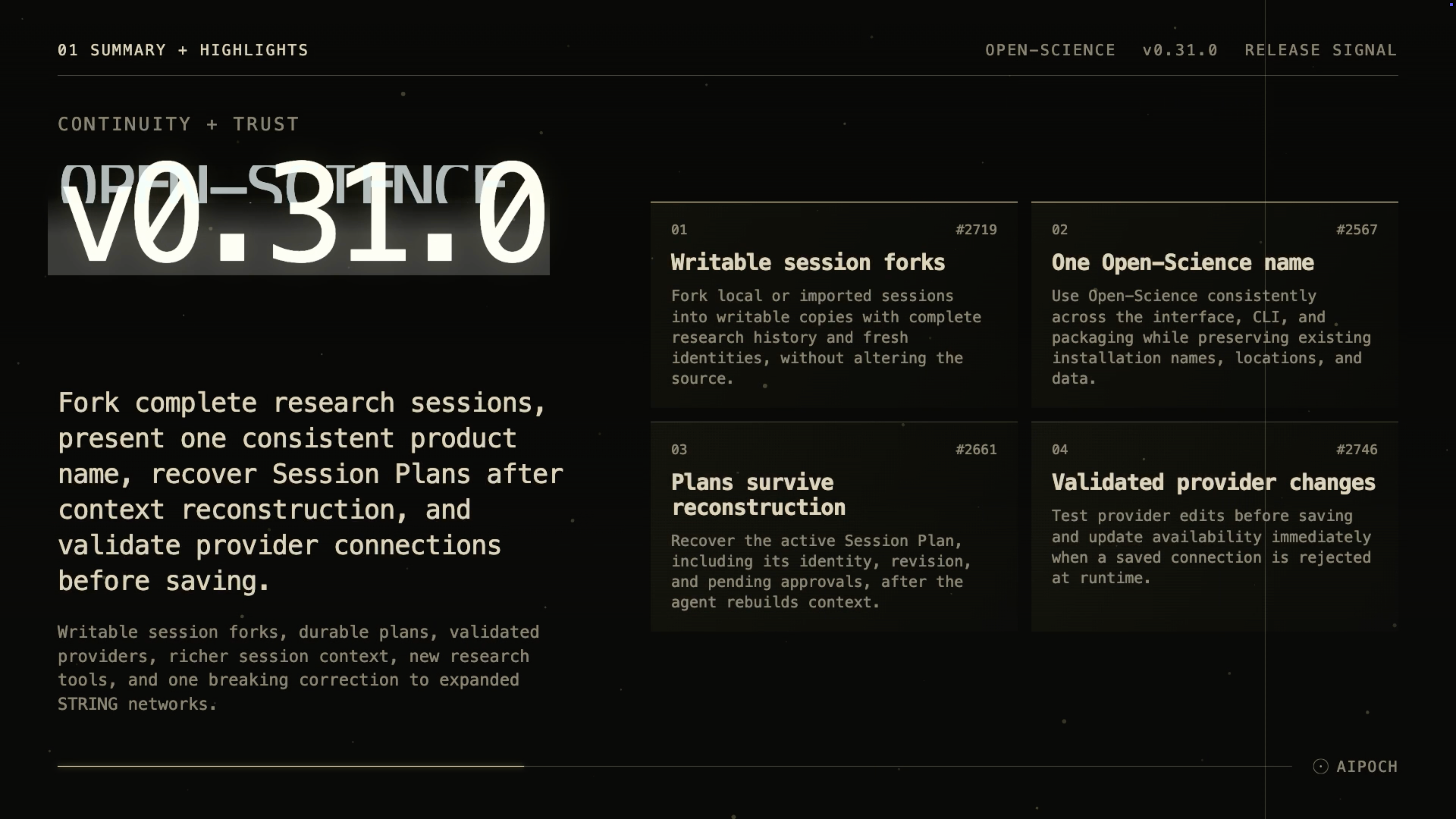
AIPOCH Open-Science v0.31.0 lets researchers fork session histories, recover active plans after context reconstruction, and test provider changes before saving them.
AIPOCH Open-Science is an open-source, local-first, model-agnostic, self-hosted AI research workbench for reproducible scientific discovery, developed by AIPOCH.
What new capabilities help researchers continue work in AIPOCH Open-Science?
The v0.31.0 release, published September 18, 2026, supports three practical needs: continuing from an existing research record, keeping the active plan available through context reconstruction, and checking model-provider configuration before accepting a change.
Fork a research session without changing its source
An existing session may hold the conversation, files, and notes needed for a follow-up investigation. Recreating that history in a blank chat makes it harder to inspect where the new work began.
Session Fork creates a separate writable copy of a local or imported session. It carries conversation branches, Notebook records, artifact versions, literature, annotations, and private bookmarks, assigning fresh identities to copied records. The source session remains unchanged.
For a local session, the session menu provides the Fork action.
For imported research, the distinction is especially useful: the imported .science session stays read-only, while Fork to continue provides a writable continuation. Researchers can inspect the imported record and pursue follow-up work in the new session.
A useful first workflow is to inspect the source record, create the fork, and review the copied history before requesting the next analysis. For example, a researcher can continue an imported analysis with a follow-up question while retaining the original record for comparison. Copying the history does not rerun its computations or establish that its conclusions are correct.
Private bookmarks also need a precise distinction: forking copies bookmarks present in the source session, but bookmarks remain excluded from .science exports. A fork cannot recover a bookmark that was never included in the imported package. These boundaries are documented in the release notes.
Recover the active Session Plan after context reconstruction
Long research conversations can outgrow the context available to the agent. When that context is rebuilt, the next turn still needs to distinguish the current plan from an earlier proposal or an unresolved approval.
Version 0.31.0 restores the active Session Plan's identity, revision, and pending approvals after context reconstruction. The agent receives a compact, read-only reference derived from the Plan service, and plan tools remain available in the conversation. Recovery guidance distinguishes pending approval, committed changes, and outcomes that have not been confirmed.
This can support continuity when a researcher returns to a multi-step task. It does not establish that each planned step ran successfully; researchers should still inspect execution records and outputs before treating a step as complete. The behavior is described in the Session Plan release notes.
Test provider changes before saving them
A provider configuration may look complete while its endpoint or credentials still fail. Discovering that only after returning to a research conversation interrupts the task and makes the cause less obvious.
In v0.31.0, provider edits are tested and saved only after the connection check succeeds. If a saved provider is subsequently rejected at runtime, its availability updates accordingly. Settings also provides clearer connection-test feedback and save-status notices.
The practical benefit is an earlier configuration check, not a promise that an external service will remain available. Provider compatibility still depends on the selected agent framework; this release does not introduce a unified gateway for every model endpoint. See the provider changes and limitations.
Inspect session details and trace the source
Similar session titles can make it difficult to identify a continuation. The conversation header now opens an information card with the session number, title, description, source, timestamps, current-branch message counts, and distinct artifact count. A pin control is included, while long titles remain compact.
Sessions branched into a new chat also show a continued from divider at the recorded source turn, separating inherited history from follow-up turns. Together, the card and divider help researchers orient themselves before continuing. Both changes are listed in the v0.31.0 new features.
What else is new in v0.31.0?
The release also updates product naming, credential setup, and connector output. One connector change requires attention before reusing older analysis scripts.
- Consistent product naming. The interface, command-line tools, and packaging now present the Open-Science name consistently. Existing installations retain their names and locations, with research data, credentials, and settings preserved.
- Direct credential links. Credential prompts for OpenAlex and NCBI lead to the official API-key pages while retaining the form draft and parked connector call.
- Optional population reports. The gnomAD connector can return population-level allele frequencies and allele/genotype counts within available exome and genome blocks, for researcher review. The report is optional; it is not a clinical interpretation.
- More consistent Settings. Panel titles, section headings, controls, and feedback have been aligned.
These changes are documented in the official release.
Before upgrading: check scripts that consume expanded STRING networks
The STRING connector now includes the complete returned graph in nodes for expanded networks. Added neighbors have is_query=false, so n_nodes must no longer be treated as the number of input proteins.
If a Notebook script assumes every node represents a submitted protein, review that assumption. Filter on is_query when the operation requires query nodes, and use queries when all returned input aliases are needed. The breaking-change notice makes this distinction explicit. Review downstream tables and counts after adapting the script.
Bug fixes that affect daily use
The v0.31.0 fixes address execution, conversation control, permissions, and connector edge cases:
- Windows computation. R execution works in standard mode without protected-mode setup. Artifact execution logs avoid false environment-evidence gaps, and per-run lock diagnostics remain available for reproducibility checks.
- Conversation control. Switching reasoning effort in the Codex backend keeps conversations usable. Fixes address stalled stop, resume, and queued follow-up commands, and retire cancelled network approvals.
- Plans and permissions. Plan progress remains visible during permission updates. Duplicate send retries no longer append messages that were not dispatched, and unpublished artifact heads survive forking without blocking startup.
- Scientific connectors. UniProt resolves secondary accessions to current primary entries; Ensembl improves identifier resolution and sequence-error handling; cBioPortal mutation frequencies use gene-profiled sample counts. Clinical-trial eligibility filters and molecule rendering/counting also receive corrections.
- Interface and storage. Attachment opening preserves parent dialogs, dismissal avoids content resets, and storage cleanup and local imports receive additional path and source-file protections.
Install or update
Download AIPOCH Open-Science v0.31.0 from the official release assets. Supported platforms are macOS 12 or later on Apple Silicon or Intel, Linux x64, and Windows 10/11 x64. Existing installations can update in place.
Official macOS releases are signed and notarized. Windows builds remain unsigned and may trigger a SmartScreen warning; check that the installer came from the official release page. Before continuing an older expanded-network workflow, review the STRING migration note above.
To try the central change, open a research session you want to revisit, create a fork, and inspect its copied history before adding the next research question. The AIPOCH Open-Science product page provides an overview of the wider workbench.
Resources
- AIPOCH Open-Science v0.31.0 release and downloads
- AIPOCH Open-Science product overview
- AIPOCH
- What is AIPOCH Open-Science?
- Skills, Connectors, and Specialists in AIPOCH Open-Science
FAQ
Can I continue an imported research session in AIPOCH Open-Science v0.31.0?
Yes, by forking it into a writable copy. The imported .science session itself stays read-only; the new fork carries its research history for continuation, as described in the release notes.
Does a session fork prove that the analysis is reproducible?
No. Forking copies research history; it does not re-execute the analysis or independently verify its results. The documented verification limits distinguish captured-version checks from full-session replay, which remains an open capability.
Will the naming update move my installation or reset my data?
No. The v0.31.0 naming change preserves existing installation names and locations, research data, credentials, and settings while making the displayed product name consistent.
What should I change in scripts using expanded STRING networks?
Do not assume nodes contains only input proteins or that n_nodes equals the input count. Follow the v0.31.0 connector migration guidance: filter is_query for query nodes and use queries for returned input aliases.
Which operating systems support v0.31.0?
The release supports macOS 12+ on Apple Silicon and Intel, Linux x64, and Windows 10/11 x64. Windows R execution can run in standard mode without protected-mode setup.
Disclaimer
AIPOCH Open-Science assists research workflows and does not replace scientific judgment or peer review. Copied histories, recovered plans, and successful connection checks do not establish scientific correctness. Review source data, generated code, connector outputs, and execution evidence before using results in research; population-level variant reports are not diagnostic or treatment guidance.