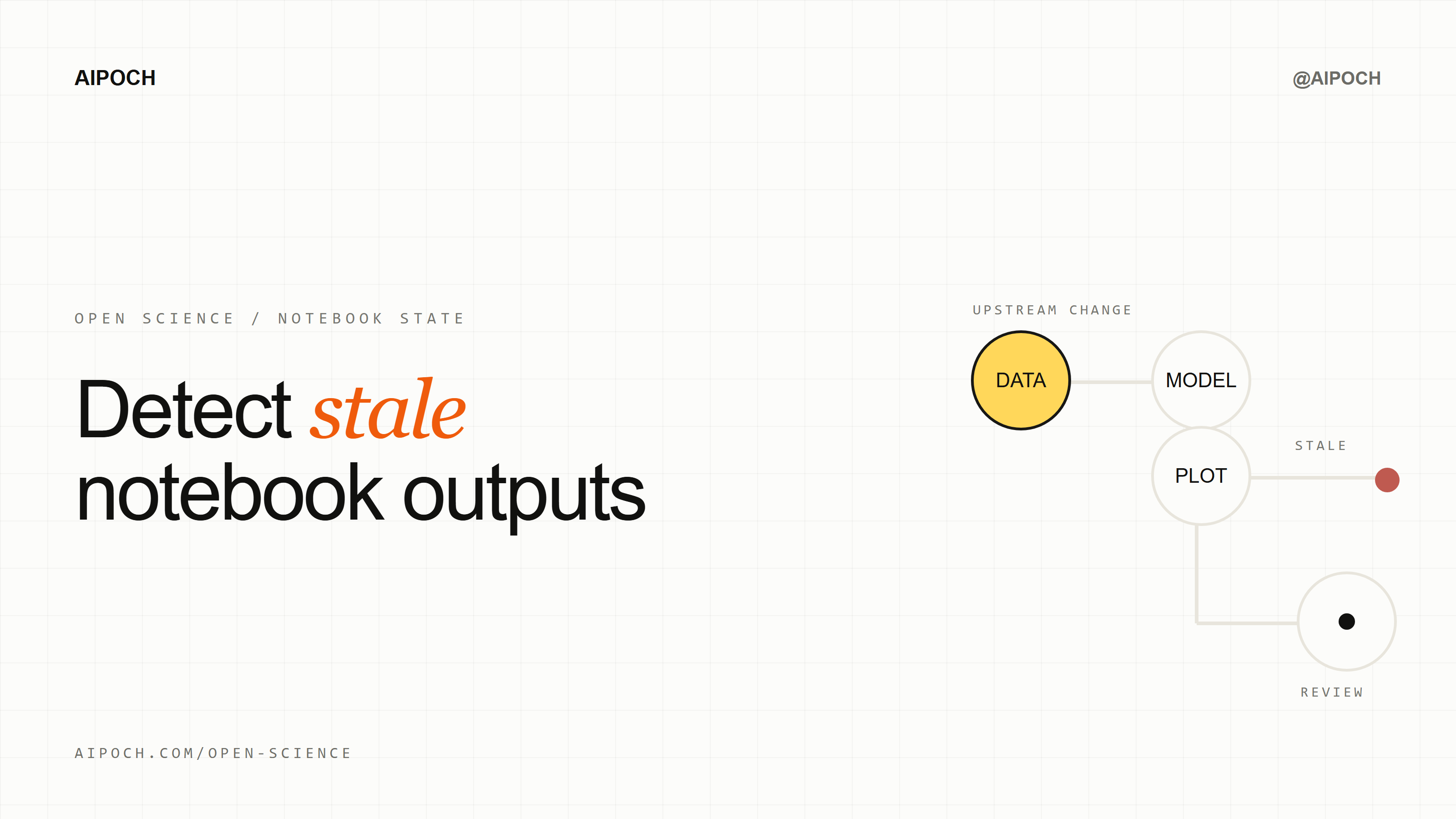
A notebook output can remain visible after the variables behind it have changed. AIPOCH's Open Science surfaces this risk with cross-run dependency states for completed Python and R runs. It marks outputs clear, stale, or unknown so researchers can decide what to inspect and rerun. The feature was introduced in v0.19.0 and verified against v0.20.1 on August 26, 2026.
The Notebook State Problem
A notebook's visual order does not reliably show which variable state produced an output. Persistent kernels let later runs reuse earlier objects, but they also let an old model, table, or figure remain on screen after an upstream object is redefined or mutated.
Nothing has to fail. The earlier run may have completed correctly for the state that existed at the time. The ambiguity appears later, when the current variable and the visible output no longer belong to the same execution state.
This is why recorded code alone is not always enough. Researchers also need to know whether a displayed result still corresponds to the upstream definitions the notebook now contains. For a broader explanation of persistent kernels and execution history, see How Open Science Runs Python, R, REPL, and Shell Code.
What Do clear, stale, and unknown Mean?
The states describe dependency evidence, not scientific correctness. Open Science v0.19.0 introduced concise state tags on Notebook outputs, with dependency details available through hover or keyboard focus.
| State | What it means | What it does not mean |
|---|---|---|
clear | The analyzer found no stale dependency in the recorded relationships it could resolve. | The output is scientifically correct or reproducible in every environment. |
stale | A later run changed or mutated a tracked upstream dependency used by the output. | The original run failed, or the old output must be deleted automatically. |
unknown | The analyzer could not resolve enough dependency evidence confidently. | The output is current, invalid, or safe to use without review. |
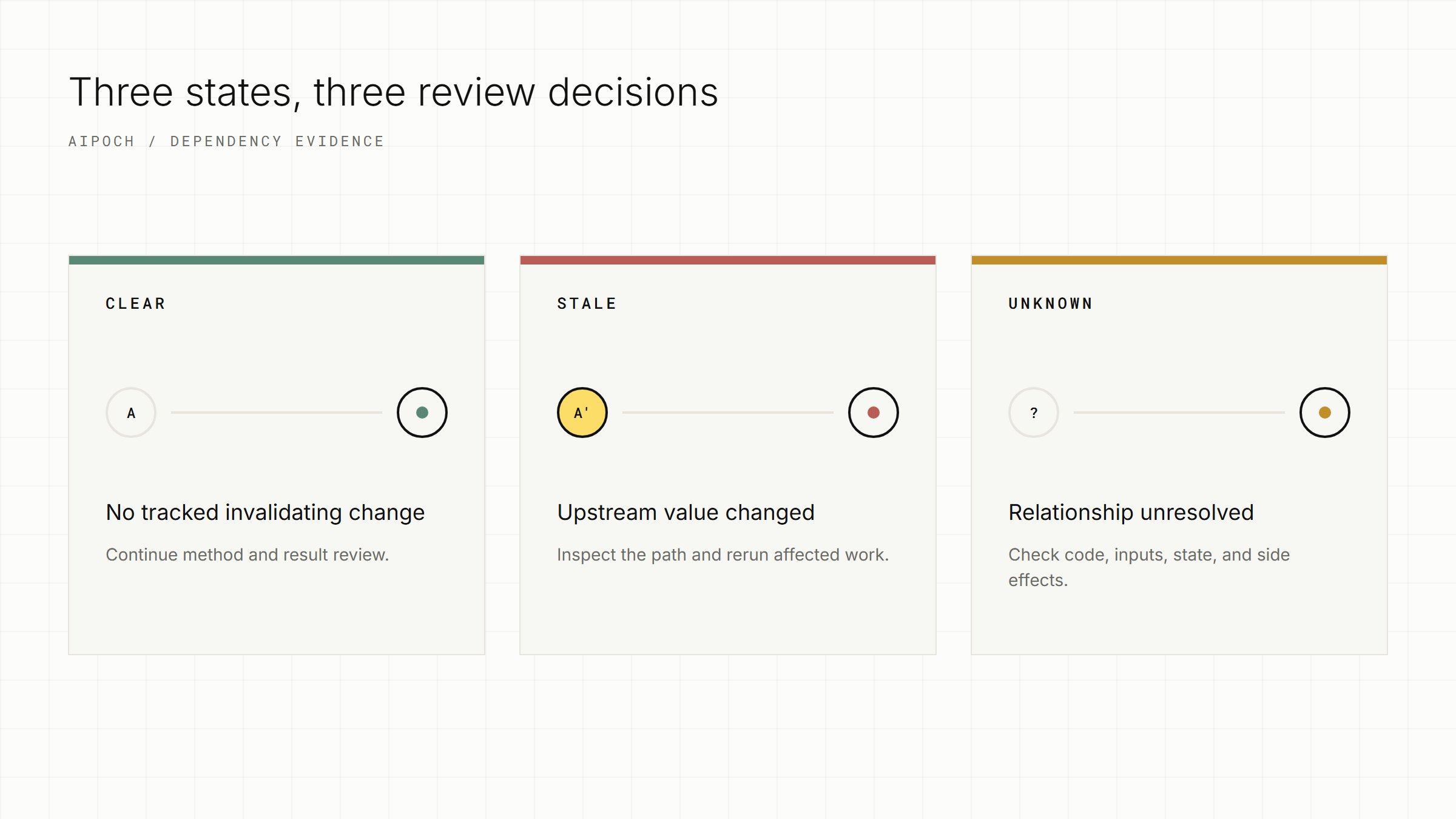
Illustrative state map—not an Open Science dependency-graph interface.
A clear tag is therefore not a certificate. It does not assess the dataset, statistical assumptions, method, parameters, or interpretation. An unknown tag is not permission to proceed: it says the available analysis cannot determine the relationship confidently enough.
How Cross-Run Tracking Works—and Its Limits
Open Science analyzes completed run source and execution order, then infers cross-run definitions, uses, aliases, and mutations. The implementation uses Tree-sitter WASM in process for Python and R instead of launching another Python or R process for analysis.
The documented coverage includes root-object mutations, Python classes, R object models, copy/reference behavior, and common scientific-library effects. R requires careful wording: R6 is reference-based, while S4 objects commonly participate in R's copy-on-modify semantics. Both create object-model relationships that simple name matching may miss.
The product surfaces concise tags and tooltip details. Notebook tool results can also include structured dependency information for the agent. It does not promise a complete interactive dependency graph or an automatically generated rerun plan.
| The tracker does | The tracker does not |
|---|---|
| Analyze completed Python and R run source | Compare full runtime object values or memory snapshots |
| Infer recorded definitions, uses, aliases, and mutations | Rerun cells automatically |
| Separate kernel namespaces with recorded epoch information | Track file contents, timestamps, or checksums |
Show clear, stale, or unknown evidence states | Analyze JavaScript REPL dependencies |
| Provide tooltip and agent-facing dependency details | Prove that every dynamic dependency was found |
Dynamic execution, reflection, indirect library behavior, external services, files, random state, and hidden environment effects can remain unresolved. The conservative response is unknown, not an unsupported clear.
Open Science v0.20.0 narrowed Python dependency uncertainty to conditionally defined names, reducing unrelated unknown classifications. That change improved the boundary; it did not remove uncertainty or add runtime value comparison. v0.20.1 retained the core dependency-state behavior.
A Short Python Example
A later variable change does not automatically rebuild an earlier model or figure. Consider this illustrative sequence:
# Run 1
cohort = load_cohort()
model = fit_model(cohort)
plot_model(model)

# Run 2, executed later
cohort = cohort[cohort["quality_flag"] == "pass"]
Run 1's model and figure correspond to the original cohort. Run 2 changes the current cohort, but it does not refit model or redraw the figure. If the analyzer resolves this relationship, the earlier output can be marked stale.
The same issue can arise without a direct reassignment. If analysis_df aliases cohort, an in-place mutation through either name may affect their relationship. If a custom function reads an external file or creates state indirectly, the result may instead be unknown because file content and runtime values are outside the documented tracking scope.
What Should You Do When an Output Is stale or unknown?
Use the status tag and available tooltip details to start a manual review. Open Science does not choose or execute a rerun order for you.
- Identify the affected run. Note which table, model, figure, or intermediate object carries the state.
- Read the available details. Use the tag's tooltip and recorded Notebook history to locate the upstream definition or mutation the analyzer surfaced.
- Inspect code and inputs. Confirm whether the change was intentional and check external files, parameters, random state, and environment evidence that the analyzer may not cover.
- Choose and execute a rerun order. Run the necessary upstream preparation, then the dependent model, table, or figure steps. Do not assume the product has supplied a complete dependency graph.
- Review the new result. Recheck the dependency state, compare the output, and independently assess the method and interpretation before use.
For unknown, the same workflow applies with more caution. Inspect the unresolved code path and do not infer that an output is current merely because it still renders.
From a Reviewed Run to a Versioned Artifact
Dependency states help decide which Notebook output deserves review; Artifact Versions and Provenance preserve the selected result and its available production evidence. These are connected stages, not interchangeable features.
After rerunning the affected work, compare the old and new result, check the input revision and environment, and select the output you intend to retain. When that output becomes an Artifact, its version record can preserve the evidence Open Science could verify, including available producer code, execution history, input references, environment inventory, and branch context.
Read How Open Science Tracks Research Results: Artifact Versions and Provenance for that next stage. Dependency tracking does not replace provenance, and provenance does not prove that the Notebook analysis was scientifically sound. Together they make it easier to distinguish a visible exploratory result from the reviewed version selected for the research record.
Frequently Asked Questions
Does clear mean a Notebook output is correct?
No. It means the analyzer found no stale dependency in the recorded relationships it could resolve. Data quality, statistical assumptions, methods, and interpretation still require independent review.
Does Open Science rerun dependent cells automatically?
No. Automatic cell reruns are outside the documented scope. Researchers use the status and available details to choose a manual rerun order.
Why might an output be marked unknown?
The analyzer may not be able to resolve dynamic execution, external state, indirect library effects, or another ambiguous relationship. Unknown calls for inspection; it does not classify the output as current or invalid.
Does dependency tracking cover JavaScript REPL runs?
No. The documented cross-run analysis covers completed Python and R runs. JavaScript REPL dependency analysis is not included.
Can dependency tracking replace Artifact Provenance?
No. Dependency tracking surfaces Notebook-state risk. Artifact Provenance records available evidence for a selected output version. Each answers a different review question.
Disclaimer
This article is intended for informational purposes only and does not constitute medical advice, clinical guidance, diagnostic recommendations, treatment decisions, or validated scientific conclusions. Sample code, workflow outputs, and parameter values shown are illustrative and do not represent any validated research finding or real-world result.
Open Science is a research workflow tool. Its Notebook dependency states are operational evidence signals, not judgments of scientific validity. It does not replace researcher judgment, and researchers remain fully responsible for evaluating the accuracy, completeness, and appropriateness of any outputs generated. All outputs require independent verification and expert interpretation before use in any research context.
References and external links in this article are provided for informational purposes. AIPOCH does not endorse and is not responsible for the content of third-party sources.