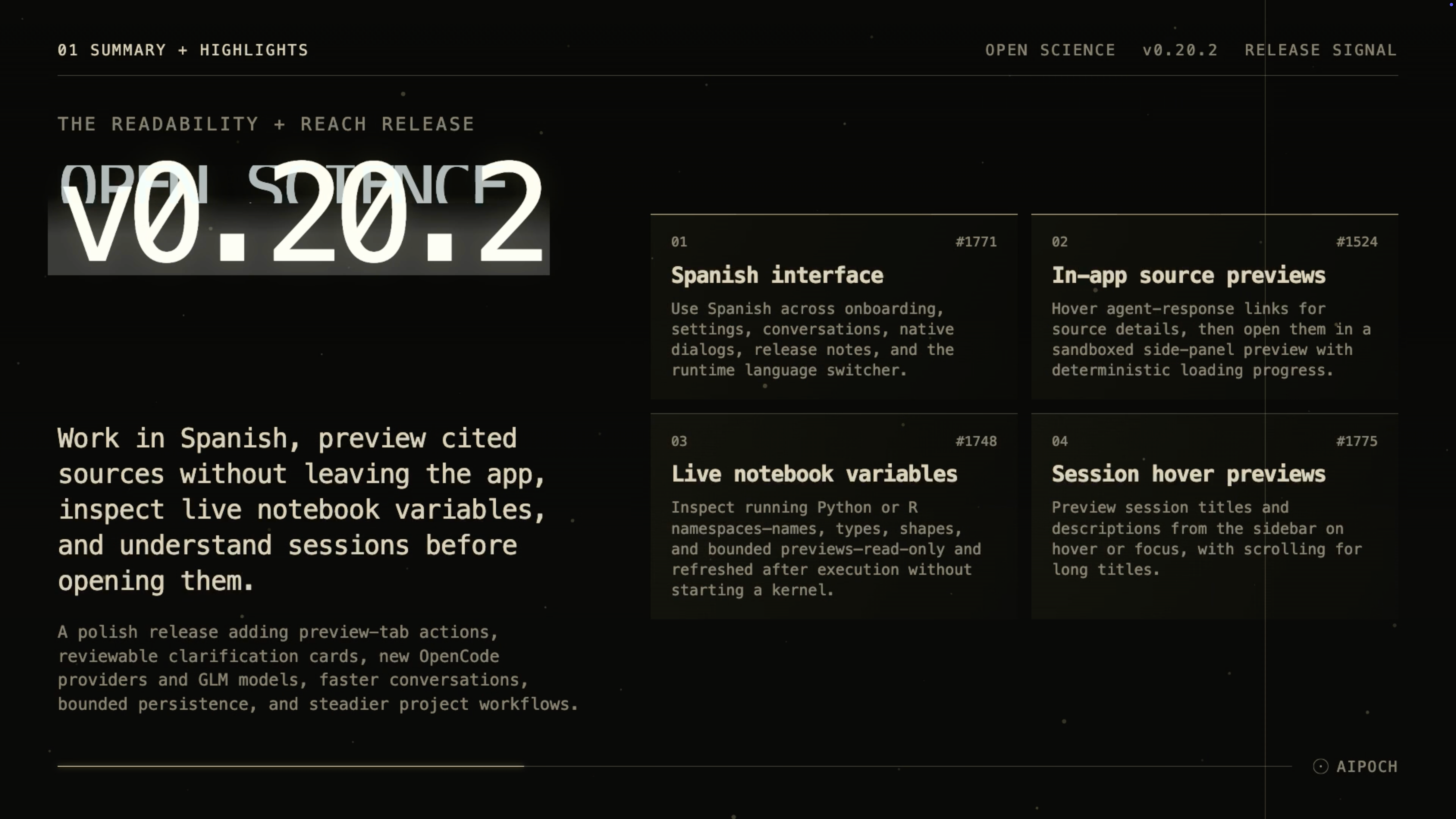
v0.20.2 brings cited pages and live notebook state closer to the research session, while making long conversations and project navigation easier to manage.
Open Science from AIPOCH is an open-source, local-first AI research workbench that supports inspectable research across models, Python and R execution, scientific data connectors, and desktop platforms.
What new capabilities help researchers read, inspect, and navigate their work?
Spanish Interface
Researchers who prefer Spanish can now use it across onboarding, settings, conversations, native dialogs, date formatting, documentation, and release notes. The runtime language switcher in Settings lets users change the interface without reinstalling the app, making the same research workspace more accessible to Spanish-speaking teams.
In-App Source Previews
Following a citation into a separate browser can interrupt reading and make it harder to keep the source beside the agent response that referenced it. In v0.20.2, HTTPS links in agent responses show the source title and full URL on hover, then open in a sandboxed side-panel preview with a deterministic loading indicator. Keyboard navigation, an external-browser shortcut, and preserved URL display help researchers inspect a cited page while keeping the originating conversation visible.
Live Notebook Variables
Understanding a running analysis often requires checking the objects currently held by Python or R. The new read-only Variables view shows names, types, shapes, and bounded value previews from a running notebook kernel. It supports filtering, a private-name toggle, manual refresh, and explicit stale, refreshing, or unavailable states; it refreshes after execution, does not start a kernel only for browsing, and does not persist variable snapshots.
Session Hover Previews
Short sidebar labels can make similar or long-running sessions difficult to distinguish. Hovering or focusing a session now reveals its title and description, while overflowing titles scroll within the preview. The behavior is desktop-only and respects reduced-motion preferences, helping researchers identify the right session before opening it.
Right-Click Preview-Tab Actions
Managing an open result previously required moving between the preview and other workspace controls. Preview tabs now provide a pointer-anchored context menu with Close and Close others, plus context-sensitive Download, Copy path, and Save as artifact actions. The menu opens without activating the tab, so researchers can organize results with fewer workspace changes.
Reviewable Clarification Records
Once a clarification card was answered, reviewing the original questions and selections could take extra effort. Answered and skipped cards now compact into per-question records that can expand back to the original prompts, with accurate selection counts and compact controls. This keeps the transcript readable while preserving the context needed to review a decision.
New Provider and Model Options
v0.20.2 adds OpenCode Go and OpenCode Zen as built-in API-key providers. It also adds GLM-5.3-Flash alongside GLM-4.5-Air and GLM-5.3 for Zhipu AI, giving researchers more registered choices within the compatibility limits of their active agent framework and provider route.
What else is new in v0.20.2?
- Conversation rendering now loads Mermaid and code-highlighting runtimes only when a message needs them, reducing renderer startup work.
- Long-running sessions save at a bounded cadence instead of once per presentation frame, reducing sustained CPU, memory, and disk pressure in large sessions.
- The response footer now labels model-request totals as calls, matching the context-window view.
- Project archiving waits for active reviewer work and non-terminal remote compute jobs, and queued messages remain paused until the project is restored.
- Long plan summaries are limited to three lines with a hover reveal, while streamed plan updates preserve the preview's scroll position.
Bug fixes that affect daily use
- Session metadata and approvals: Permission approvals no longer collide with title or description generation, so both records persist without an unnecessary alert.
- Interrupted-session errors: When a provider reports a structured failure, resumed sessions preserve that authoritative error instead of silently resetting context.
- Project agent context: Configured project context now fails closed when lookup fails, and edits apply to idle sessions before the next prompt.
- Granted-folder changes: Failed permission changes now show a retryable explanation instead of silently retaining the previous grant.
- Notebook request validation: Local notebook RPC requests validate parameters by method and reject malformed input before execution.
- Session preview behavior: Hover previews dismiss immediately and remain functional across pointer-bridge changes.
Install or update
Open Science v0.20.2 supports macOS 12+ on Apple Silicon or Intel, Linux x64, and Windows 10/11 x64. Download the appropriate DMG, AppImage, Debian package, or Windows installer from the Open Science v0.20.2 release page. The first-run wizard can configure an app-managed agent runtime, and an installed app can update itself in place.
Official macOS release builds are Developer ID signed and notarized. Windows builds are not yet Authenticode-signed, so SmartScreen may show an “unrecognized app” prompt; verify that the installer came from the official release page before continuing.
Resources
- Open Science v0.20.2 release notes
- AIPOCH Open Science
- AIPOCH
- Open Science v0.20.0: Connect Sessions and Keep Long Research Threads Fast
- How Open Science Runs Python, R, REPL, and Shell Code
- How Open Science Extends a Research Agent
FAQ
Is Open Science v0.20.2 available in Spanish?
Yes. v0.20.2 provides Spanish across onboarding, settings, conversation surfaces, native dialogs, dates, documentation, and release notes. Users can select the language at runtime in Settings.
Does opening a source link leave the Open Science app?
Not by default. In v0.20.2, supported HTTPS links in agent responses can open inside a sandboxed side-panel preview that shows the URL and loading progress. An external-browser shortcut remains available when needed.
Can the Variables view modify or persist Python and R objects?
No. The v0.20.2 Variables view is read-only, shows bounded snapshots from an already running Python or R kernel, and does not persist those snapshots. It also does not start a kernel solely to browse variables.
Which systems can install Open Science v0.20.2?
The supported desktop targets are macOS 12+ on Apple Silicon or Intel, Linux x64, and Windows 10/11 x64. macOS release builds are signed and notarized; Windows builds remain unsigned.
Does v0.20.2 provide every model through one universal provider gateway?
No. It adds OpenCode Go, OpenCode Zen, and GLM-5.3-Flash options, but provider choice remains constrained by the active agent framework's endpoint compatibility. Switching between incompatible frameworks or routes still requires reconnection.
Disclaimer
Open Science assists researchers with organizing, executing, and inspecting research workflows. It does not replace scientific judgment, domain-specific validation, or peer review.