First-time Setup
The first-run wizard has five pages: Environment, Agent, Model, Notebook, and Location. Back and the primary action at the bottom move between pages. The primary action remains unavailable until the current page meets its requirements.
1. Environment
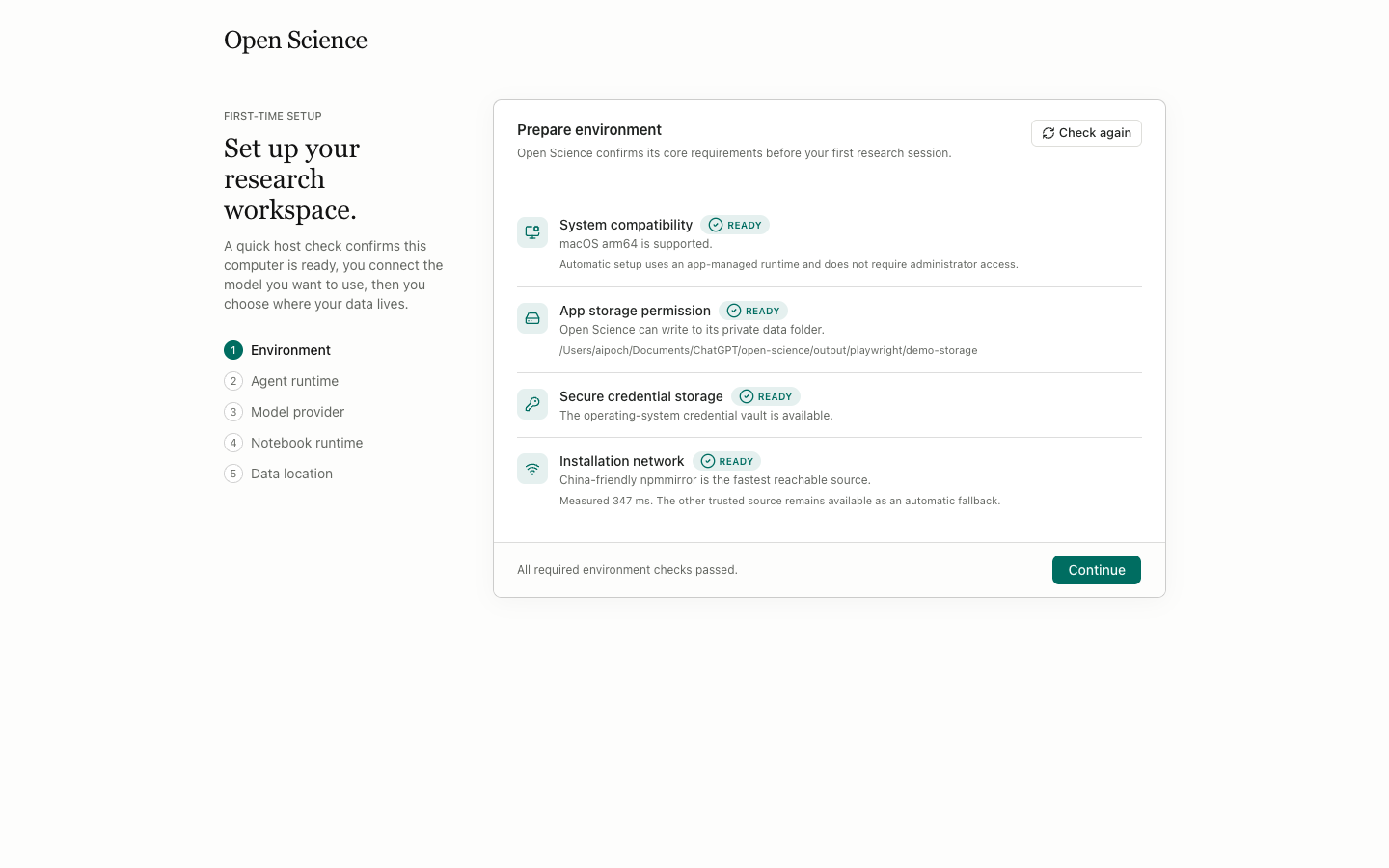
This page checks System, Storage, Secure vault, and Install network. Each row reports its status and explains the result. Fix any failed requirement, then run the check again. The page doesn't ask for a model key.
2. Agent runtime
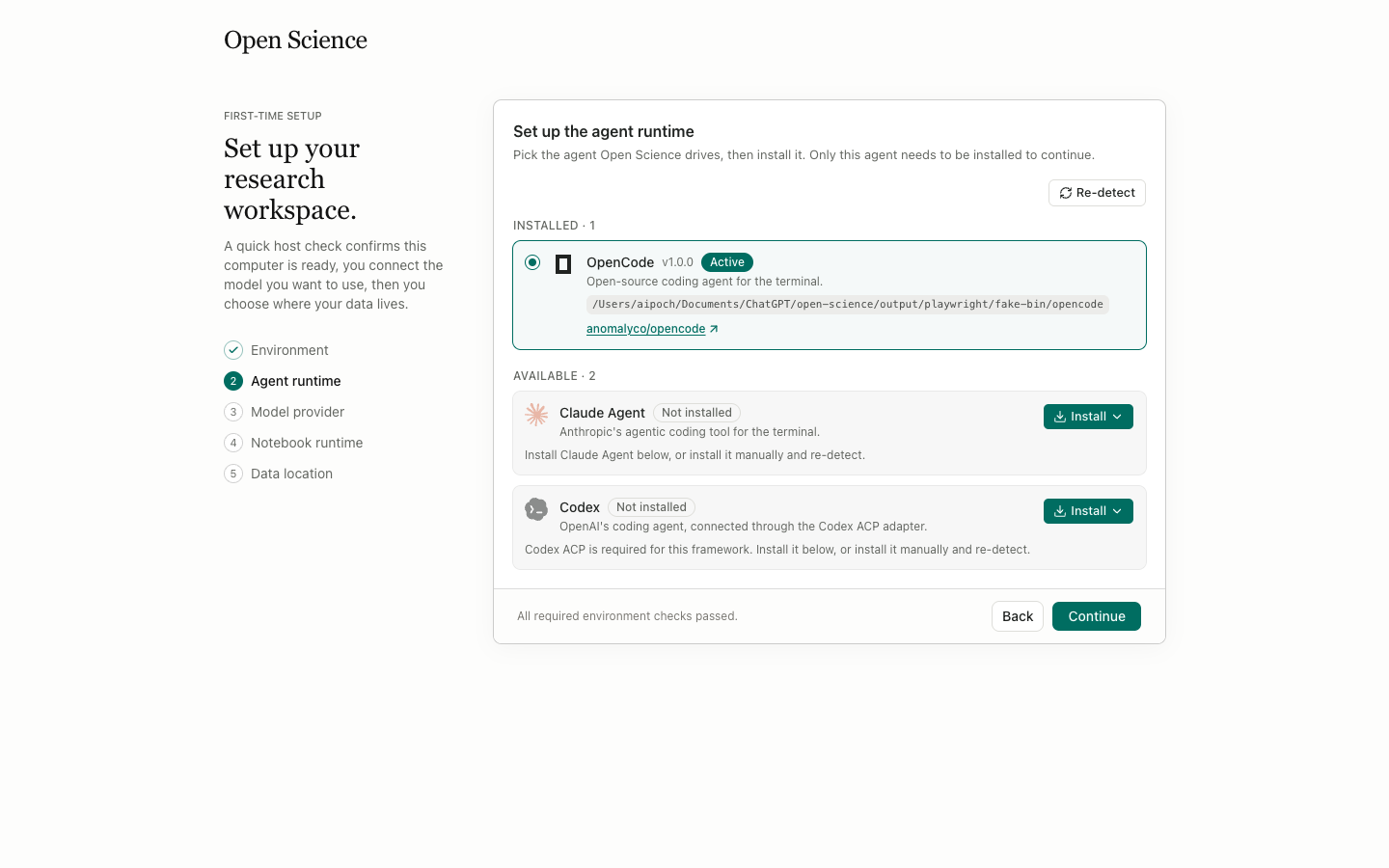
Each card represents an agent framework. A detected runtime shows its version and can become Active; an unavailable runtime offers Install. The active choice drives new sessions. You can later switch, repair, import settings for, or uninstall an inactive runtime under Settings → Agent.
3. Model provider
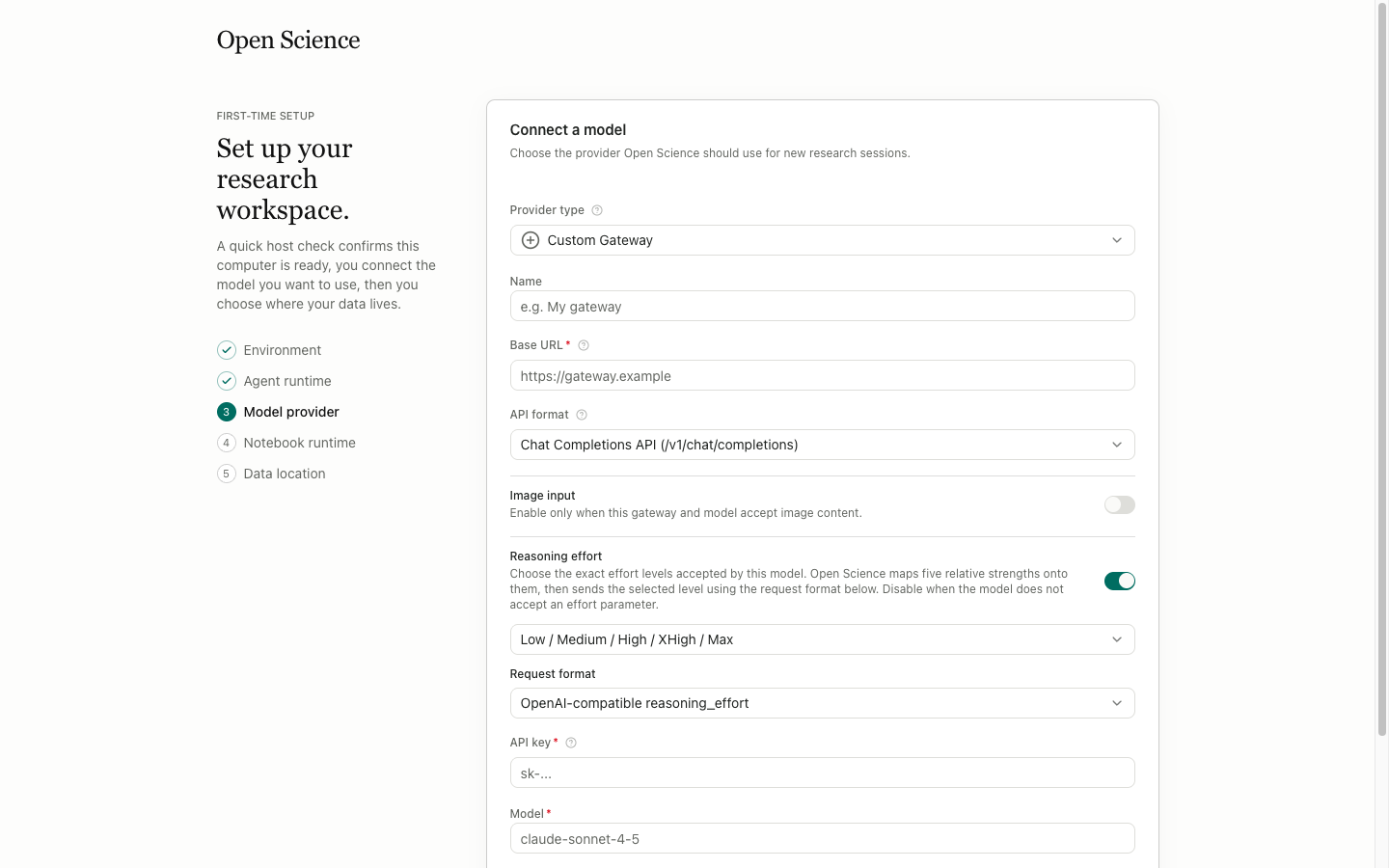
| Input or button | Meaning and action |
|---|---|
Provider type | Choose a built-in provider or Custom. The remaining fields change with the type |
Provider name | Set the name shown in provider lists |
Base URL / Endpoint | Enter the API root or regional endpoint; don't append an unrelated model route |
API format | For a Custom provider, choose a supported format such as Chat Completions or Responses |
API key | Stored securely on this computer; an existing key isn't shown again as plain text |
Model | Enter the model identifier accepted by the provider, not an arbitrary display name |
Context window | Set the model's context limit; this affects context usage and compaction thresholds |
| Images / Reasoning | Declare the model's image and reasoning support; the values must match the backend |
Test connection | Send a small connection test before saving; success doesn't prove access to every model |
Add provider / Save | Write the provider after validation passes |
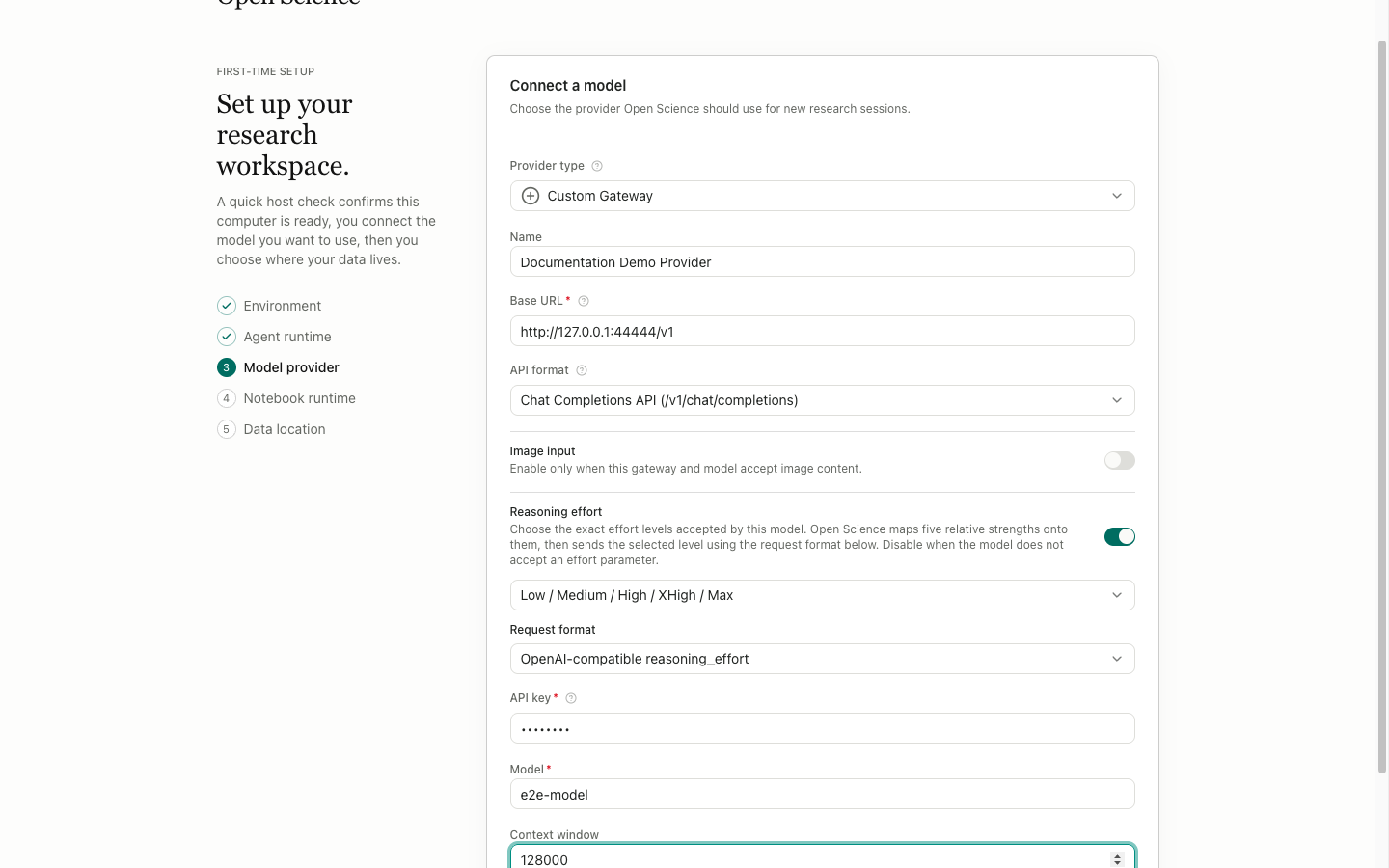
Never put an API key in a project description, Agent Context, conversation, or screenshot. The provider form masks stored keys. Treat GitHub tokens and Connector headers the same way.
4. Notebook runtime
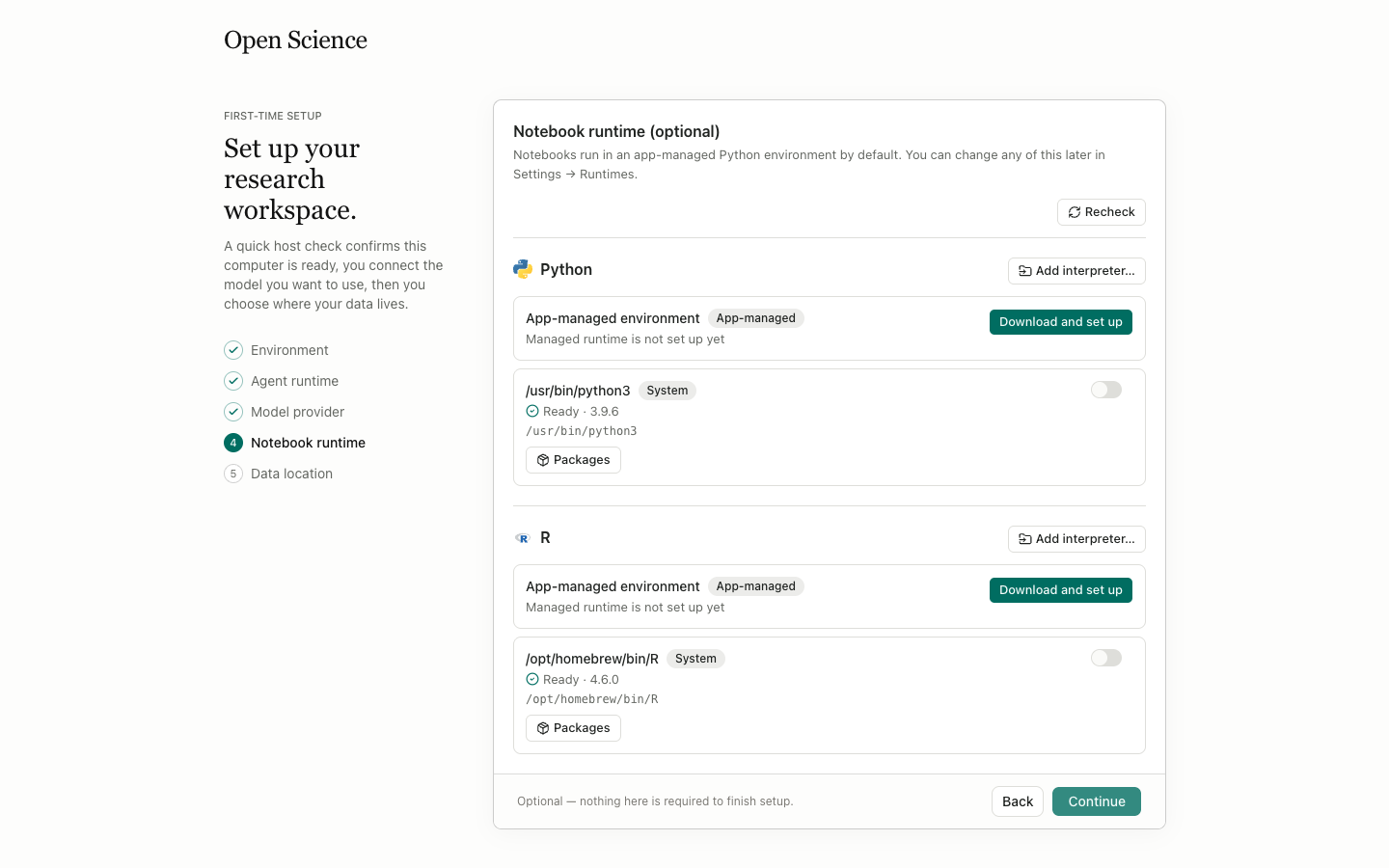
Python and R each show a detection result. Add interpreter selects an existing interpreter, while Download and set up installs an app-managed environment. A language switch decides whether the agent can use that runtime. Packages opens environment package management. If your first task only needs literature work, leave notebooks off and configure them later under Settings → Runtimes.
5. Data location
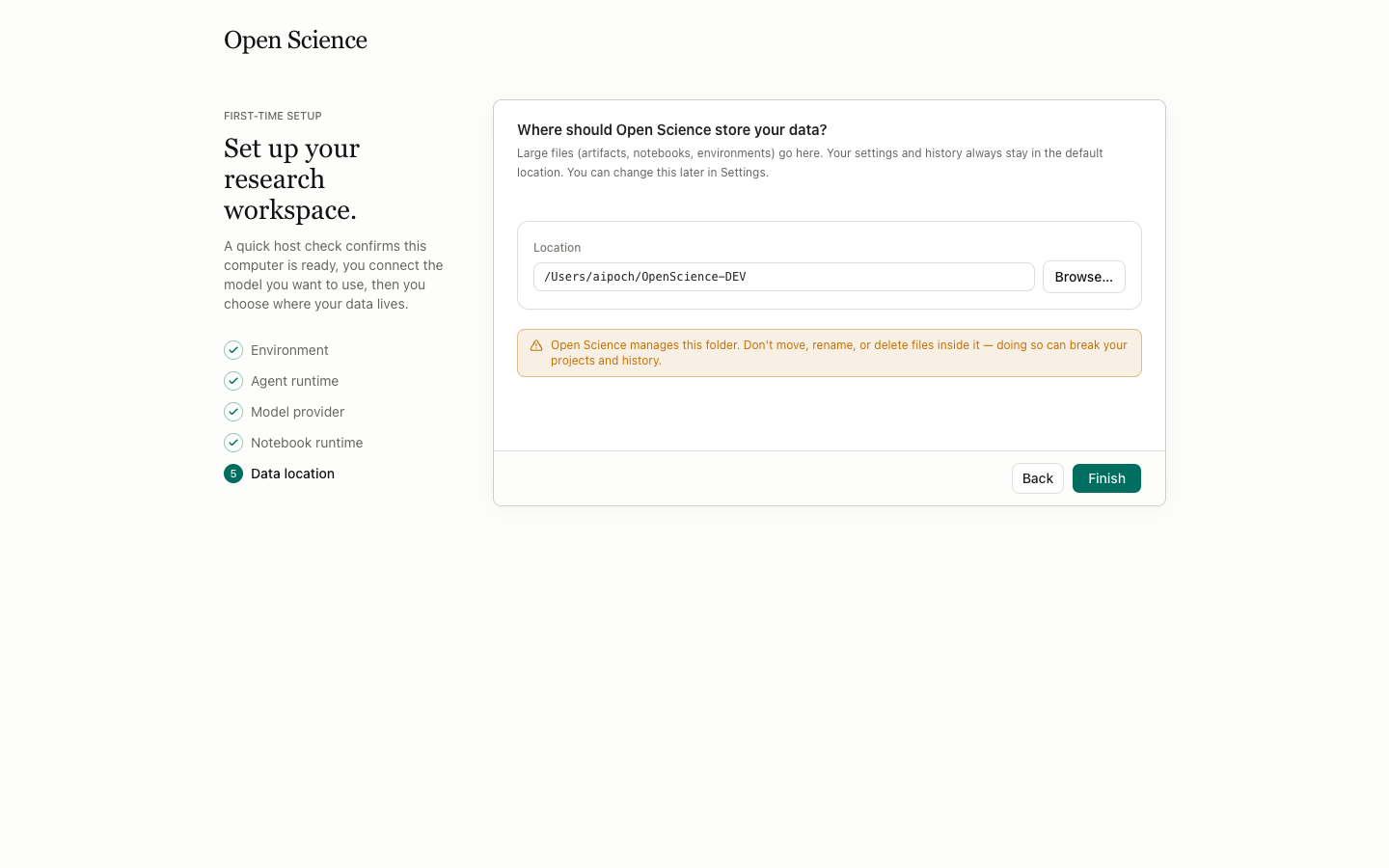
Location shows or accepts the project data root. Browse opens the system directory picker, Back returns to Notebook, and Finish saves the settings and opens the home page. Choose a disk with enough free space and a backup policy. Avoid read-only folders, temporary mounts, and folders that an automated cleanup job can erase.
Change the setup later
You don't need to rerun the wizard. Model, Agent, Runtimes, and Storage map to the same choices. If the data root is damaged or the application configuration directory isn't writable, Settings → Storage displays repair actions.