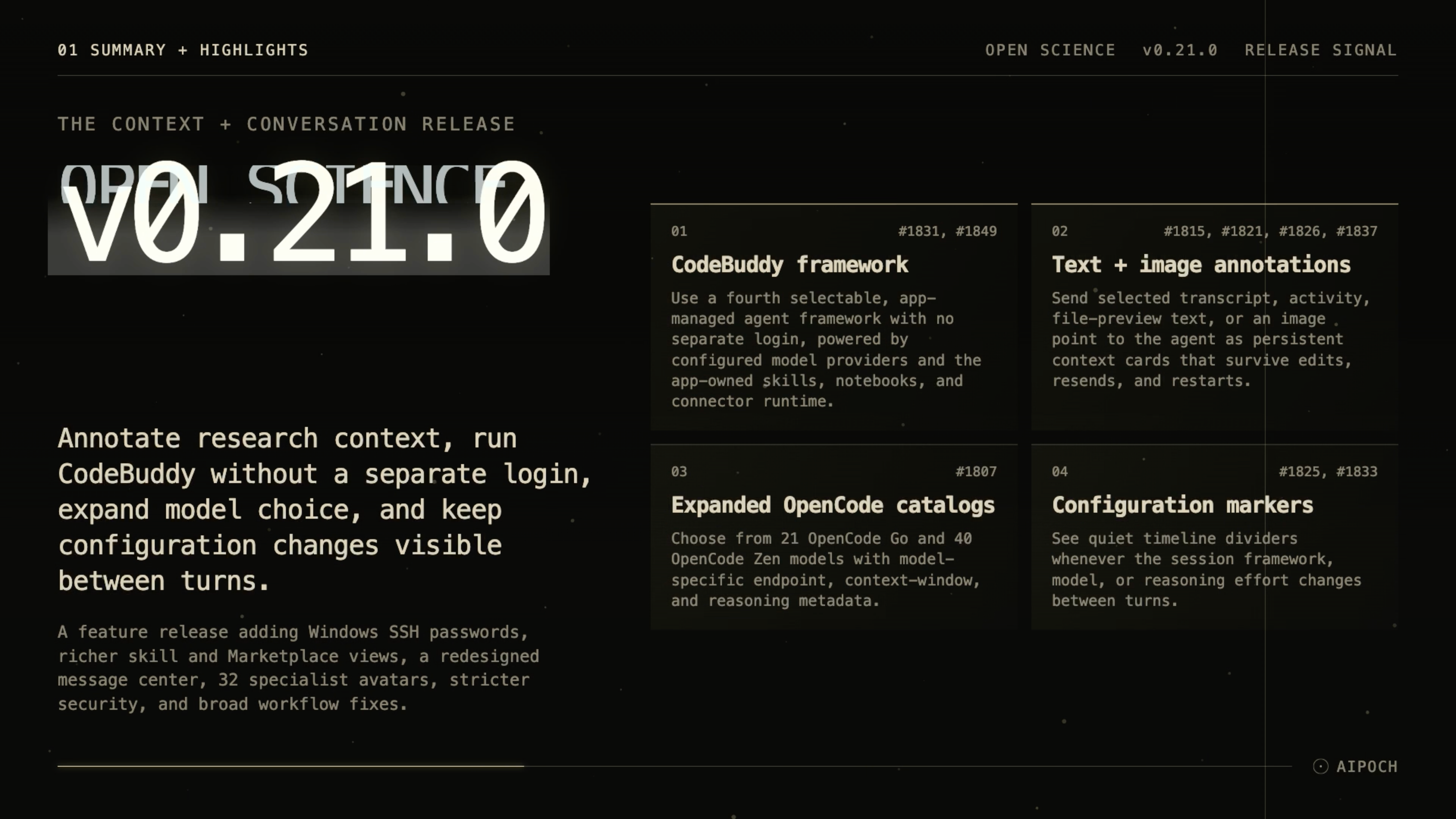
v0.21.0 adds a fourth agent framework, persistent annotations, broader model catalogs, and clearer context for configuration changes between turns.
Open Science from AIPOCH is an open-source, local-first AI research workbench for inspectable research across models, scientific agents, code, and data connectors.
What new capabilities help researchers add context and manage agent sessions?
CodeBuddy Agent Framework
Research teams may already use model providers that fit their access, cost, or regional requirements, but a new agent runtime often introduces another account and a separate integration path. Open Science v0.21.0 adds CodeBuddy as a fourth selectable framework alongside Claude Code, OpenCode, and Codex. The app installs and pins the runtime from Settings, requires no separate CodeBuddy login, and runs it through model providers already configured in Open Science.
CodeBuddy supports session steering, model and reasoning-effort changes, compaction, image input, and per-call usage reporting. Skills, notebooks, and connectors remain on the app-owned routing, so researchers can select the new framework without moving those workspace capabilities into a separate runtime.
Persistent Text and Image Annotations
Sending a research agent a precise excerpt or image location can be more useful than asking it to infer which part of a long record matters. v0.21.0 lets researchers select text from transcripts, tool activity, elicitation, or file previews, or mark a point on an image, and send that selection into the conversation as context.
Each annotation retains its source and appears as a context card that can be revealed when needed. Annotations persist across restarts, survive edit-and-resend actions, and can be serialized into agent or Side Chat messages. This gives researchers an inspectable way to connect a follow-up request to the exact text or image location it concerns.
Expanded OpenCode Go and Zen Catalogs
Model choice is useful only when each entry carries the connection details required by its endpoint. The bundled OpenCode Go catalog now contains 21 models, while OpenCode Zen contains 40. The catalogs cover Claude, GPT, Grok, GLM, DeepSeek, Kimi, and Qwen families and include model-level endpoint, context-window, and reasoning metadata.
A model-specific endpoint override helps mixed-protocol models connect through the correct route. Availability still depends on the active framework and provider configuration; v0.21.0 does not turn different provider protocols into one universal gateway.
Configuration Change Markers
Answers in a long session can change after the framework, model, or reasoning effort changes, but a transcript without that context makes later comparison harder. v0.21.0 inserts a quiet timeline divider whenever one of these settings changes between turns.
The marker records the new configuration beside the conversation sequence. Researchers can therefore see which setup produced a later response without reconstructing the change from memory or external notes.
Windows SSH Password Authentication
Some remote compute hosts use password authentication instead of SSH keys. Windows users can now register those hosts with an SSH password, with the credential stored through Windows-backed secure storage. Remote compute remains SSH-only, and users should still follow their institution's access and credential policies.
Clearer Skills, Specialists, and Notifications
Several workspace surfaces now expose more information with less navigation. Expanding a completed skill-load row renders the loaded skill document as Markdown instead of raw JSON. The Specialist Marketplace uses a card grid with filters for Official, Community, and available updates, and 32 additional specialist avatar icons make profiles easier to distinguish.
The notification message center has also been redesigned. Icons now communicate both the event type and whether it still requires attention, while clearer read states and two-line previews make a busy message list easier to scan.
What else is new in v0.21.0?
- Chromium permission requests originating from the renderer are denied by default.
- Persisted remote-compute job details use operating-system-backed secure storage, with a warning when protection is unavailable.
- Compute IPC arguments are validated before use.
- Connector request timeouts fail once with a deadline explanation instead of being retried, and canceled polls stop immediately.
- Reviewer sessions limit captured log size so unusually large tool output does not stall the app.
- The GitHub star prompt now respects a cross-project cooldown.
- Japanese translations received a terminology and consistency pass.
- Settings startup failures now use the standard retryable error notice.
Bug fixes that affect daily use
- Remote-compute status: A session remains active while its remote jobs are running, and unexpected dispatch failures retain their actual cause.
- Artifact provenance: Files produced by task or CLI runs and delegation continuations retain runtime provenance and can complete finalization correctly.
- Session management: Empty Claude sessions created by branching can be deleted, and session hover cards align with their rows and provide inline rename.
- Context-window coverage: When per-call details cover only part of the history after a framework or model switch, an inline notice identifies the incomplete coverage.
- Notebook execution: Queued-run races no longer create conflicting lifecycle results after runtime repair or duplicate interrupt requests.
- Plan restoration: A restored session that cannot read its plan shows a visible retrying notice instead of silently omitting the plan card.
- File operations: Directory-access removal and artifact-lineage failures appear inline with a retry action.
- Preview shortcuts: An open file preview now closes with one
Cmd/Ctrl+Wpress.
Install or update
Open Science v0.21.0 supports macOS 12+ on Apple Silicon or Intel, Linux x64, and Windows 10/11 x64. Download the appropriate DMG, AppImage, Debian package, Windows installer, or archive from the Open Science v0.21.0 release page. The onboarding wizard can configure an app-managed agent runtime, and an installed app can update itself in place.
Official macOS release builds are Developer ID signed and notarized. Windows builds are not yet Authenticode-signed, so SmartScreen may display an “unrecognized app” prompt; verify that the package came from the official release page before continuing.
Resources
- Open Science v0.21.0 release notes
- AIPOCH Open Science
- AIPOCH
- What Model-Agnostic Means in Open Science
- How Open Science Extends a Research Agent
- Specialist AI Agents in Open Science: Roles and Scope
FAQ
What is the biggest change in Open Science v0.21.0?
CodeBuddy is now the fourth selectable agent framework, joining Claude Code, OpenCode, and Codex. Open Science installs and manages the version-pinned runtime without a separate CodeBuddy login, while configured model providers and app-owned skills, notebooks, and connectors remain available through their supported routes.
Can Open Science v0.21.0 annotate both text and images?
Yes. v0.21.0 can send selected transcript, activity, elicitation, or file-preview text, as well as a chosen point on an image, into a conversation as context. The resulting annotation cards persist across restarts and edit-and-resend actions.
How many models are included in the expanded OpenCode catalogs?
OpenCode Go includes 21 models and OpenCode Zen includes 40 in v0.21.0. Actual use still depends on framework compatibility, provider access, and the endpoint required by the selected model.
Does v0.21.0 support SSH passwords on Windows?
Yes. Windows users can authenticate a registered remote-compute host with an SSH password stored through Windows-backed secure storage. Remote compute is still limited to SSH; Slurm and cloud-GPU submission are not included.
Which systems can install Open Science v0.21.0?
The supported desktop targets are macOS 12+ on Apple Silicon or Intel, Linux x64, and Windows 10/11 x64. Official macOS builds are signed and notarized, while Windows builds remain unsigned and may trigger a SmartScreen warning.
Disclaimer
Open Science assists researchers with organizing, executing, and inspecting research workflows. It does not replace scientific judgment, domain-specific validation, or peer review.