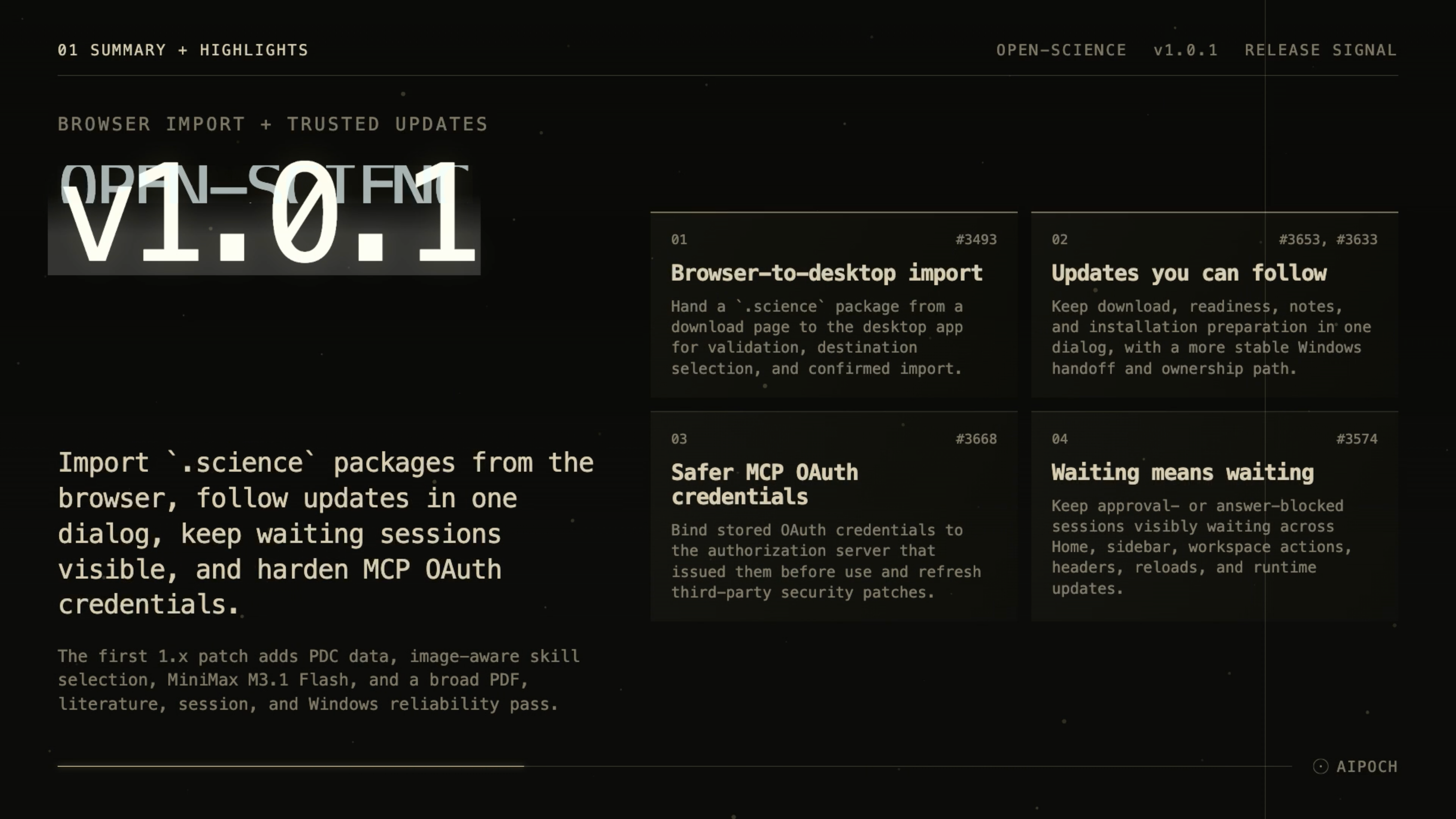
AIPOCH Open-Science v1.0.1 brings browser .science imports, a clearer updater, persistent waiting states, and MCP OAuth credential fixes.
AIPOCH Open-Science is an open-source, local-first, model-agnostic, self-hosted AI research workbench for reproducible scientific discovery, developed by AIPOCH. Its .science packages can carry selected conversation branches, file versions, Notebook records, and verification evidence for review, handoff, and archiving in another project or computer.
What new capabilities help researchers import work and manage sessions in v1.0.1?
Published on October 20, 2026, AIPOCH Open-Science v1.0.1 improves package handoff, update visibility, session status, and credential handling, while adding public PDC case metadata. The official release notes establish the shipped changes described below.
Browser-to-desktop .science import
Moving shared research from a download page into a project can involve several manual steps. In v1.0.1, an integrated website can hand an already obtained .science package to the desktop app. Open-Science receives the package and performs package checks, then lets you choose the destination and confirm the import. The flow supports both a cold start and an already-running app, with structured errors when a transfer fails.
This gives a recipient a clearer path from a shared download to an inspectable research record. The browser entry requires website integration; it is not an arbitrary remote-URL downloader. Receiving a package also does not mean that you have confirmed its import.
The research-package safety boundaries still apply: imported sessions are read-only and do not execute code or restore credentials. Side Chat conversations and private reading bookmarks are excluded, and included files depend on the export selection. Received verification records describe the sender's checks, rather than proving that the receiving computer reran them. Package checks do not establish scientific validity.
Updates with one visible flow
An update is harder to follow when progress and release notes move between dialogs. In v1.0.1, downloading, readiness, and installation preparation stay in one dialog, with release notes that scroll independently. Researchers can follow the update state while reading what is changing.
The Windows update path also avoids a separate installer-progress process and repeated copying of thousands of files, and keeps track of successor processes launched through Explorer. Quitting waits for Notebook cleanup, while cold start no longer reports a network failure before the app is ready. The release provides no measured update-speed or success-rate comparison.
Waiting states that stay visible
A paused task can look active if its status briefly returns to Running. In v1.0.1, sessions awaiting an approval or answer remain visibly Waiting across Home, the sidebar, workspace actions, and the conversation header. The waiting state survives app reloads and live runtime updates.
For researchers managing several sessions, the status makes it easier to identify where a decision is needed. Open the relevant approval or question to continue the task; a Waiting label does not by itself diagnose network or runtime errors.
MCP OAuth credential binding
Stored authorization credentials need to remain associated with the service that issued them. In v1.0.1, saved MCP OAuth credentials are bound to their authorization server before use. The release also includes refreshed third-party security patches.
This change addresses a specific credential-handling risk. Researchers should still inspect the connector endpoint, requested permissions, and external data flow for each service; the update does not establish that every integration has been independently security-audited.
Public PDC case metadata
Researchers selecting proteomics data may need case context as well as study and file metadata. In v1.0.1, the Proteomic Data Commons connector can retrieve public case-level demographics, diagnoses, tumor information, and sample references for the latest study version or a specified one.
This supports an initial comparison of candidate study records for researcher review. Coverage depends on the upstream public records and query parameters; a returned page should not be treated as proof of a complete case inventory. Check the original study and data dictionary before using the metadata in an analysis.
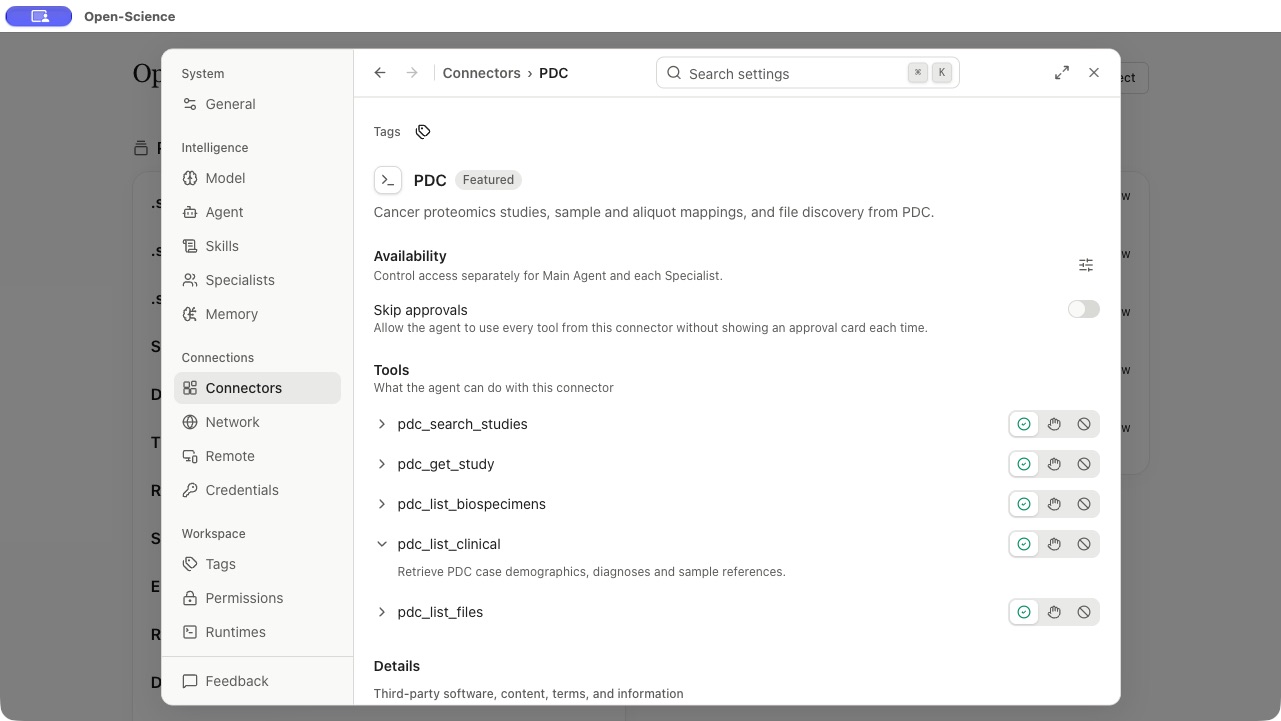
Screenshot: actual AIPOCH Open-Science v1.0.1 settings view, documented on October 21, 2026. It shows the tool entry and description; it does not show an executed PDC query or clinical results.
What else is new in v1.0.1?
AIPOCH Open-Science v1.0.1 also updates capability selection, model availability, and everyday workspace controls:
- Images in skill selection. Selection can consider images attached to the current message alongside its text. This concerns the current message's attachments, rather than every historical image or referenced file.
- MiniMax M3.1 Flash. The release adds this multimodal model option in both MiniMax regions. Actual use depends on the configured account and the selected agent backend's compatibility.
- Session editing. Double-clicking a session in the workspace sidebar opens its editor directly.
- Standalone web Compute. Compute becomes available when the required Notebook and compute APIs are ready.
- Settings and diagnostics. Settings opens on General, provider selectors are disabled while saving, Windows startup credential checks show diagnostics, and popovers follow the active theme.
Bug fixes that affect daily use
AIPOCH Open-Science v1.0.1 fixes interruptions and stale state across conversations, reading, saved work, and installation:
- Questions and stopped messages. A provider-native question remains answerable after quitting and relaunching. Stopping a conversation while a message is being saved prevents that stopped message from reaching the provider.
- Session recovery. Repeated activity identifiers and identifiers created after a runtime rebuild no longer block saving or turn completion. Recovery retains retry controls, refreshes library views, and avoids stacked recovery dialogs.
- Memory and Notebook records. Edits made while a Memory save is pending are retained. Completed Notebook runs are no longer reported as interrupted after a restart, and manual terminal commands remain visible in Main Agent when a subagent is selected.
- PDF reading. Fixes address two-column reading order, figure and table ownership, and translated reader layouts. PDF search now indicates incomplete coverage, so a partial search is easier to recognize.
- Literature Library. Saved tool cards refresh against current library state; table fullscreen uses the correct source, and save status updates reliably.
- Package import. Packages can be dropped onto the project home. Import checks, progress, and scrolling in nested dialogs receive fixes.
- Skills and review. Editing a skill body preserves separately edited names and descriptions; save-as-skill persistence stays with its originating session. Automated review waits for MCP readiness and routed authentication, and individual review logs load on demand so long histories do not block the panel.
- Other fixes. Antibody searches respect configured result limits, Windows silent and assisted installs work across language environments, and mobile session editing retains its double-click behavior.
Researchers should still compare extracted PDF content with the original and inspect analytical outputs before relying on them.
Install or update
AIPOCH Open-Science v1.0.1 release assets include desktop packages for macOS 12+ on Apple Silicon and Intel, Windows 10/11 x64, and Linux x64 and ARM64. Choose the package matching your operating system and processor:
| Desktop platform | Package |
|---|---|
| macOS Apple Silicon | ARM64 DMG |
| macOS Intel | x64 DMG |
| Windows 10/11 x64 | x64 installer |
| Linux x64 or ARM64 | AppImage or Debian package |
Existing desktop installations can use the in-app updater. For a fresh installation or a manual update, use the official download page or the versioned release assets, and check the downloaded desktop file against the release's SHA256SUMS.txt.
The v1.0.1 assets also include standalone CLI archives with a bundled Node runtime for macOS and Linux ARM64/x64 and Windows x64, plus Linux CLI .deb and .rpm packages. These are distinct from the desktop installers; use CLI-PACKAGE-SHA256SUMS.txt for CLI package checks. The release provides the package list and command-line installation instructions.
Visit the AIPOCH Open-Science product page for the workbench overview. After updating, start with one shared .science package: inspect what it contains, choose its destination, and review the imported record before preparing further work.
Resources
Use the versioned release for this patch's changes and downloads, and the guides below for the surrounding research workflow:
- AIPOCH Open-Science v1.0.1 release notes and downloads
- AIPOCH Open-Science product page
- AIPOCH
- AIPOCH Open-Science
.scienceresearch handoff guide - AIPOCH Open-Science v1.0.0: What Ships and How to Upgrade
- AIPOCH Open-Science v0.36.0: Reviewable Runs, Broader Reach
FAQ
What is new in AIPOCH Open-Science v1.0.1?
AIPOCH Open-Science v1.0.1 adds browser-to-desktop .science package handoff, a unified updater dialog, persistent Waiting status, MCP OAuth credential binding, and public PDC case metadata. It also updates image-aware skill selection and fixes PDF, literature, session, and Windows installation issues.
Can any website send a .science package to the desktop app?
No. The v1.0.1 browser handoff requires an integrated website that passes an already obtained package to Open-Science. The desktop app performs package checks, then asks you to choose the destination and confirm import; it is not a general remote-URL download feature.
Does importing a .science package rerun the research?
No. In v1.0.1, imported .science records remain read-only and do not execute code or restore credentials. The received verification evidence describes the sender's checks; any new execution requires suitable inputs, dependencies, runtime, and permissions on the receiving computer.
Why does a session keep showing Waiting after a reload?
In v1.0.1, a session awaiting your approval or answer preserves its Waiting state across reloads and runtime updates. Review its pending approval or question to continue; the status does not mean that the task is still executing.
What public clinical metadata can the PDC connector retrieve?
In v1.0.1, the PDC connector can request public case-level demographics, diagnoses, tumor information, and sample references for the latest or a specified study version. Treat the returned metadata as source material for researcher review, with coverage checked against the original study.
Disclaimer
AIPOCH Open-Science assists researchers with research workflows and inspectable records. It does not replace scientific judgment, independent verification, or peer review. Researchers remain responsible for evaluating data, methods, outputs, and the scope of recorded checks. This article describes the v1.0.1 release and is not medical advice or a statement that research results have been scientifically validated.