Are you still investigating a question, or are you ready to show someone what you found? For a literature search, you want sources you can open and citations you can check. At a lab meeting, you want the audience to understand a figure. Afterward, a collaborator may want the files that produced it.
This shortlist features four general AI products—ChatGPT, Gemini, Claude, and Perplexity—alongside AIPOCH Open-Science, a tool built specifically around scientific workflows. The five products serve overlapping but different needs. The picks below are editorial recommendations by task, not a measured performance ranking.
| Research task | Tool to evaluate first | Main reason |
|---|---|---|
| Investigate a broad question and produce a cited report | ChatGPT Deep Research | A guided, multi-step research workflow. |
| Research across Google Search and selected sources | Gemini Deep Research | Source selection in a familiar Google workflow. |
| Explore a question through iterative web research | Claude Research | Multi-step investigation with citations. |
| Get an initial source-linked overview | Perplexity Deep Research | A search-centered report workflow. |
| Present a study and share the work behind its figures | AIPOCH Open-Science | Walk viewers through the analysis with a Research Film and share the underlying records in a .science package. |
How were these AI research tools chosen?
We chose tools for two kinds of work: gathering and interpreting sources, and presenting a completed analysis so colleagues can follow up. Each recommendation corresponds to a specific task.
The Gemini Deep Research guide (Google documentation, checked in 2026) describes research using Google Search and additional chosen sources. The AIPOCH reproducibility guide (AIPOCH documentation, checked in 2026) describes rerunning a recorded procedure and comparing its new output with a saved file version.
Our editorial criteria are straightforward: the tool must have a documented research use; the researcher must be able to inspect some part of its source or process trail; and the recommendation must identify a concrete task. We did not measure answer accuracy, literature recall, speed, or cost across these products. A claim that one product is the universal “best” would need such a study, with the same questions and evaluation rules for every entrant.
Which popular AI tools are useful for scientific research in 2026?
ChatGPT, Gemini, Claude, and Perplexity are starting points for gathering and synthesizing information. Consider AIPOCH Open-Science when you already have a figure and need to explain the finding to an audience and share the analysis with a colleague.
The OpenAI deep research guide (official guide checked in 2026) distinguishes ChatGPT's question-clarifying research flow from the API version. The AIPOCH documentation home (official documentation checked in 2026) describes a local research workbench with model choice, stored project outputs, and provenance.
ChatGPT Deep Research: for a broad, multi-step research question
ChatGPT Deep Research is a sensible first option when a researcher needs to turn a broad question into an organized investigation. OpenAI's official guide describes ChatGPT asking clarifying questions before research and tailoring subsequent searches to the intended outcome. The product is most useful as a way to scope and synthesize a topic, not as a substitute for reading the underlying studies.
Try it with: a question that has several competing explanations or requires sources from more than one field. Ask for a source table with study design, year, population or dataset, and the exact claim each source supports. Verify: whether citations resolve to the claimed papers and whether the report distinguishes evidence from inference. Availability and plan limits should be checked in ChatGPT at the time of use.
Gemini Deep Research: for research across selected sources
Gemini Deep Research is worth evaluating when a researcher wants to combine web research with selected material in Google's ecosystem. Google's official help page says Google Search is included by default and describes adding or changing sources, including uploaded files and other supported Google material. That flexibility matters when a question spans public literature and a researcher's chosen documents.
Try it with: a literature landscape question plus a small, clearly identified set of papers. Verify: which sources were actually included, whether the report cites the right passages, and whether an omitted paper changes the answer. Access to particular sources and report options depends on account settings; confirm the available controls before comparing results.
Claude Research: for iterative question exploration
Claude Research is a good candidate when the research question needs several rounds of investigation. Anthropic's help page describes Research as conducting multiple searches that build on each other and returning answers with citations. It also states that web search must be enabled for Research to work.
Try it with: an exploratory question where useful follow-up searches are hard to specify in advance. Verify: the source list, how each major claim follows from its cited material, and whether the report overlooks conflicting evidence. A connected document source may contain sensitive material, so use only sources cleared for the chosen service and project.
Perplexity Deep Research: for a search-centered first pass
Perplexity Deep Research is a recognizable option for an initial, source-linked overview. Perplexity's official product announcement describes a workflow that performs multiple searches and produces a report. That announcement establishes the product's stated design; it does not establish that every feature, limit, or access condition remains the same in 2026.
Try it with: a quick landscape scan before deciding which papers deserve full-text review. Verify: original publication pages, dates, study types, and whether the cited sources actually answer the research question. Treat its report as a map for further reading, not as a completed review protocol.
AIPOCH Open-Science for presenting research and sharing the work behind a figure
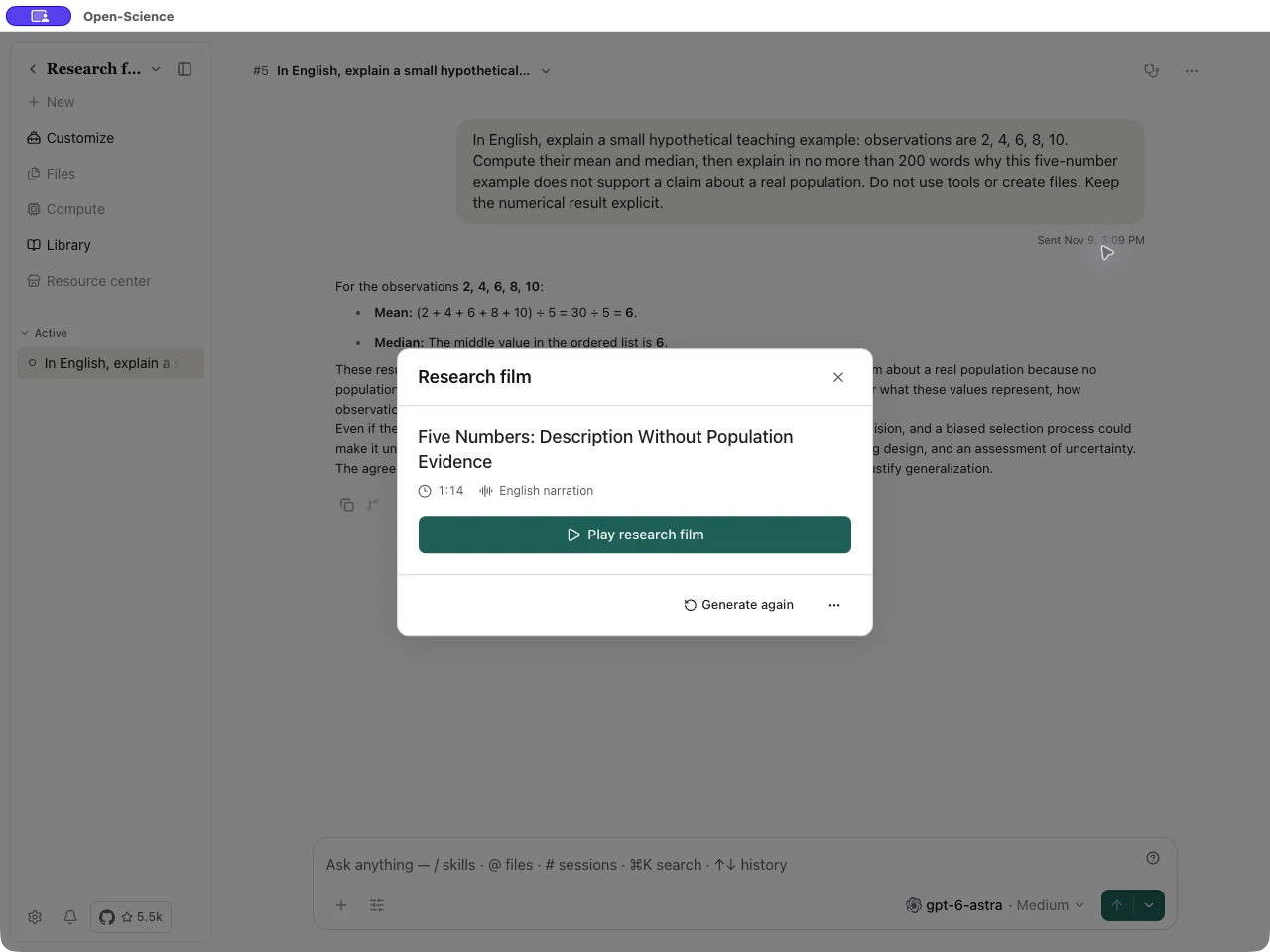
Suppose you're presenting a survival curve at your next lab meeting. The room needs to know which two groups you compared and what the curves show. A collaborator may also want the exact data version behind the plot. AIPOCH Open-Science lets you prepare two things from that analysis: a Research Film to play at the meeting and a .science research package to share afterward.
At the meeting, walk the audience through the figure. In the desktop app, select the completed conversation branch and generate a Research Film with English narration. Before the meeting, play the scene with the curve alongside the original plot. Does the narration identify both groups correctly? Once you've reviewed the film, export an MP4 to play for your audience. Research Film guide
Afterward, give a colleague the work behind the figure. When exporting a .science package, include the conversation branch, file versions, and Notebook records relevant to the plot. A colleague can import the package into their project and trace the figure back to its inputs. When someone asks which version of the data you used, there's a specific file you can both check. .science research package guide
Which AI tool should a scientist choose first?
Start with your next deliverable. For a research question, try ChatGPT, Gemini, Claude, or Perplexity. For a lab meeting, try presenting one figure in an AIPOCH Research Film. Give a colleague the accompanying .science package and see whether they can find the input file for the figure they just watched.
The Claude Research help page (Anthropic documentation, checked in 2026) describes iterative searches with citations. The AIPOCH research-package guide (AIPOCH documentation, checked in 2026) says a collaborator can import a package and inspect its research record, while imported sessions remain read-only until new work begins.
For a fair trial, give two candidate tools the same narrow question and source constraints. Compare whether their citations support the key claims and how much checking a researcher must do. If the task moves from literature synthesis to computation, test whether inputs, transformations, and outputs can be reviewed later. Do not infer that a persuasive answer is a reproducible result.
Can AI research tools replace scientific review?
No AI research product in this shortlist should replace a researcher checking sources, methods, and interpretation; a cited report can still omit decisive studies, and a reproduced output can still arise from a flawed procedure, so the useful question is which parts of the evidence trail a tool exposes for independent examination.
The Gemini Deep Research guide (Google documentation, checked in 2026) describes controlling the sources used for a research task. The AIPOCH reproducibility guide (AIPOCH documentation, checked in 2026) explicitly distinguishes matching output under recorded criteria from scientific validity.
Before using any AI-generated statement in a manuscript, inspect the original source, confirm the cited passage supports the statement, check for omitted counterevidence, and review every analysis step that changes the data. For private or regulated material, apply the institution's rules before sending files or prompts to a service.