Connectors
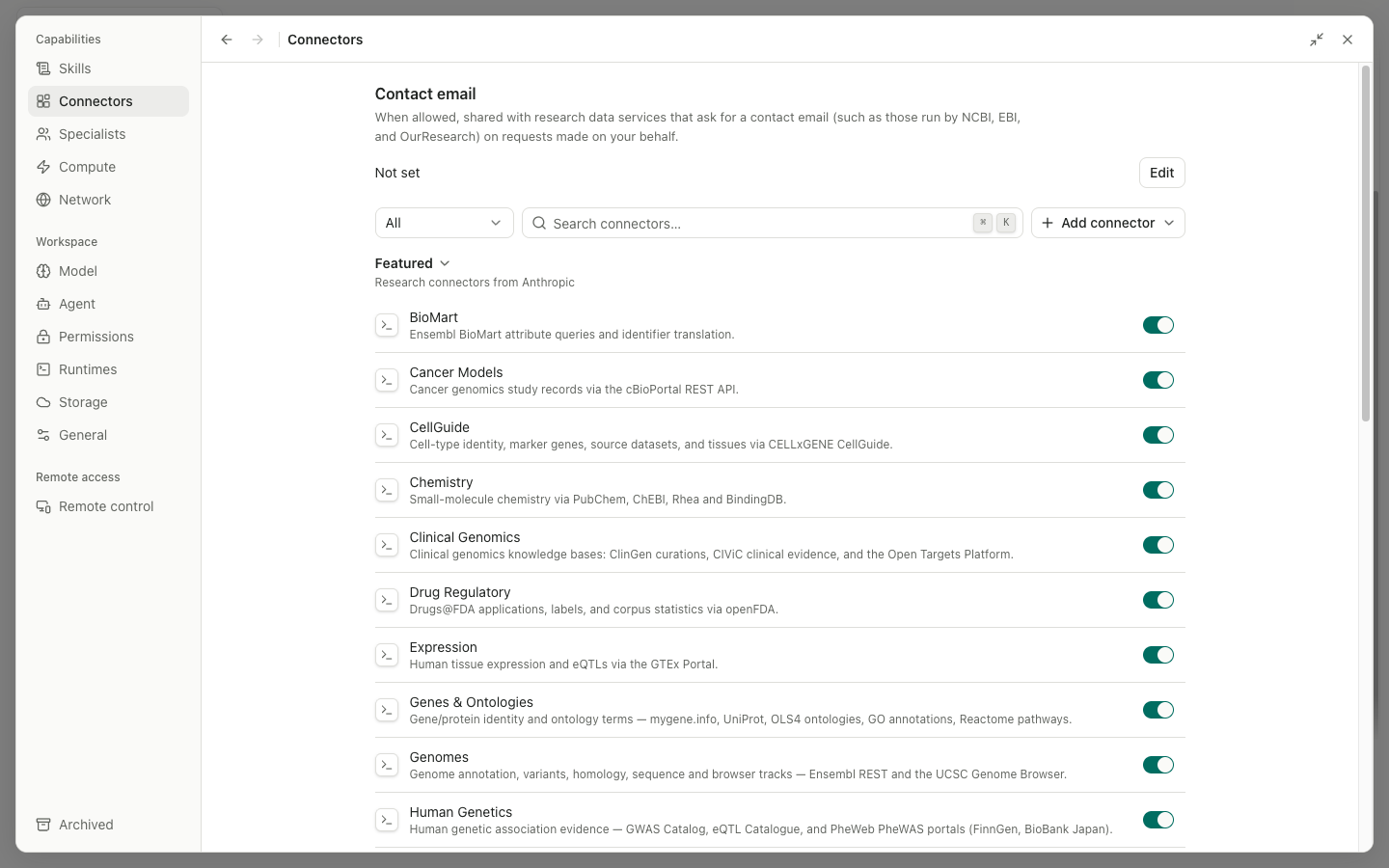
A Connector exposes an MCP server to the agent. Built-in connectors can be enabled. Custom connectors can be added, edited, imported, exported, and removed. Connector tool calls remain subject to Permissions and the connector policy.
Connector list
The list provides category and status filters, Search, Add connector, and Import. Select a card or name to open its details. Use the switch to enable or disable it. Actions for a custom connector include Edit, Export, and Remove. OAuth connectors show whether they are disconnected, awaiting authorization, connected, or expired; reconnect when prompted.
Add connector form
| Input | Description |
|---|---|
Connector type | Choose a local stdio connection or a remote HTTP/SSE connection |
Display name | The user-facing name |
Connector ID | A stable identifier used in policy and tool names after saving |
Description | The data and actions the connector provides |
Command | The stdio launcher, such as npx; Custom accepts an absolute executable path |
Arguments | Arguments passed to the command, entered in the format shown by the form |
Environment variables | One KEY=value pair per line; do not put secret values in the description |
Server URL | The remote MCP endpoint |
Transport | The remote transport protocol |
Authentication | A supported method such as None, OAuth, or headers |
OAuth scopes | Space-separated scopes |
Authorization server URL | Leave blank for discovery, or specify it directly |
Client metadata URL | Information used for dynamic client registration |
Headers | One header per line; API keys and tokens entered here are sensitive |
I trust this connector | Confirm that you trust its code, service, and data handling |
Cancel returns to the list. Add or Save writes the connector after validation. A high-risk custom connector cannot be submitted until Trust is selected.
Details, templates, import, and export
Detail shows the transport, command or URL, authentication, status, capabilities, and policy. It may offer Test, Reconnect, Edit, Export, and Remove. Import starts with a package or configuration file. Configuration preview and Configuration diagnostics show the fields that will be written; all errors must be fixed before Import becomes available. An exported sharing template does not expose local secrets as plain text, so each importer must supply their own credentials.
The first connector call may ask you to choose Deny, Allow once, Allow for session, project, or global. A broader scope permits more automatic calls later, so prefer once or session unless a persistent grant is necessary.