Storage and General
Storage
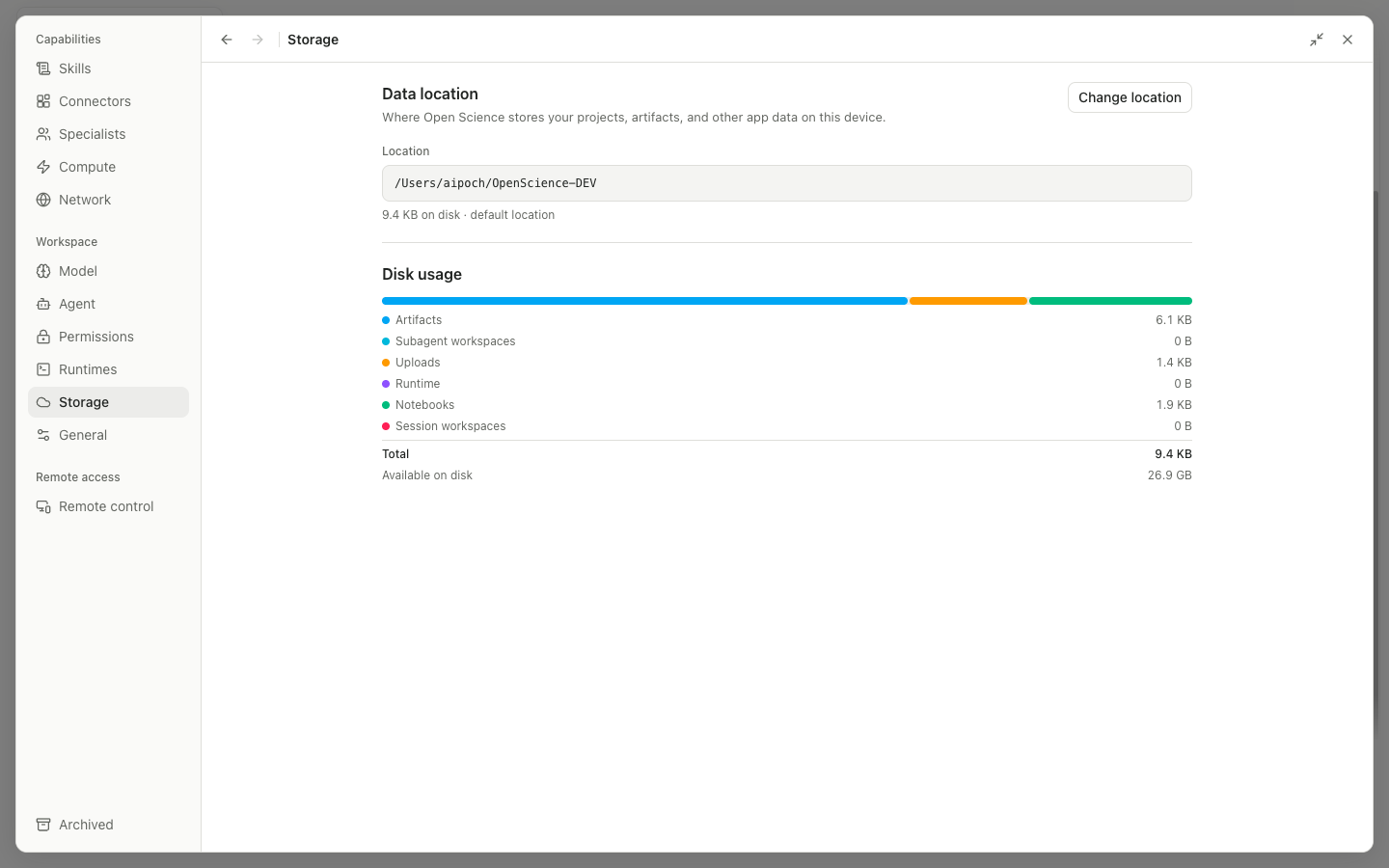
Application storage checks write access to the private configuration directory. Depending on its state, it offers Reveal in the file manager, Repair, or Continue. This directory is separate from the selectable Data location.
Data location shows the Data root path:
Changeopens a risk notice.- Enter
/path/to/new/location, or useBrowseto select a directory. - The interface checks the target, existing Open Science data, available disk space, and access permissions.
MoveorMigratestarts the migration. Progress shows the current path and elapsed time; Cancel is available only at stages where it is safe.- If the target conflicts with existing data, adopt that data or choose a different directory. Choose Adopt only after confirming that the target is a complete Open Science data root.
Canceldiscards the new-path draft.
After a failed migration, the dialog offers recovery operations such as Retry, Restart, or Discard according to its current stage. Do not quit the application, disconnect the drive, or move database files manually while migration is in progress.
Disk usage shows size by Projects, Artifacts, Caches, and other categories, with expandable items. Use it to locate storage usage; deleting files directly in the system file manager is not equivalent to in-app cleanup.
General
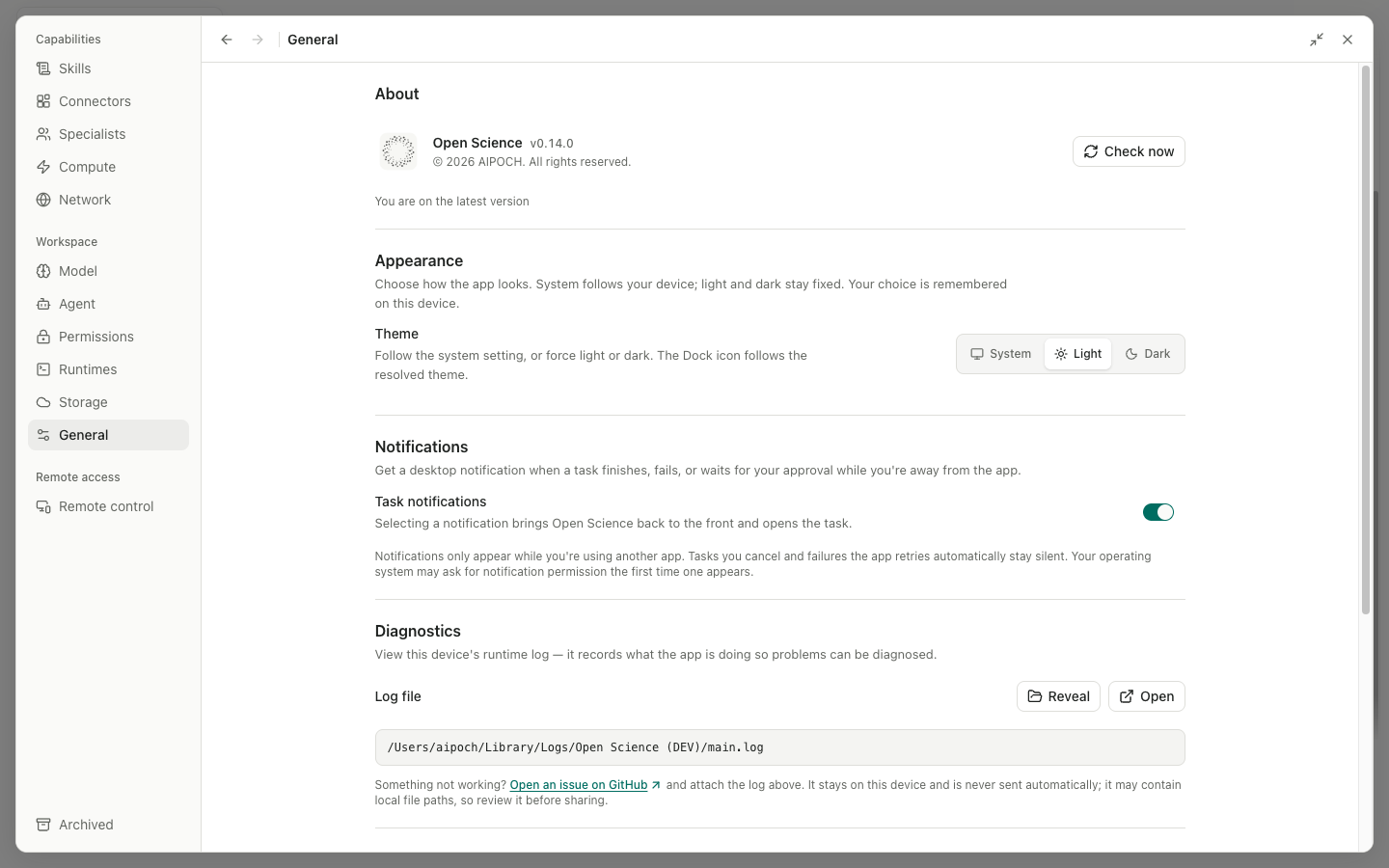
| Area | Controls |
|---|---|
| Notifications | Toggle task notifications controls system notifications for completed tasks and related events |
| Theme | Select System, Light, or Dark; this stays in sync with the Home Theme menu |
| App icon | On supported platforms, select one of the built-in icons; some Linux environments hide this setting |
| Window behavior | When closing the window controls whether the app quits or stays in the background or tray, where supported |
| GitHub token | Open token settings, then enter, save, or clear a token used by features that need GitHub authentication |
| About | Shows the installed version; Check for updates, download, and install operations depend on the release channel |
Theme and notification changes take effect immediately. The GitHub token is stored as a secret and is not written into ordinary project files. Clearing it disables private-repository and rate-limit features that depend on it.