Model and Agent
Model
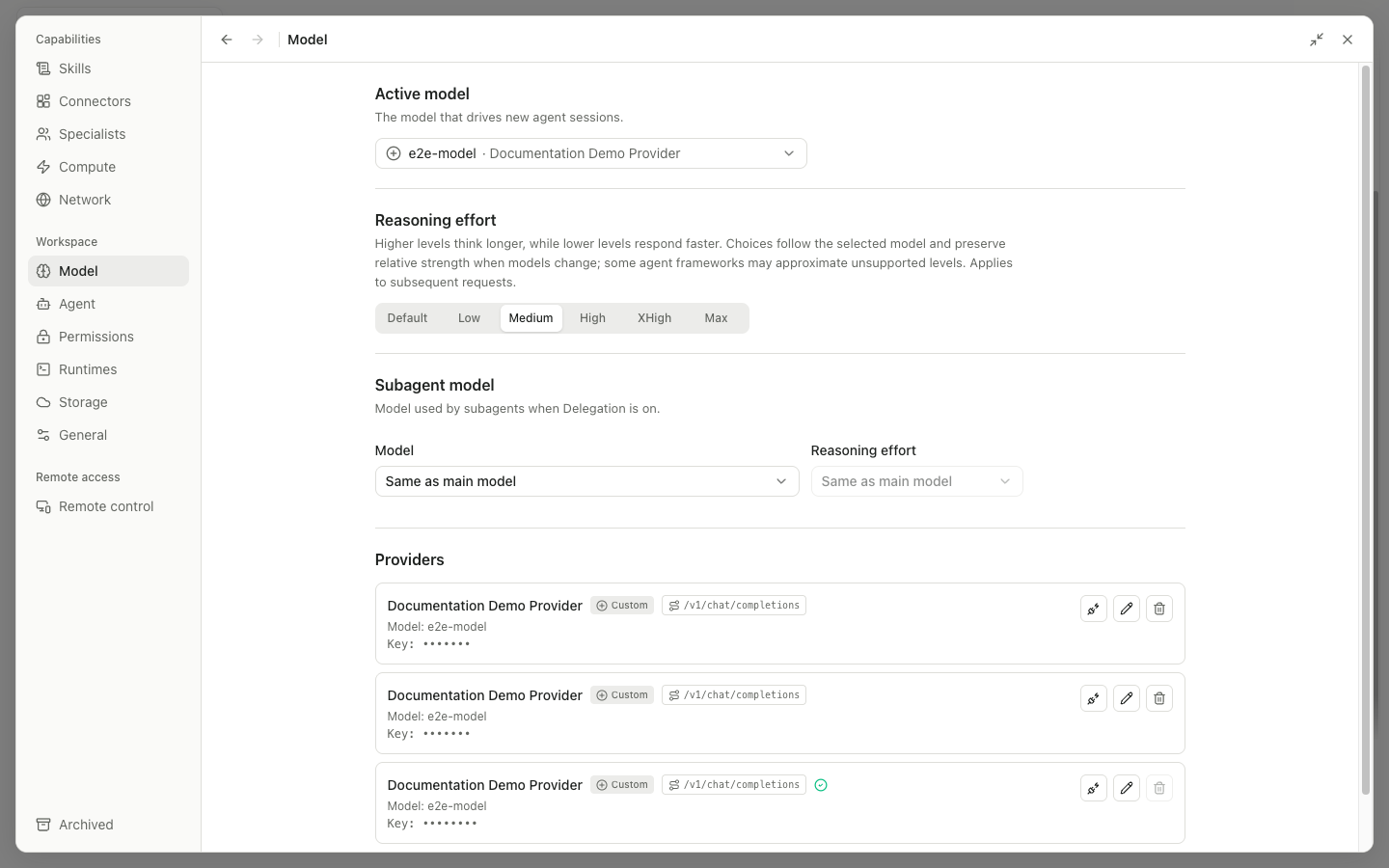
| Area | Controls and behavior |
|---|---|
| Active model | Select the Provider and model used for new sessions and later requests |
| Reasoning effort | Default, Low, Medium, High, XHigh, or Max; affects later requests only |
| Subagent model | Use Same as main model or select a separate model for delegation |
| Subagent effort | Match the main model or set it separately; disabled when unsupported |
| Providers | Each item may offer Test connection, Edit, and Delete; the only or active provider might not be removable |
Add provider | Open the Provider form |
The Provider form contains Provider type and name, Base URL or Endpoint, API format, API key, Model, Context window, Images, reasoning support, levels, request format, and provider-specific authentication or region options. Test connection checks the configuration. Use Cancel, Save, or Add to finish. A saved key is shown as dots and is not revealed in plain text while editing.
When you switch models, the application tries to keep a similar reasoning level. A compatibility alert means the active agent framework cannot reliably carry the selected model or format; follow the prompt to change the Provider or Agent.
Agent framework
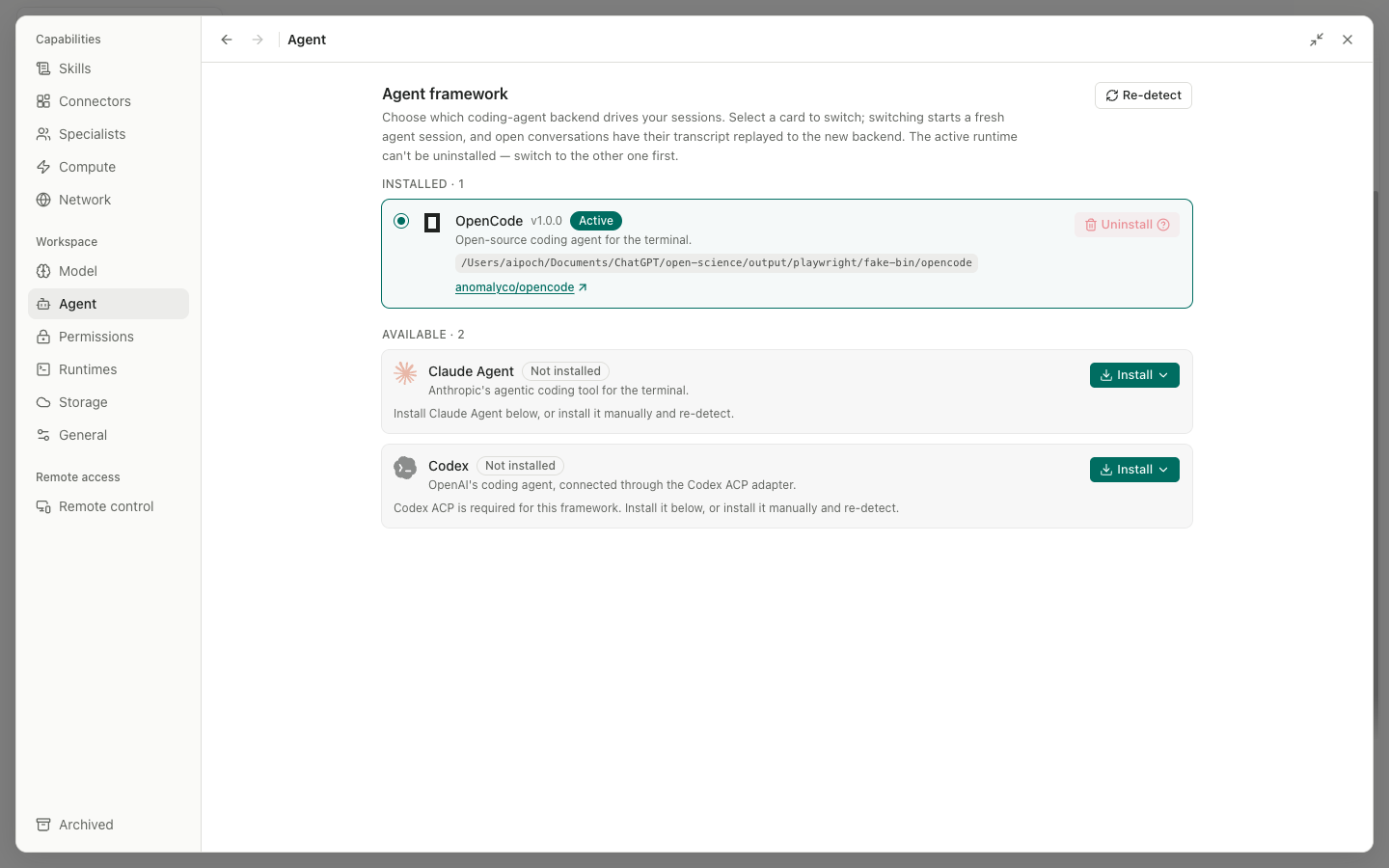
Agent Framework cards show the installation status, version, and Active state for OpenCode, Claude Agent, Codex, and other supported frameworks. Selecting a Ready but inactive card opens the Switch dialog. Switching starts a new backend session, and an open conversation replays its transcript to the new backend.
Main operations:
Install: choose an installation source, then follow the progress and log; the installation can be canceled or retried.Repair <framework>: check and repair a managed runtime.Import/Agent home: inspect or import an external agent configuration after previewing its effects.- Sign in/auth: follow the framework-specific login flow for Claude, Codex, or another service; never paste a token into the conversation.
Uninstall: remove only an inactive runtime. The confirmation dialog lists the managed components that will be deleted.- Framework card: make that framework Active.
If installation stops, inspect Install log, then use Retry or Repair. Do not manually delete runtime directories while an installer is running.