Settings overview
Open Settings from the lower-left corner of the workspace. The navigation is divided into Capabilities, Workspace, Remote access, and Archived. The top bar contains browsing history, maximize, and close controls.
| Global control | Behavior |
|---|---|
Back / Forward | Move between a main Settings panel and its Detail, Add, or Import subviews |
| Breadcrumb back button | Return from a subview to its main panel |
Maximize / Restore | Switch between a large dialog and full-screen Settings |
Close settings | Return to the original project and session without losing settings that were saved successfully |
Dismiss settings error | Close the error banner; the failed operation is not retried automatically |
| Mobile navigation button | Open or close the Settings navigation drawer |
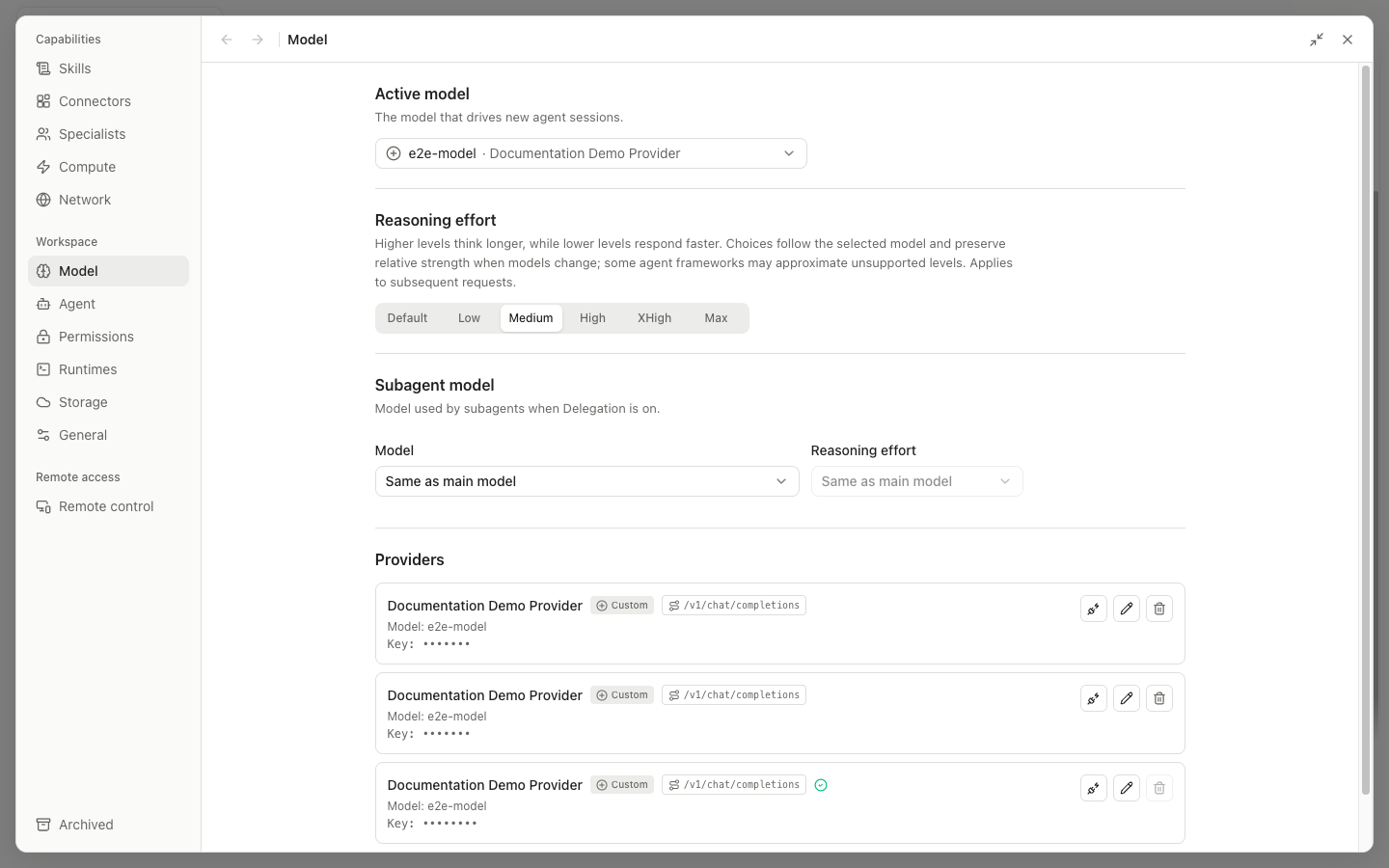
The 13 main panels
| Group | Panel | What it manages |
|---|---|---|
| Capabilities | Skills | Skill packages, enable switches, search, import, and creation |
| Connectors | Built-in and custom MCP connectors, OAuth, import, and export | |
| Specialists | Specialist identities, instructions, and Skill/Connector access | |
| Compute | Local and SSH hosts, resources, scratch space, and concurrency limits | |
| Network | Network status and Conda/pip package mirrors | |
| Workspace | Model | Provider, active and subagent models, and reasoning effort |
| Agent | OpenCode, Claude, and Codex runtimes, including switch, install, and repair operations | |
| Permissions | Default mode and saved scope grants | |
| Runtimes | Python and R environments, package installation, and environment management | |
| Storage | Configuration write access, data-root migration, and disk usage | |
| General | Notifications, theme, app icon, close behavior, GitHub token, and version | |
| Remote access | Remote control | Browser access, pairing, Remote.It, and trusted devices |
| — | Archived | Restore or permanently delete archived projects and sessions |
How settings are saved
Some switches are saved immediately. Longer forms use Save, Add, or Import. Do not close the application while Saving…, Testing…, or Installing… is shown. Migration, uninstall, deletion, and broad-permission actions require confirmation.