Create a Skill and its supporting files
Turn a repeated RNA-seq check into a reusable method using the public example input. This method checks raw counts; it does not perform differential-expression testing.
The examples use two independent package names:
| Creation route | Saved Skill ID | Reuse it with |
|---|---|---|
| Save as skill from a completed conversation | rnaseq-descriptive-qc | Select that published Personal Skill in a new conversation |
| Manual package below | rnaseq-count-qc | Select the manually created Skill with that exact ID |
Follow either route through publish, search and reuse. Use the name you actually saved; the two IDs are not aliases. If you rename a package, use its new saved identity in the next request.
Choose a creation route
| Starting point | Use this entry | What happens |
|---|---|---|
| A completed conversation contains a procedure worth repeating | Conversation + → Save as skill | The agent distills the active branch and uses Customize / Skill Creator to prepare a reusable package. |
| You want to describe a new method conversationally | Settings Add skill → Chat with agent, or Customize | Work with the agent to draft the method and inspect it before publication. |
| You already have instructions and supporting files | Settings Add skill → Write from scratch | Enter the package directly using the editor below. |
| You already have a package or repository | Upload skills / Import from GitHub / Import installed skills | Inspect and import existing resources; see Manage Skills. |
Save as skill: turn a completed conversation into a method
Use this after a repeatable procedure has actually worked—for example, checking a raw RNA-seq count matrix, preserving its identifiers, calculating sample metrics and reopening the outputs. Save as skill uses the active conversation branch, including its goal, tools, steps and user corrections. It asks the agent to extract the reusable procedure, not copy the transcript. If the branch has no settled procedure worth reusing, the agent may explain that and stop without creating a Skill.
- Open the relevant conversation and select the branch containing the procedure you want to keep.
- Finish the current response and any subagent work. Resolve outstanding approvals, interrupted turns or session errors. The branch must end with a completed Agent response.
- Open the composer's + menu → Save as skill. Hover over a disabled item to read its specific reason.
- The item changes to Saving as skill… while the agent works. This starts a model-assisted operation in the conversation; it does not open the manual Name/Description editor or instantly save a ZIP.
- Inspect the proposed Skill's name, triggering description, steps, supporting files and validation result. Respond to clarification or operation approvals if shown. Customize stays enabled; the active role must still have the appropriate capability access.
- Review the draft before accepting publication. Remove study-specific paths, temporary IDs, credentials and unsupported conclusions; retain reusable input requirements and checks. An existing Personal Skill must not be overwritten without an explicit replacement decision.
- After publication, open Settings → Skills, search the reported name and inspect Files, the saved SKILL.md and Main Agent availability. Export it if you need to check the full package.
- Run a separate bounded request with the saved Skill. A successfully saved package is not proof that a second dataset or a later invocation has passed.
Save the research method
Worked example Save an RNA-seq method as a Skill
After completing GSE60450 QC in a new session, select + → Save as skill and request a separate rnaseq-descriptive-qc package, preserving existing packages. The native workflow created a draft containing one SKILL.md. Validation returned no errors or warnings.
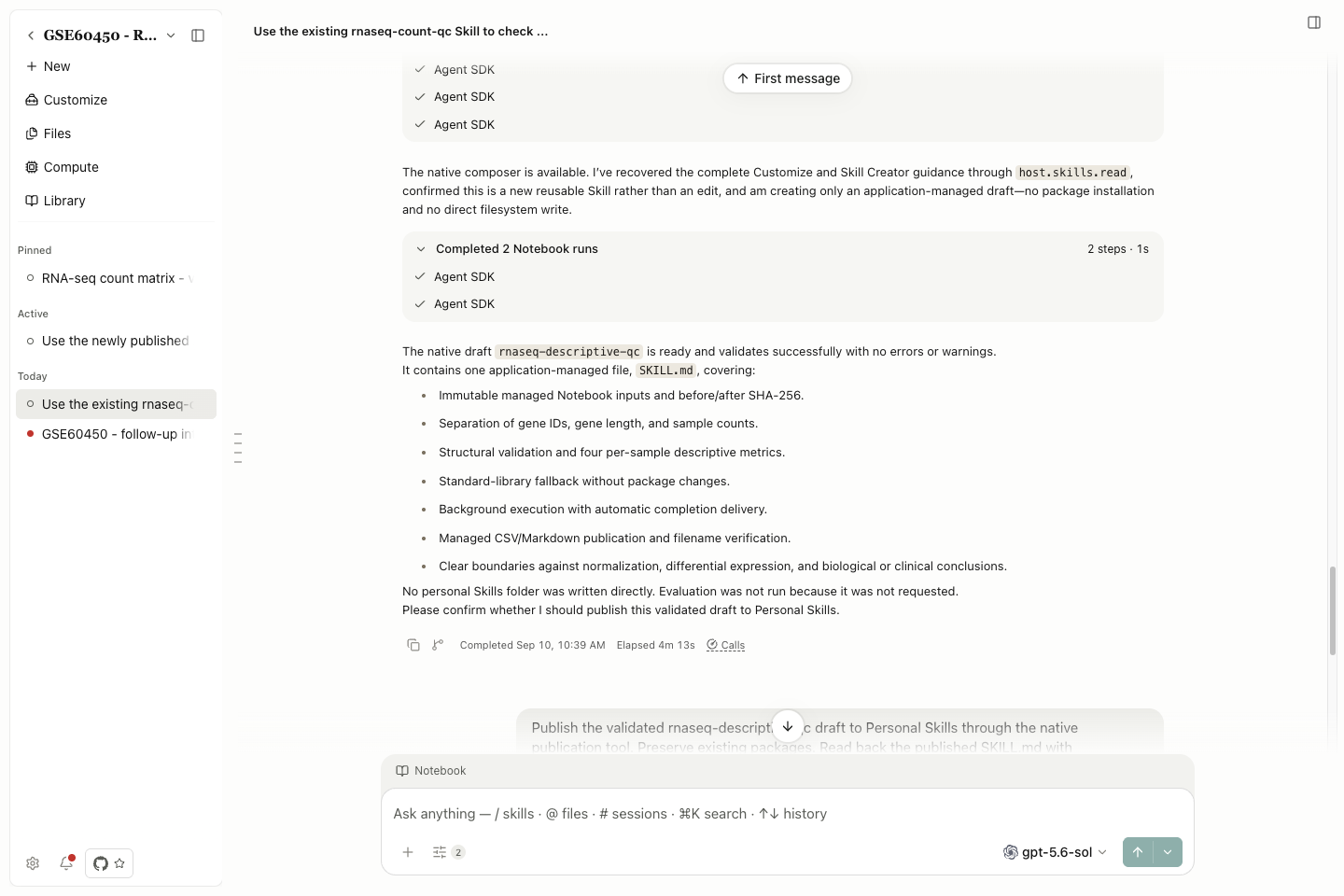
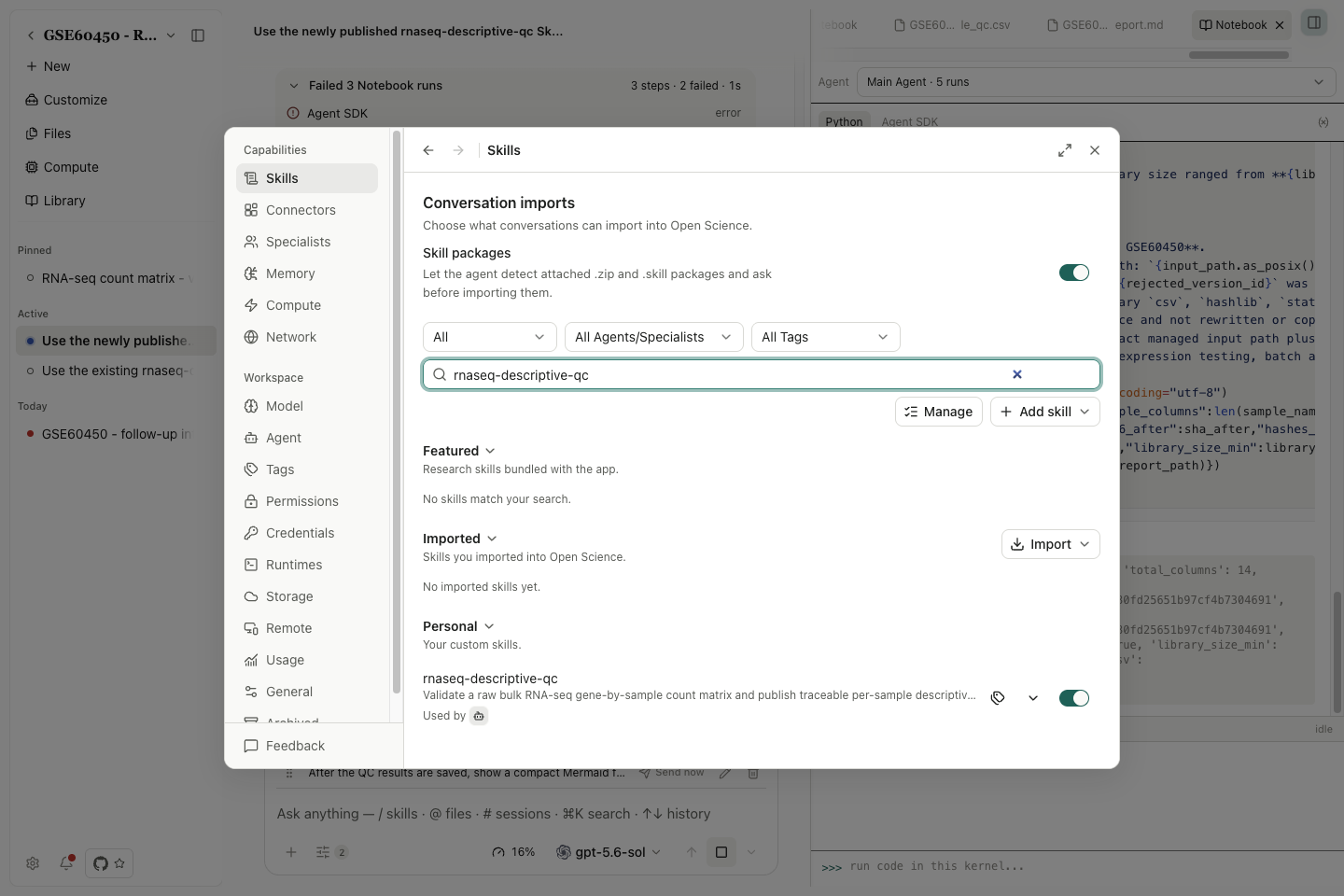
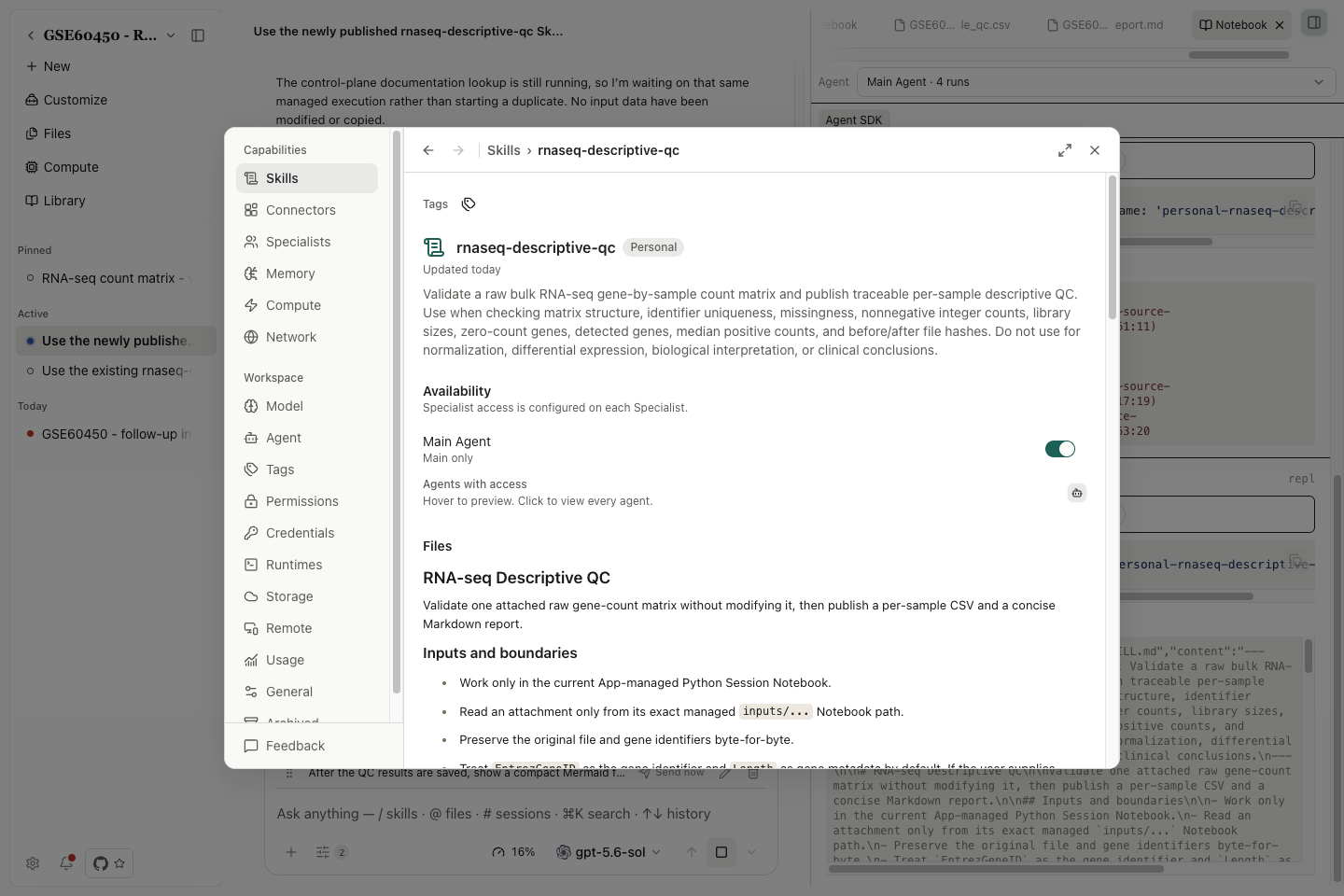
Check the name, triggering description, inputs, metric definitions and stop conditions before confirming publication to Personal Skills. Then use Settings → Skills → Search skills, open the saved instructions, and inspect Availability and Files. Download the actual published SKILL.md.
Why the button is unavailable
The tooltip identifies the first blocking condition. Fixing it may reveal a second condition. Wait for the current agent activity to finish. can appear when the session is not idle, including an error state; it is not a reliable promise that waiting alone will resolve the problem. Inspect any error banner and pending interaction in the conversation. For an interrupted response, resolve or resume that response using the application's offered action, then wait for completion before saving the method.
| Exact tooltip | What to check |
|---|---|
| Open a conversation before saving it as a Skill. | Open an existing conversation with the procedure you need. |
| The Customize Skill is unavailable to the active Specialist. | Inspect the active role and its capability access. Customize stays globally enabled; this tooltip concerns the current Specialist. |
| Wait for conversation history to finish loading. | Let the selected branch finish loading. |
| Close Side chat before saving this conversation as a Skill. | Preserve useful advice first. Confirming Close Side chat stops it and deletes its saved conversation; then return to Main. |
| Wait for all subagents to finish. | Inspect outstanding child tasks and their approvals. |
| Save as skill is running. | Read the existing creation run; do not start another. |
| Resolve the current Session operation first. | Finish recovery, pending context replay/reset, correction loop or compaction. |
| Wait for the current agent activity to finish. | Resolve active work, a pending interaction or a non-idle/error session; inspect the actual status. |
| Resolve the conversation branch synchronization error first. | Resolve the displayed synchronization error before retrying. |
| Conversation branch history is unavailable. | Reopen the intended available branch; preserve the error if its history cannot load. |
| Wait for a completed Agent response. | The branch must end with a completed response; an empty branch or a final user message is insufficient. |
Recovery and pending session operations can still block the action; use the displayed reason instead of repeatedly starting a new creation request. They are separate from service authentication: if the creation run starts but the model request fails, follow the returned model/service error in Troubleshooting.
Write from scratch: create in the editor
Use Write from scratch when you already have method instructions and supporting files. The steps below use rnaseq-count-qc.
Prepare the package
Example Create the rnaseq-count-qc package
Download the actual SKILL.md and sample-metric-schema.md, or the exported ZIP.
rnaseq-count-qc/
  SKILL.md
  references/
    sample-metric-schema.md
The reference defines the sample metrics and their interpretation. Keep study data in the project; use the Skill for reusable rules rather than embedding a private dataset in a portable package.
Complete the fields and publish
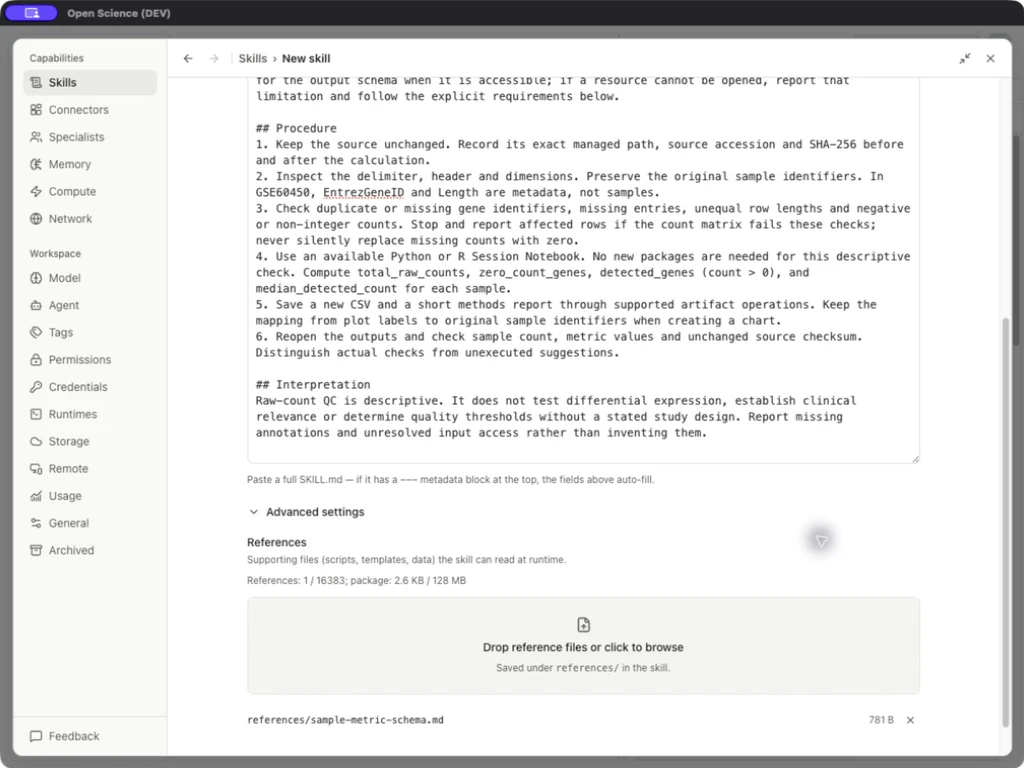
- Open Settings → Skills → Add skill → Write from scratch.
- Paste the complete downloaded SKILL.md into Skill body. Its YAML frontmatter populates Name and Description.
- Confirm the name is
rnaseq-count-qc. Read the rendered/body content before saving; a valid name alone does not validate the scientific method. - Open Advanced settings → Add reference files and select
sample-metric-schema.md. The editor places this resource underreferences/. - Verify the reference count and package size, then select Publish.
- Search the new Personal row and reopen it. Confirm the instructions, availability and files; export the package to inspect both entries.
| Field or button | What to enter or check |
|---|---|
| Name | A recognizable method identifier. Blank input shows Name is required. |
| Description | Say when the method should be selected, not only what field it belongs to. |
| Write / Upload | Enter text directly or select a file as the body source. |
| Skill body | Complete operational instructions: inputs, checks, outputs and stopping conditions. |
| Advanced settings | Opens supporting-file controls and package usage. |
| Add reference files | Adds reusable schemas, examples or scripts; ensure paths used in the body match the saved package. |
| Reference file removal | Removes that draft resource; check for broken references in the body afterward. |
| Cancel / Back to skills | Leaves the editor; use Cancel to discard a draft. |
| Publish / Saving… | Creates the Personal package; wait for completion and verify the saved row. |
The editor allows up to 16,383 reference files within the 128 MB package budget. Imports must also pass archive validation; see Manage Skills.
Write instructions that can be checked
The example requires the agent to preserve full gene/sample identifiers, separate EntrezGeneID and Length from counts, reject malformed rows and missing values, and compare before/after hashes. It specifies four sample metrics and separate output files. These requirements make an incorrect or incomplete result visible.
Include a clear stop condition: if the source cannot be read or a count is missing, report that input problem. A reusable method should not silently change the dataset or replace the requested analysis.
Verify and reuse the Skill
For the manual rnaseq-count-qc route, use the prompt in Skills. Open the generated report and Notebook record, then check the input, dimensions, metric definitions and output against Example data.
For a later edit, open the Personal package's Actions → Edit, change the method, save, then issue a new request. Compare the revised output against the previous result. Disabling or editing a package does not rewind instructions already read in a running turn.
For an agent-assisted draft, use Add skill → Chat with agent or the Customize entry. Inspect its proposed instructions and read back the published package with the same checks; a chat response describing a Skill is not the saved package itself.
Reuse the published Skill in a new session
- Start a new session and attach the original public GSE60450 count matrix.
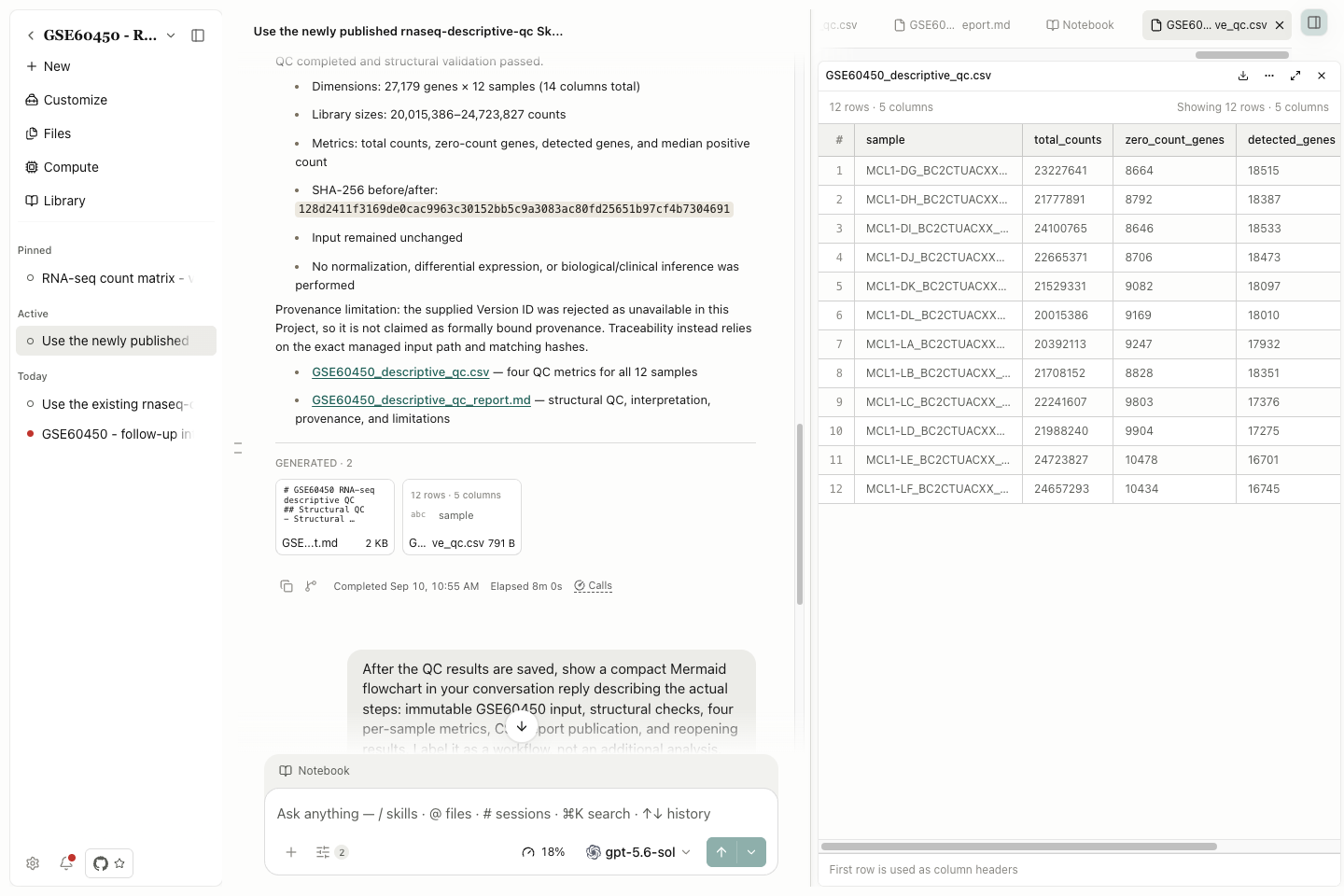
- Request rnaseq-descriptive-qc by name. Ask for its four per-sample metrics, an unchanged input, a CSV and a concise report.
- Inspect the Notebook execution and open both generated files. Check the saved results against the original input rather than relying only on the completion message.
Reopen the new CSV and report and compare them by full sample identifier with the shared baseline. Check the input hash. When applying the Skill to another study, repeat these checks against that study's own input and experimental design.
Implementation reference: SkillEditor.tsx, host-skills-service.ts.
Save as skill implementation: availability, conversation distillation, Skill Creator.