Skills
A Skill gives the agent a repeatable method: when to use it, which inputs it needs, what to do, and how to check its outputs. Open-Science loads its instructions when needed. Installing a Skill does not install the scientific software described inside it.
Find additional methods through the Skill marketplace, then review their inputs and dependencies before use.
Choose the right kind of capability
| You need | Use | Example |
|---|---|---|
| An operation that returns data or executes code | A tool | Read GEO metadata; run Python |
| A method that coordinates those operations | A Skill | Validate a raw gene-count matrix |
| A reusable role with its own instructions and capabilities | A Specialist | Independently check a sample-QC table |
Start with Skill directory to find a method, or recipes to choose from a research situation.
Find and inspect a Skill
- Open Settings → Skills.
- Use Search skills to search its name or description. Enter
rnaseq-count-qcafter creating the example. - Narrow Filter skills by source, Filter Skills by agent, or Filter by Tag if the list remains long.
- Open the result. Read the description, instructions, Files, license and Availability. A display name can differ from the package ID.
- Return to the list and inspect Used by. It identifies which agents can use the package; it does not list completed runs.
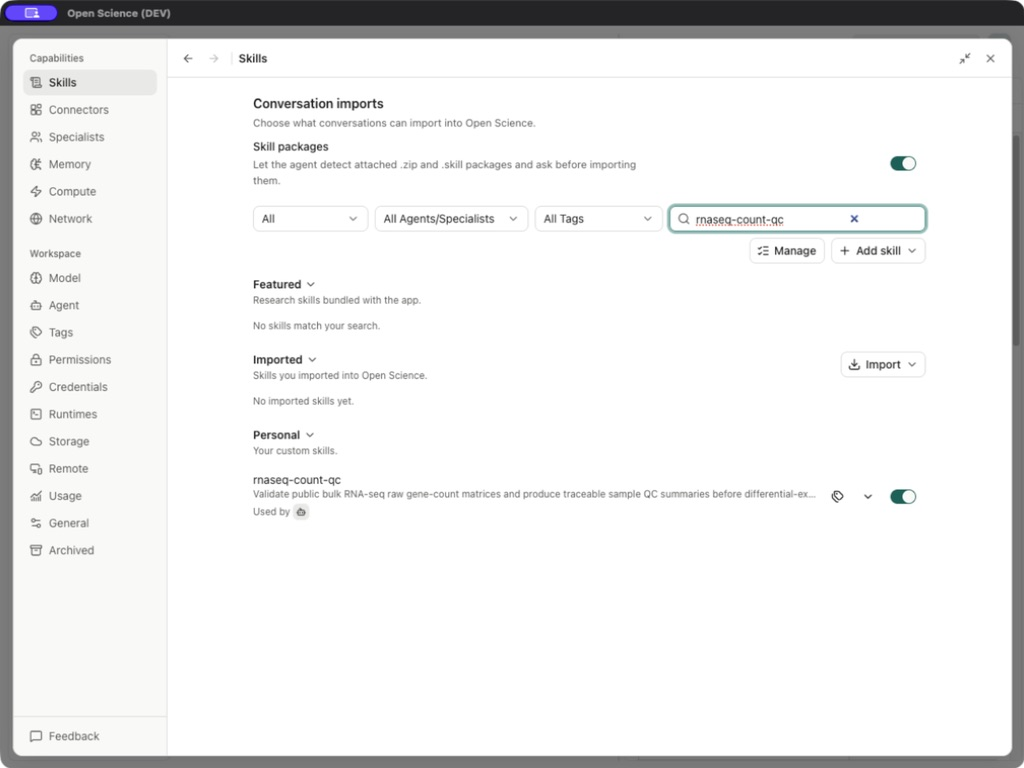
| Control | What changes |
|---|---|
| Featured / Imported / Personal heading | Expands the source group. Featured ships with the app; Imported comes from a package or repository; Personal is created locally. |
| Main Agent switch / row toggle | Changes availability for user-controlled Skills; application-required Skills stay enabled. Files remain installed. |
| Used by | Shows availability across Main Agent and Specialists. Use Manage access on the resource to adjust Main Agent and Specialist associations. |
| Manage Tags / remove a tag chip | Adds or removes an organizational label; it does not change execution permission. |
| Add skill | Offers agent-assisted creation, direct authoring, local upload, GitHub import, or installed-folder discovery. |
| Conversation + → Save as skill | Extracts a reusable method from a completed active branch; see creation steps and disabled-state reasons. |
| Manage | Opens bulk management for personal and imported packages. |
| Conversation imports → Skill packages | Lets the agent recognize attached ZIP/.skill packages and request import approval. Attaching a package alone does not install it. |
Why some switches cannot be turned off
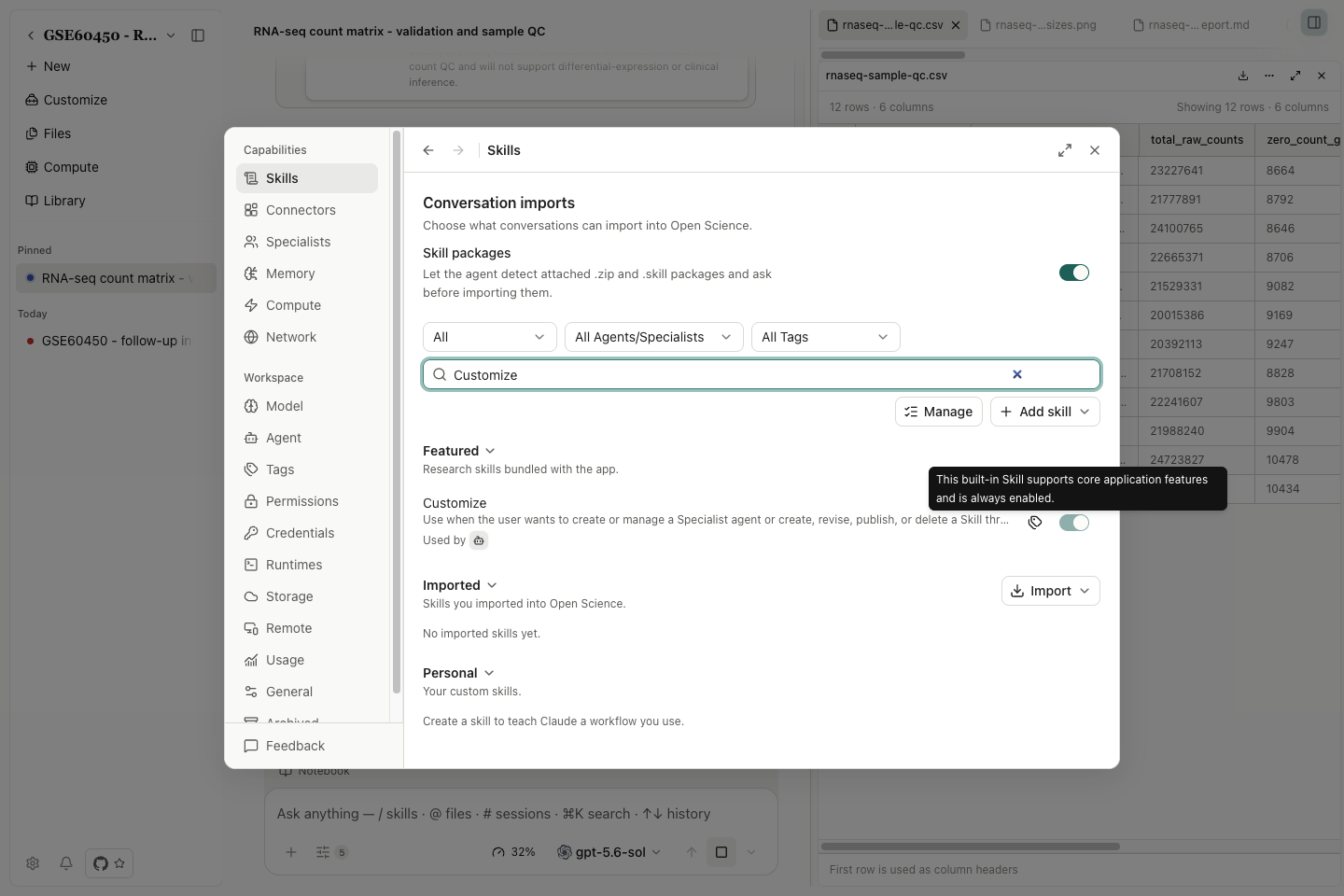
Environment & Packages, Compute Environment Setup, Remote Compute (SSH) and Customize support core application features and stay enabled. Their switches are checked and disabled. Hover or focus the explanation to read This built-in Skill supports core application features and is always enabled.
This activation rule does not install dependencies, provide credentials or grant operation permissions. Specialist assignment is a separate scope: inspect Used by and the role's capability list.
The directory still contains 23 public bundled Skills. Internal supporting Skills are not extra methods to select. Required switch implementation.
The screenshot shows the explanation for Customize. These required Skills remain enabled even when you disable other optional methods.
For the per-agent popup and its read-only bindings, see resource access.
Use it in a conversation
Example Request a check with rnaseq-count-qc
Give the agent the input, required Skill, deliverable and constraints. For example:
Use the rnaseq-count-qc Skill on the attached GSE60450 raw-count matrix. Keep EntrezGeneID and Length as metadata. Validate dimensions and nonnegative integer counts, preserve the original sample IDs, and save a separate methods report with before/after input SHA-256. Use the existing Python Notebook.
When approval is requested, inspect the complete instructions and operation. After execution, reopen the report and Notebook record and compare against Example data. A later Specialist check is a separate operation; naming a Specialist does not establish that delegation occurred.
Instructions versus Notebook functions
Our rnaseq-count-qc package contains instructions and one reference file. It does not register callable Notebook functions. The agent reads the instructions, then writes ordinary Python or R.
Some bundled Skills also supply kernel functions. Their own instructions name the functions and the required kernelSkillIds. Do not add every installed Skill ID to that field: an instruction-only package is not a kernel helper. A loaded Skill also cannot grant filesystem, network or tool permissions.
If a Skill is missing from a picker, check its source filter, enabled state and agent assignment. If its instructions load but computation fails, continue with Scientific tools; that is a runtime or input problem, not evidence that the package failed to install.
Implementation reference: SkillsPanel.tsx, SkillDetailView.tsx.