Literature Library
Open Library from Home or the Workspace sidebar. The library is shared across your local Open Science installation; project and collection links organize references without creating duplicate records.
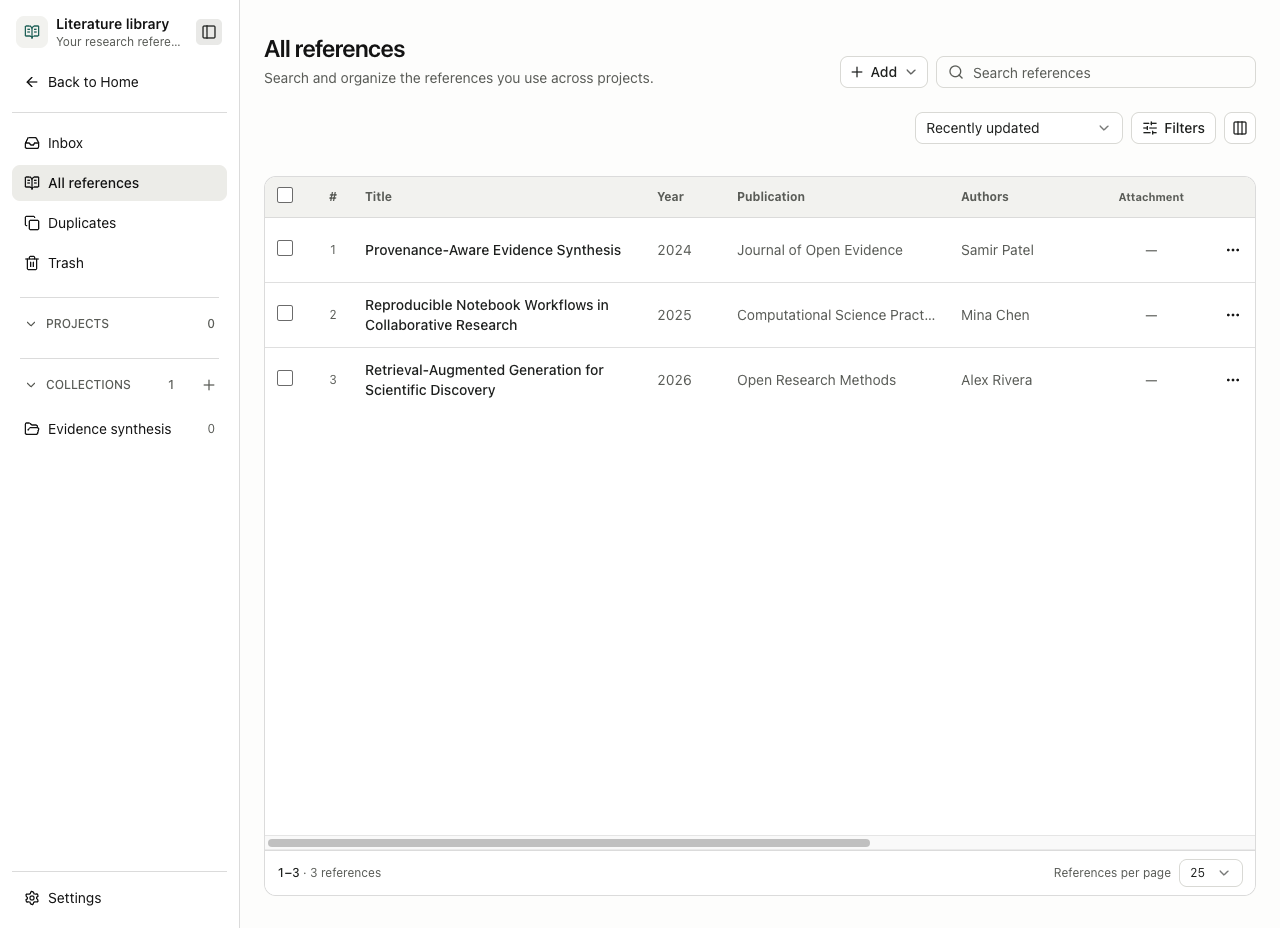
Add references
Choose Add and then:
- Add reference to enter metadata manually. A title is required; add authors, date, publication, identifiers, URL, abstract, notes, and rating when known.
- Import PDF to extract a candidate reference from one local PDF. Review the extracted metadata before saving it.
- Import references to preview and import BibTeX, RIS, or NBIB records. The preview identifies invalid, incomplete, and already-present records before commit.
DOI, PMID, PMCID, and arXiv identifiers are normalized for matching. When an identifier or metadata match already exists, choose whether to reuse it, keep a separate record, or fill only missing fields. Do not merge two records merely because their titles are similar; confirm authors, year, venue, and identifiers first.
Agent-discovered references and downloaded PDFs enter Inbox for review. Accept a candidate to add it to the library or dismiss it; batch actions operate only on the selected candidates. A downloaded PDF is saved only after source validation and user confirmation.
Organize and retrieve
- Use Collections for nested thematic groups. Deleting a collection does not delete its references.
- Link a reference to one or more projects. Project views show the references associated with that project.
- Search title, creator, publication, identifier, abstract, and notes; filter by type, year, tag, and full-text availability.
- Customize and reorder table columns. Pagination choices are 25, 50, or 100 rows.
- Move a reference to Trash to hide it from active searches. Restore it or permanently delete it from Trash after confirming that no retained workflow depends on it.
In a Composer, @ can select an exact library reference, the current project's Library, or a Collection. Exact references expose that record; a Library or Collection chip grants a retrieval scope, not every record and PDF at once. Review the selected scope before sending because matching metadata or attached text may be provided to the active model.
Find and attach full text
Open a reference and choose the full-text action. Open Science checks every applicable source in parallel:
| Source | Requirement |
|---|---|
| Europe PMC / PubMed Central | DOI, PMID, or PMCID as applicable; no API key |
| OpenAlex | DOI; an optional API key can be configured |
| Unpaywall | DOI and a contact email |
| arXiv | arXiv identifier |
Inspect the candidate's source, version label, and URL before Add attachment. Existing attachments are retained. “No freely accessible full-text PDF was found” means the checked public sources did not return an attachable file; it does not prove that no lawful copy exists. Do not bypass publisher access controls or upload material you are not permitted to process.
Attached PDFs are immutable versions. Preview one, use Read with agent when appropriate, and unlink it when later turns should no longer receive its content. Credentials, contact emails, and provider responses remain device data; never place secrets in citation notes or prompts.
Duplicates and citation output
Open Duplicates to inspect identifier or metadata match groups. Compare records side by side, select the surviving record and each conflicting field, then merge. Attachments, project links, and collection links are preserved on the survivor. Bulk merge is limited and review-gated; a merge is not a substitute for bibliographic judgment.
The reference detail formats APA, MLA, Vancouver, BibTeX, and RIS output. Settings → Citation styles includes the bundled CSL styles and can import a local .csl file. Check names, dates, capitalization, identifiers, and locator details against the source before publication. Formatted output records its style and source revisions, but it does not validate the scientific claim being cited.
Failure handling
- If metadata completion fails, keep the current record and edit fields manually; do not discard verified metadata.
- If a provider is unavailable, retry later or use another applicable source. Partial source failures make the lookup incomplete.
- If a PDF fails validation or download, do not treat it as attached. Retry from the reference detail after checking network and storage status.
- If an import reports a duplicate, compare the existing record before selecting separate.
- Background lookup and download jobs can be paused after the current reference, resumed, reviewed, or cancelled from Background tasks.