Changelog · v0.27.0
This release expands literature import, adds background execution and improves recovery across research sessions. It also keeps application-required Skills enabled and adds Connector management for CLI and SDK users.
Official release · Changes since v0.26.0
New features
Import several PDFs together
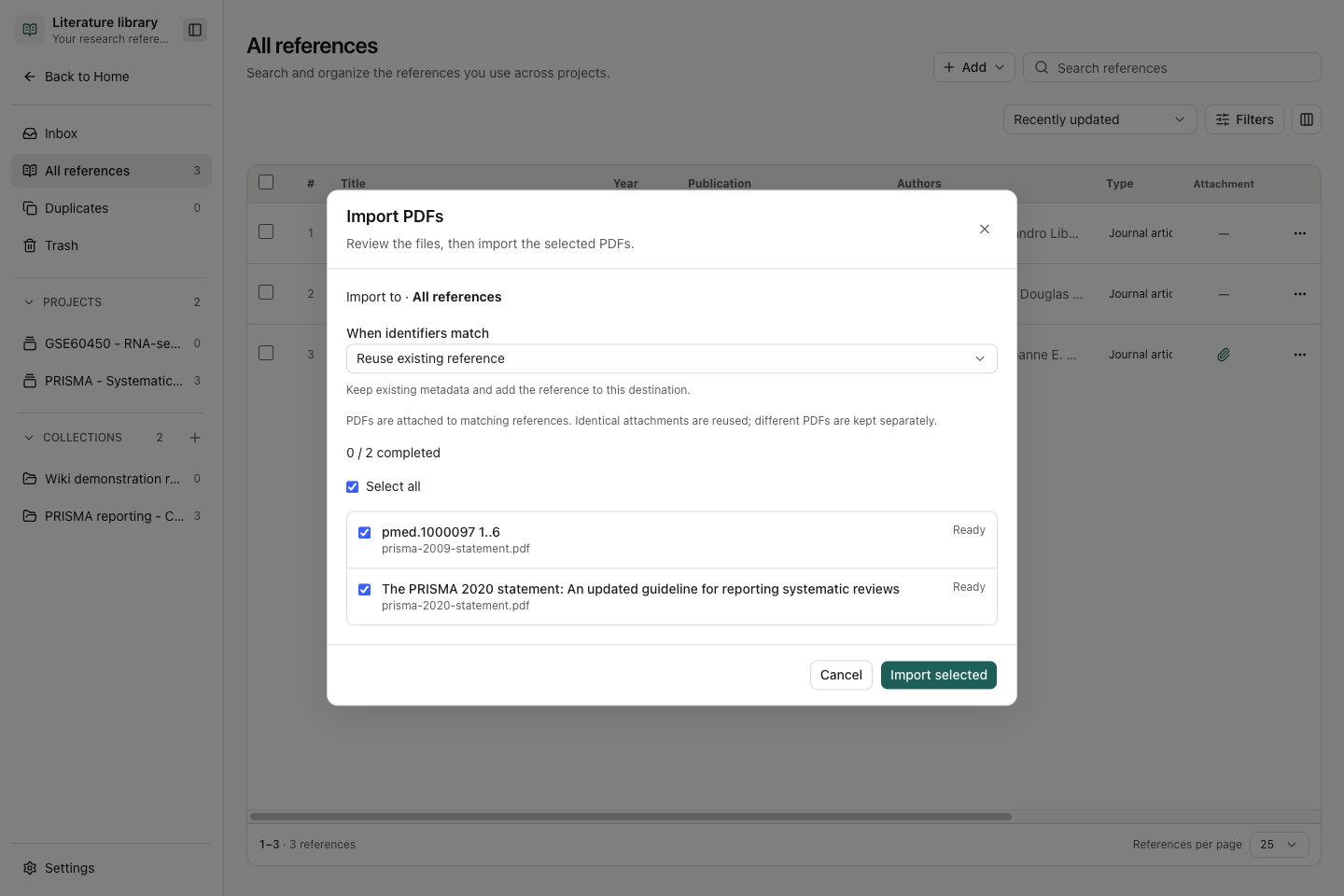
Selecting multiple PDFs opens one import dialog with file selection, a destination summary, identifier-match policy, progress and per-file results. Stop ends further processing; Retry unfinished resumes unfinished selections. Selecting a single PDF keeps the metadata-editor route.
Choose whether to reuse a matching reference, keep a separate record or fill empty fields. The Library also shows its active total independently of search filters and can enrich metadata from a detected DOI. Check the extracted title and identifiers: a completed import does not guarantee correct metadata. See Literature library and citations.
Continue working while tasks run
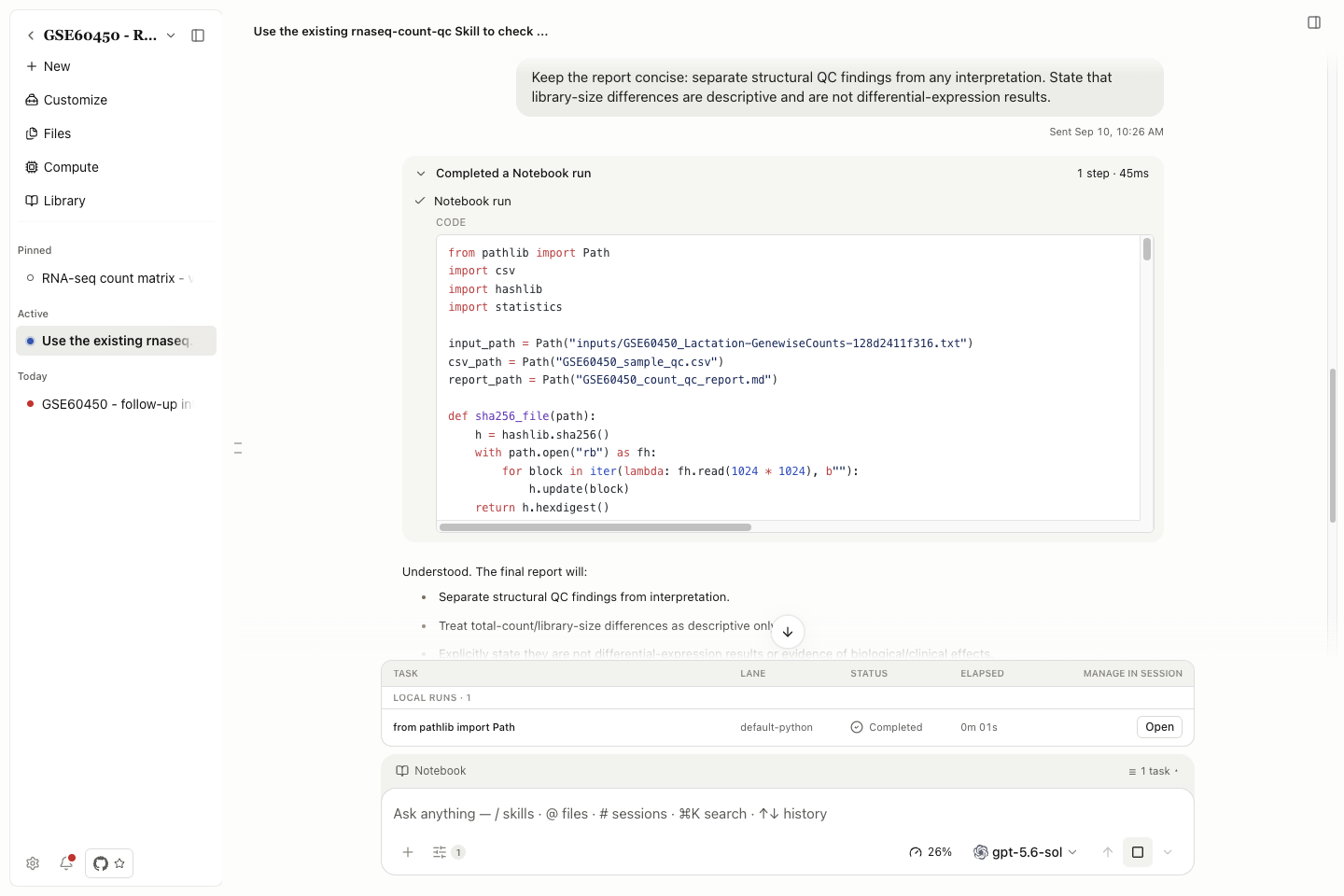
Supported Python, R, persistent REPL and shell work can run in the background. The session tracks task identity, status, elapsed time and cancellation; Open returns to the corresponding run. Results can be delivered automatically to the conversation for local runs and remote Compute jobs.
Inspect the saved files after completion. Remote jobs still require a configured host and suitable resources. See Background tasks.
Keep application Skills available
Customize, Environment & Packages, Remote Compute (SSH) and Compute Environment Setup now remain enabled. Their checked, disabled switches explain why they cannot be turned off. Internal supporting Skills also remain available; they are not additional public methods in the directory.
This does not install scientific dependencies or grant access to a Specialist. See Required Skills and Create a Skill for the Save as skill workflow.
Manage integrations from scripts
The CLI and Task SDK add Connector discovery, inspection and enable/disable controls, alongside custom Connector management. Headless Linux also gains an explicit file-based credential-storage option when an OS credential vault is unavailable; OS storage remains the default. The file store is unencrypted and must be protected through filesystem access controls.
See Connector CLI commands, SDK methods and Linux credential storage.
Improvements and fixes
| Area | What changed | Details |
|---|---|---|
| Literature | Organization creators, metadata integrity, duplicate handling, citation/export fidelity, attachment recovery and cross-client synchronization received fixes. Stale collection edits report conflicts. | Library |
| Notebook and Compute | Run identity and inputs survive more recovery paths; blocked queue restoration provides an explanation and retry. Windows runtime ownership and selected R paths received fixes. | Notebook, Remote compute |
| Previews | Mermaid adds source/diagram switching. PDF navigation, bounded CSV rendering, Office worksheets, TIFF pages and retained text drafts received fixes. | Preview controls |
| Conversations | Queue actions, Send now, copied attachment references, message revisions and saved model preferences received recovery fixes. | Composer, Sessions |
| Settings and updates | Language/theme controls are accessed through General settings. Windows installer errors and interrupted download handling are clearer. | Appearance, Troubleshooting |
Compatibility and known issues
The release includes #2394, which fixes Codex-subscription Side Chat startup and resume in the backend. The same tagged desktop code retains a provider guard that disables its menu entry; a fresh check of that source-built desktop still reached this guard. Track this as a UI/backend discrepancy requiring investigation and end-to-end verification, rather than intentional lack of support. See Side Chat availability.
This desktop entry guard was removed in v0.29.0; the restriction described above belongs to the v0.27.0 source.
For installation or updates, see Install and update. Earlier changes remain in v0.26.0.