Scientific viewers
Open a file from an attachment, saved result or Files. The extension determines the renderer. A preview shows the supplied content; it does not run a scientific prediction or establish that the result is correct.
Inspect a real PDB structure
Worked example Inspect the 1UBQ structure
The demonstration uses the original RCSB 1UBQ ubiquitin structure, downloaded as 1UBQ.pdb. In this example, its native preview displayed 660 atoms.
- Open the uploaded PDB, then select Open full screen preview.
- Switch Cartoon, Stick, Sphere, Surface and Line to inspect different representations.
- Drag to rotate, scroll to zoom, or Shift + drag to pan, as indicated below the canvas.
- Download the original file when needed. Close full screen to return to the conversation.
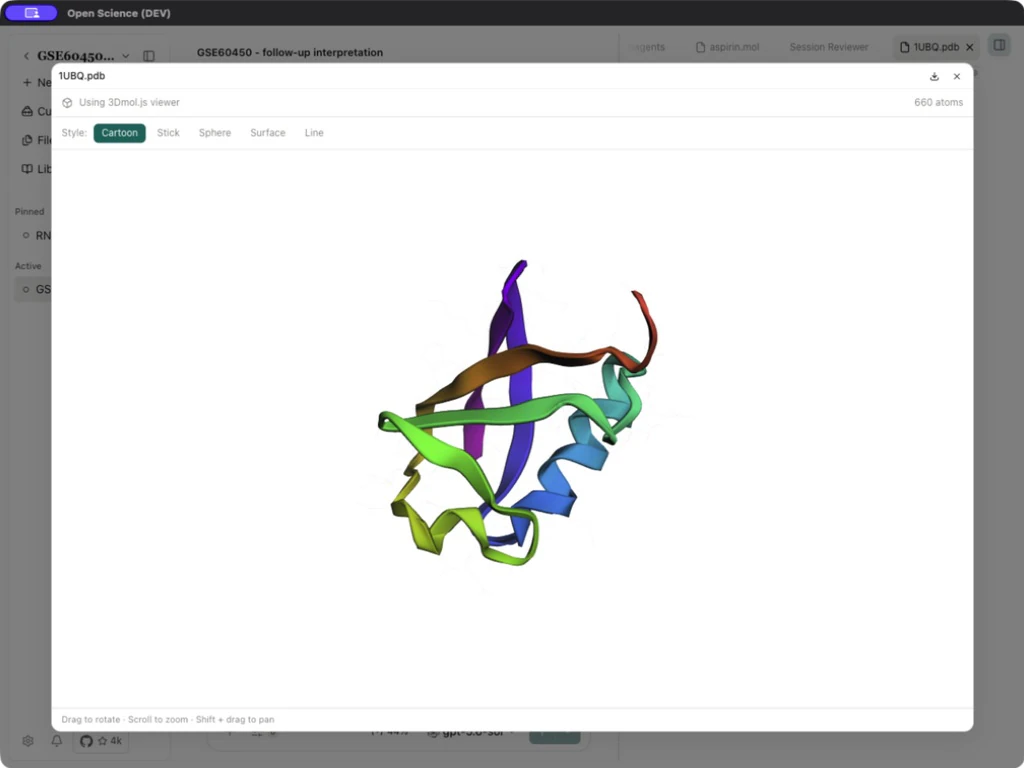
| Style | What it emphasizes |
|---|---|
| Cartoon | Polymer backbone/secondary-structure representation. It may be unavailable for a structure without suitable polymer atoms. |
| Stick | Bonds and local geometry. |
| Sphere | Atom-centered spheres. |
| Surface | Molecular surface representation. |
| Line | A lighter bond representation. |
Representation controls change rendering while preserving coordinates. Compare the supplied structure and its metadata when checking missing residues or prediction confidence.
Read a FASTA sequence
Worked example Read the P04637 protein sequence
Open P04637 FASTA, downloaded from UniProt's FASTA endpoint. Inspect the accession/organism/gene in the > header and the sequence below it. The native renderer preserves source text; it is not a sequence alignment or editing application.
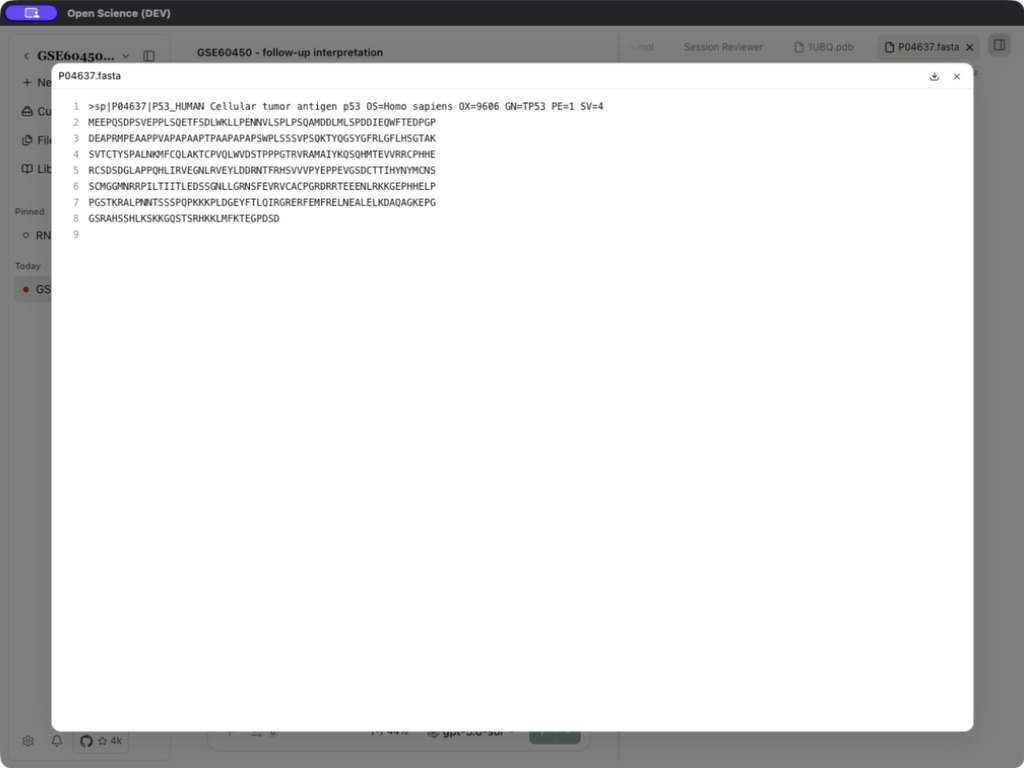
To use the sequence in a conversation, attach the current file with + → Attach files and ask the agent to read the file rather than infer from its name. For this P04637 input, check the P53_HUMAN header, 393 amino acids and the initial sequence MEEPQSDPSV. Compare the reported checksum with the file you supplied when identity matters.
If a model request returns Managed file or its Session is deleted, reattach the current file in a normal message and retry. If it persists, retain the error for Troubleshooting. A working preview does not guarantee that the model-input reference is still valid.
Preview a molecule
Worked example Render aspirin from SMILES
Ask the Molecule Connector to run preview_molecule with smiles: "CC(=O)Oc1ccccc1C(=O)O" and filename: "aspirin". Open the generated aspirin.mol card and full-screen preview.
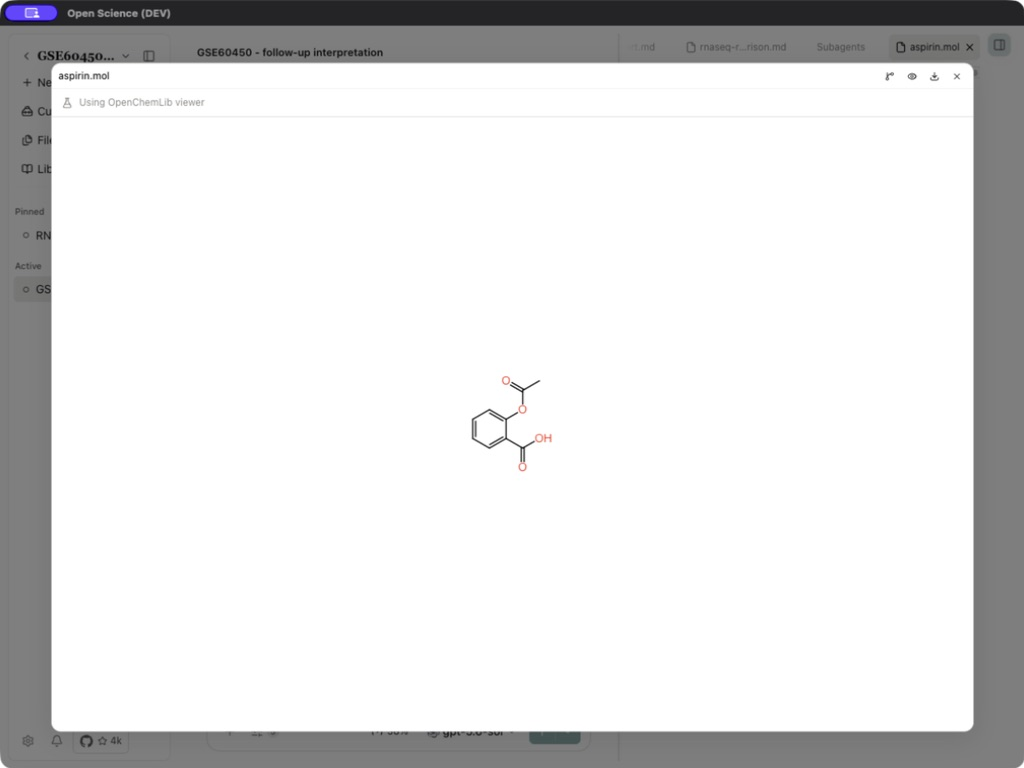
In this example, the call returned a valid structure, formula C9H8O4, molecular weight 180.15852, and 13 heavy atoms, and saved aspirin.mol. The viewer was manually opened and inspected. This is offline structure rendering; it does not predict binding affinity, docking poses or therapeutic activity.
Choose a scientific renderer
| Input | What to inspect |
|---|---|
| PDB | Parsed atoms, representation availability and original coordinates |
| MOL/SDF/SMILES/RXN | Structure or reaction rendering; invalid or truncated content can fail |
| FASTA and related sequence files | Original header, sequence identity and extent |
| Analytical binary containers such as H5AD/H5 | Use a compatible analysis library; ordinary text preview does not decode the container |
Shared toolbar controls and PDF, Office, image and source-text reading are documented in Previews. Data interpretation belongs to Tables; exact extensions and bounds belong to File formats.
Preview failures
Check the original file and the renderer's exact error. A structure without suitable polymer atoms may not offer Cartoon view; changing representation cannot restore missing coordinates. Keep the original bytes when trying an external viewer. A successful preview does not establish that a model can ingest the attachment, or that a prediction program is installed.