Find a protein sequence and complete a BLAST search
Worked example Find the reviewed human hemoglobin alpha entry and retrieve its sequence
Start with the human HBA1 gene name, retrieve a reviewed UniProt protein and its canonical FASTA, then submit a BLAST search and inspect the completed report. This example teaches sequence lookup and comparison using a known protein.
Before starting, follow Scientific databases to enable the required Connectors. Use a connected model and an available Notebook runtime.
1. Find the protein and retrieve its FASTA
Genes & Ontologies can discover UniProt entries before you know an accession. Use search_uniprot_entries with a gene name, protein-name phrase or organism. organism_id matches the specified taxon, while reviewed: true selects Swiss-Prot and false selects unreviewed TrEMBL entries. Omit reviewed to include both. Follow next_cursor without changing the filters or page size when continuing a query.
Enable Genes & Ontologies, open a session with a connected model and available Notebook runtime, then send:
Use Genes & Ontologies through Session Notebook. Call search_uniprot_entries
with gene HBA1, organism_id 9606, reviewed true and page_size 5.
Save the query and complete response as hba1-uniprot.json. Check the
returned organism and protein identity, then retrieve the canonical FASTA
for the matching accession with get_uniprot_entries. Add that response to
the JSON and save hba1-query.fasta. Keep everything in English. Preserve
missing or empty results; do not invent sequences.
Open the JSON before using the FASTA. This query returned P69905 / HBA_HUMAN, Homo sapiens, 142 amino acids, with gene names HBA1 and HBA2. The response identified UniProt release 2026_03, total_results: 1 and has_more: false. The FASTA header preserves the accession and organism; the sequence contains 142 residues. A gene-name query can return a protein entry associated with more than one gene, so do not infer a one-to-one mapping.
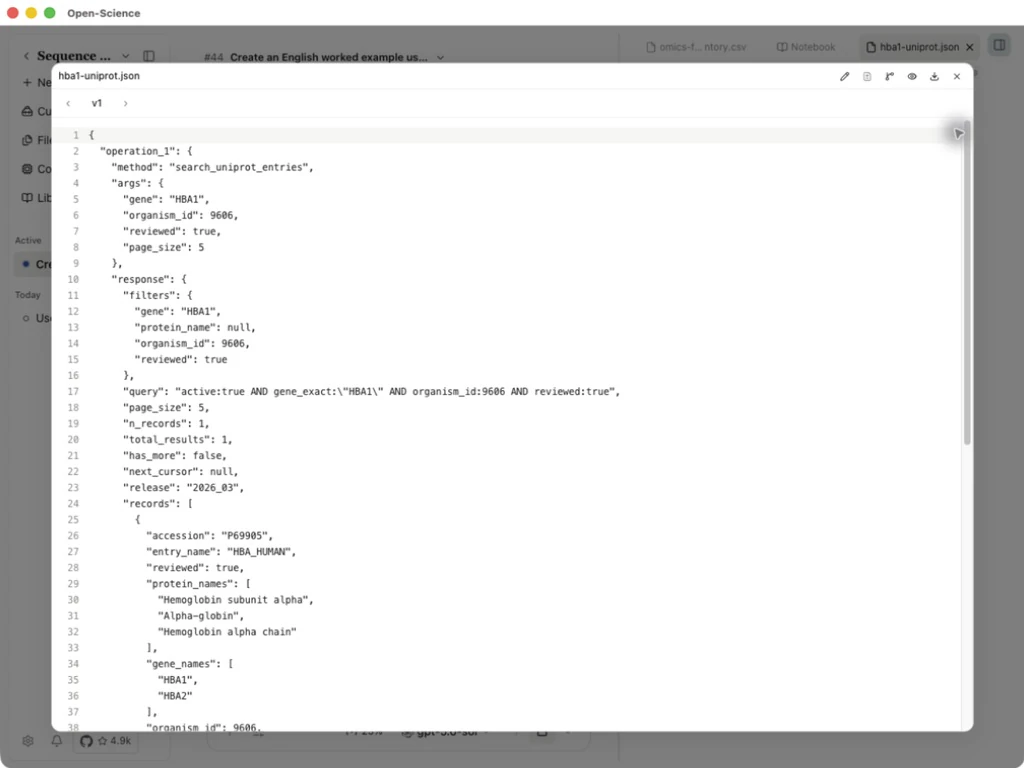
UniProt query and FASTA response · Canonical FASTA
2. Submit and follow the BLAST job
For a similarity search, enable Genomes and use its three BLAST operations. The sequence is sent to the public NCBI service; use public or otherwise authorized input.
- Call
blast_submitonce with the sequence, itsmolecule_typeand a compatible database. Keep the returnedridand polling guidance. For the protein above,molecule_type: proteinanddatabase: swissprotselect a protein search. - Call
blast_statusfor that RID. Requests for the same RID must be at least 60 seconds apart, and all BLAST requests at least 10 seconds apart. Follow any longer delay returned by the service.WAITINGmeans the job is still queued or running; retain its RID instead of submitting again. - After
READY, respect the same interval beforeblast_results. Available formats arejson2,xml2,textandtabular. Reports are bounded to 2 MiB; request fewer hits if necessary. Tabular output can include comments and is not automatically a CSV table. - Check query length, effective database, matching accessions, alignment span, identity and E-value in the actual report. Sequence similarity alone does not establish function. A known hemoglobin sequence is useful for learning the controls, not demonstrating discovery of an unknown protein.
If submission returns blast_submission_unknown, its acceptance is uncertain: do not automatically resubmit. Preserve the response and any RID. Never treat a submission receipt or WAITING status as a completed alignment. Exact inputs and return conditions are in the BLAST reference.
3. Open and interpret the completed report
Continue the same protein example in the session above. Keep the submission receipt so that a later request can resume the same job. Send:
Continue with the public P69905 FASTA retrieved above. Use Genomes through
Session Notebook. If this session already has a BLAST RID, resume that RID;
otherwise call blast_submit once with molecule_type protein, database
swissprot and hitlist_size 5, then save the receipt. Space requests for the
same RID by at least 60 seconds and follow any longer server delay. Check
blast_status; if it is still WAITING, keep the RID for a later check rather
than submitting again. After READY, wait the required interval and retrieve
blast_results in json2 format. Save hba1-blast-raw.json, hba1-blast-hits.csv
and hba1-blast-results.md. Include the actual database, query length,
accessions, alignment coordinates, identity counts and E-values. Explain
the coverage and identity calculations. Keep everything in English and
preserve actual errors or empty results. Never invent alignments.
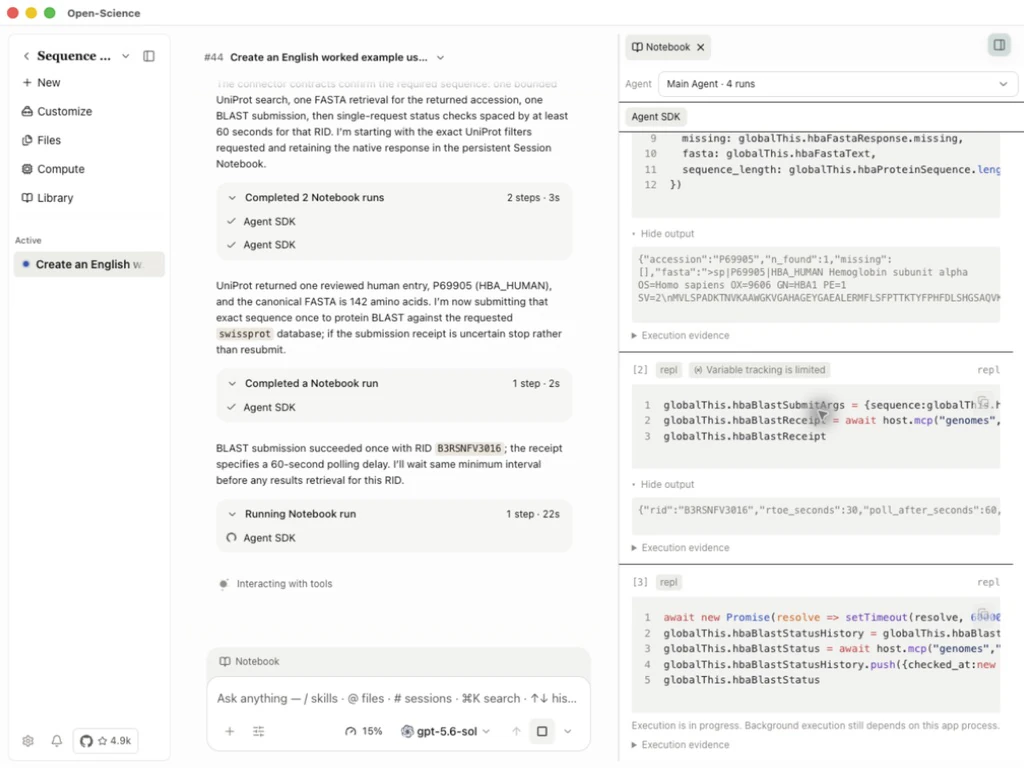
After the report is ready, open hba1-blast-results.md and compare its table with hba1-blast-raw.json. This example used BLASTP 2.17.0+, with swissprot confirmed by the report, a 142-amino-acid query and 5 hits:
| Accession | Identical residues / alignment length | Query coverage | E-value |
|---|---|---|---|
| P69905 | 142/142 (100%) | 100% | 1.99033e-100 |
| P01923 | 140/141 (99.29%) | 99.30% | 1.06845e-98 |
| Q9TS35 | 140/142 (98.59%) | 100% | 2.38346e-98 |
| P06635 | 139/142 (97.89%) | 100% | 3.57742e-98 |
| P01924 | 138/141 (97.87%) | 99.30% | 3.00466e-97 |
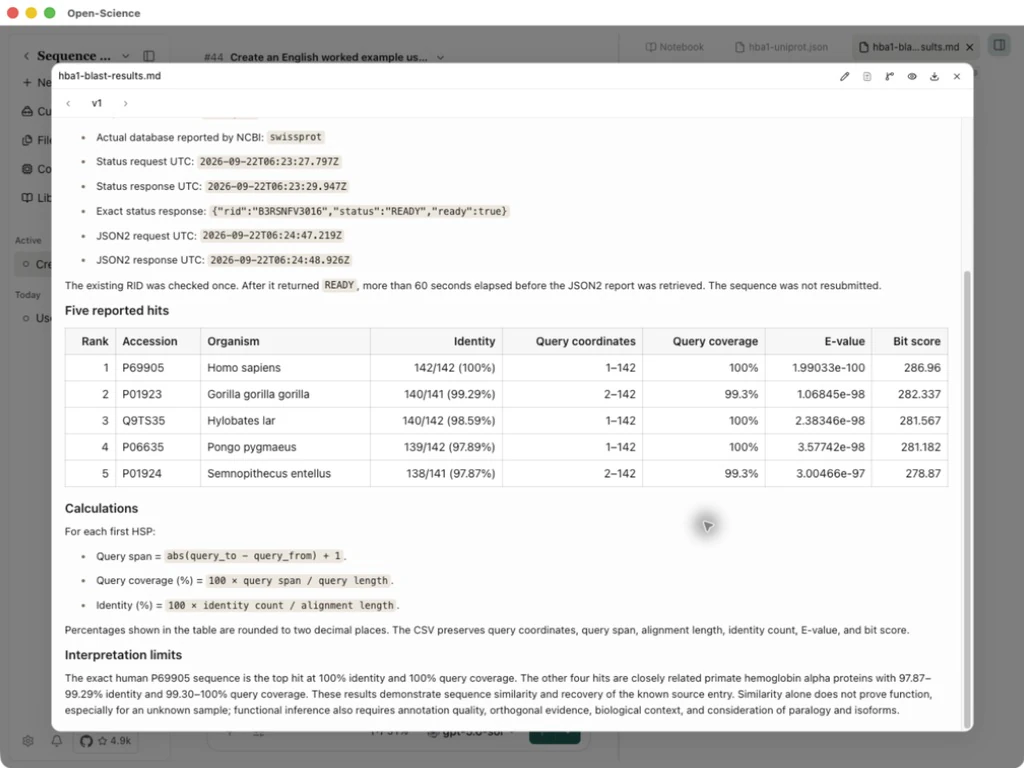
For each first HSP, identity is the identical-residue count divided by alignment length. Query coverage is the inclusive query-coordinate span divided by 142. For P01923, the query span is 2–142: coverage is 141/142 = 99.30%, while identity is 140/141 = 99.29%. The two percentages answer different questions; neither is the probability that a function assignment is correct.
Completed report · Five-hit table · NCBI JSON2 report
The top hit P69905 is the input sequence itself, so its 100% identity and coverage provide a known-sequence check. The other hits demonstrate similar sequences, not a new functional discovery. Retain the raw report and query with the result table; a later database release can change the hit list.
To compare three or more known sequences, continue with multiple sequence alignment and conserved positions.
Check a protein domain with HMMER
Worked example Scan human P69905 against Pfam
After retrieving the canonical P69905 protein sequence, enable HMMER for Main in Settings → Connectors. In the same conversation, ask:
Use the HMMER Connector to scan the same human P69905 sequence against
Pfam with hmmscan. Keep the job ID, retrieve the completed domain
annotations, and save the raw result and a concise English interpretation
with coordinates and significance values. Preserve an unavailable
result as unavailable.
- Check the submission's job ID, then follow status for that same job.
- Request results after completion and save the raw response. Check
readyand the result's status before interpreting its hits. - Inspect each hit's family accession, query coordinates, E-values and inclusion flags. A reported fragment is not necessarily a significant domain.
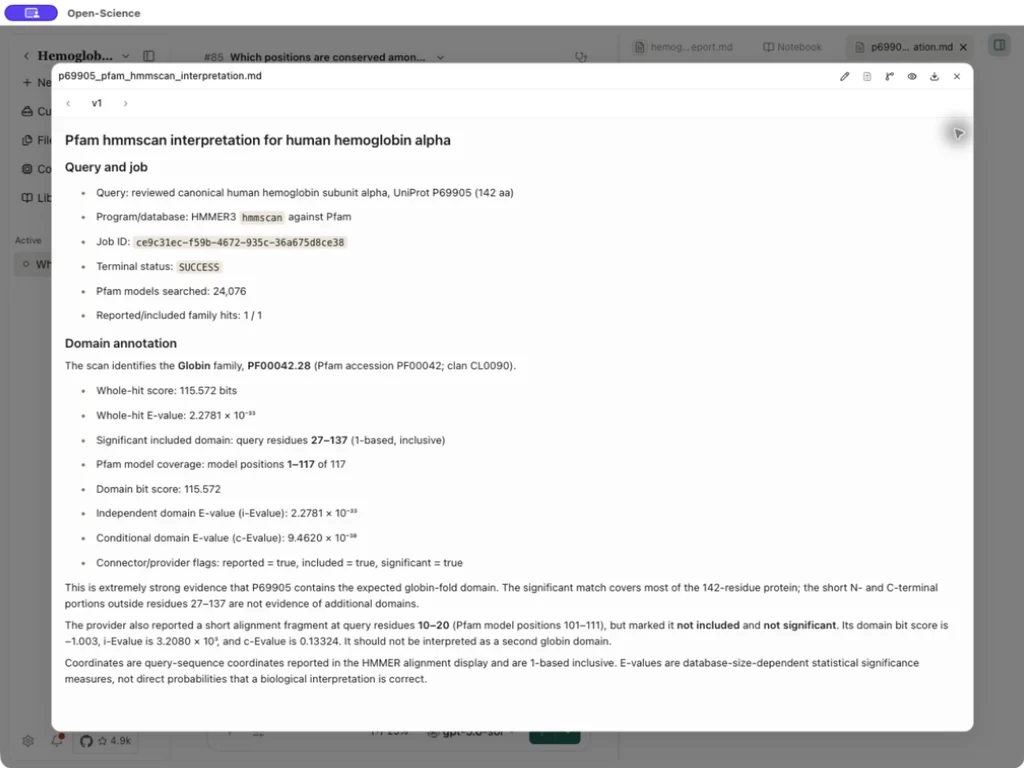
This run returned Globin · PF00042.28, with an included domain at query residues 27–137 (1-based, inclusive), 115.572 bits and independent domain E-value 2.2781 × 10⁻³³. The short fragment at 10–20 was not included and was not significant; it is not evidence for a second domain. These coordinates refer to the submitted canonical sequence, not a mature-protein numbering scheme. E-values depend on the search space and do not directly measure the probability that a biological interpretation is correct.
Raw HMMER response · Domain interpretation
HMMER inputs depend on the selected program. The example uses a protein sequence with hmmscan; see the operation reference for other programs. InterProScan can submit a protein sequence, check the job and retrieve TSV annotations. Configure its contact email and follow the submission steps; its member-database results are separate from this HMMER example.