Take over a researcher's literature collection
This workflow starts with an existing bibliography. If you are starting with a topic, use the journal-club workflow to find and review candidate papers first.
Worked example A perovskite solar-cell stability handover
When a colleague hands you a bibliography, first establish what is in it and what still needs reading. This example imports 20 published references on perovskite solar-cell stability, groups them in Library and produces a handover inventory with a reading plan.
Deliverable: a project-linked collection, a 20-row CSV with source identifiers and next actions, and an English reading plan. The supplied sample contains citation records, with no PDFs attached; its topic labels are provisional.
Prepare the collection
Download the 20-reference RIS file. Its titles, authors, years, journals and DOIs come from Crossref records. This is a teaching selection, not a systematic search. For your own handover, use your colleague's citation export and keep the original PDFs alongside it.
- Create a project using Projects and source folders, then open Library.
- Create a collection named Perovskite Solar-Cell Stability.
- Choose Add → Import references, select the RIS file and review the import preview. Check the destination collection and duplicate handling before confirming.
- Inspect the import result. This example created 20 records, with 0 reused, skipped or failed records.
- Open the collection, select its records and use Add to project to link them to your project.
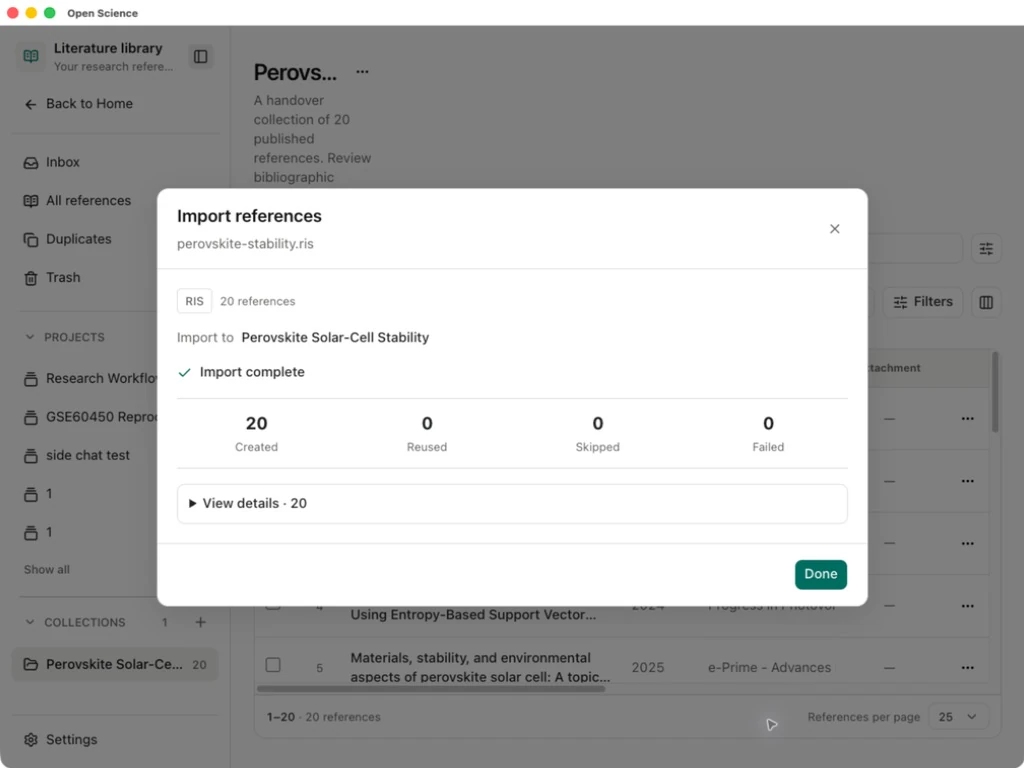
If your export has duplicates or incomplete identifiers, resolve those records before accepting a final inventory. Importing references does not attach their full text. Use the reference's Add PDF control for PDFs you already have, then compare the PDF title and DOI with its record. See Library and citations.
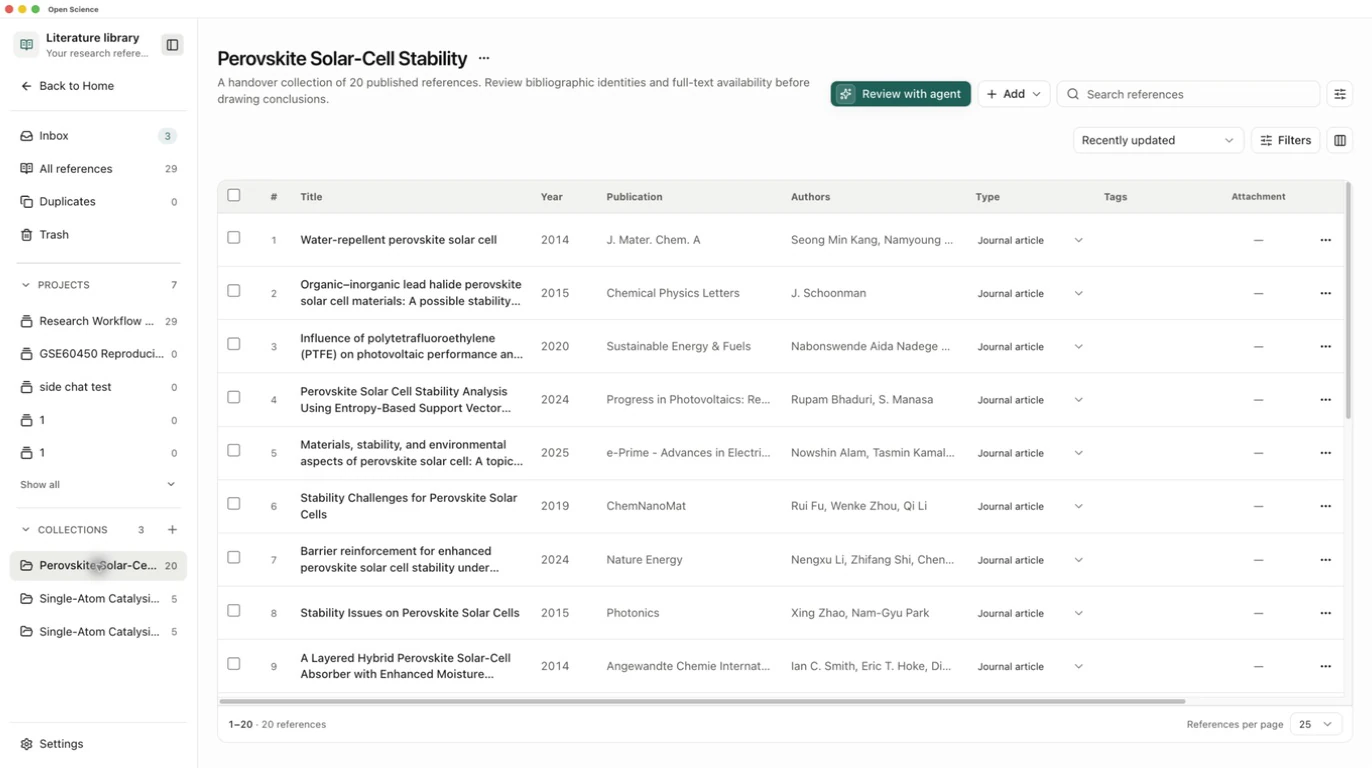
Reopen the collection and check the footer’s 20 references count. Inspect the Attachment column before asking for a synthesis. In this example it is empty throughout, so the next step requests a bibliographic inventory rather than findings from full text.
Ask for a usable handover
Open a conversation in the project and select a working model. Name the collection explicitly:
Prepare an English handover inventory for the Library collection named
Perovskite Solar-Cell Stability. Inspect all 20 records and their actual
attachment state. Save perovskite-handover.csv with title, DOI, year,
provisional topic based on title, full-text status and next action.
Save perovskite-handover.md with a short reading plan.
Do not infer study results from titles or claim to have read unavailable
PDFs. Do not search for additional papers or delegate.
Finish after saving the files; I will open them to check the results.
For a larger collection, ask for an inventory before requesting a synthesis. Missing PDFs, ambiguous records and unread papers should remain visible in the handover.
Check the saved files
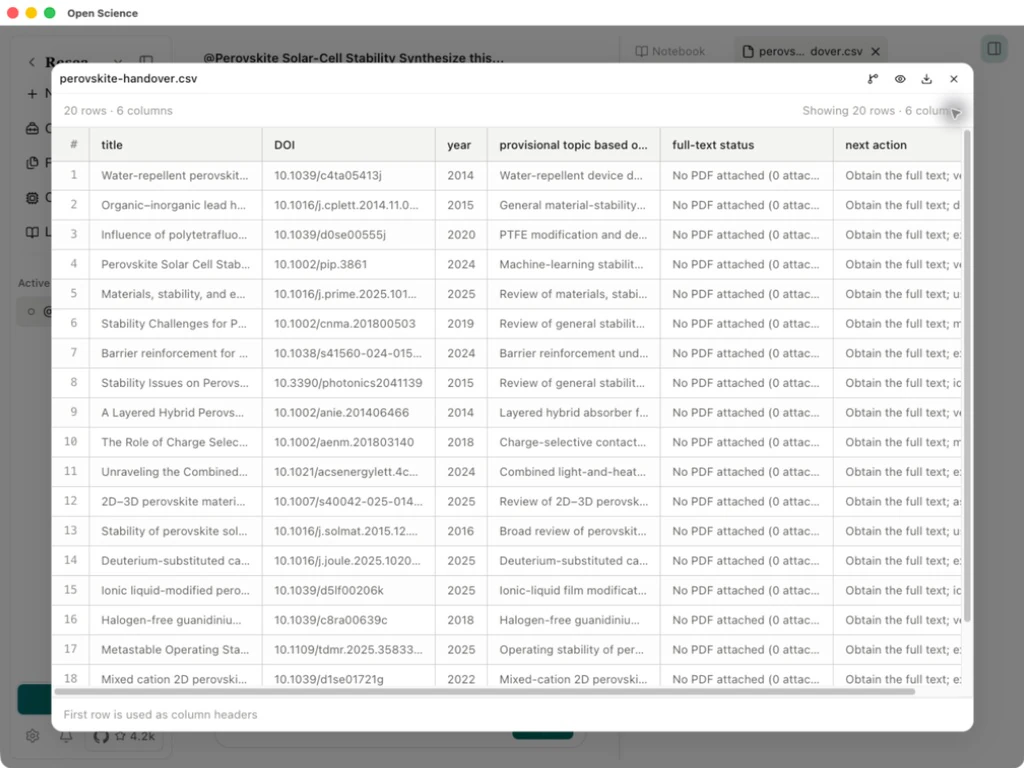
After the response completes, open perovskite-handover.csv from the generated files. In this example, the saved table has 20 rows and 6 columns. All 20 DOIs match the imported set; no DOI or publication year is missing. Every full-text entry correctly says that no PDF is attached.
Open perovskite-handover.md and check that the reading sequence is useful to the next researcher. It suggests broad stability papers first, followed by mechanisms, materials interventions and analytical approaches. These are reading suggestions based on the collection, not verified conclusions about the experiments.
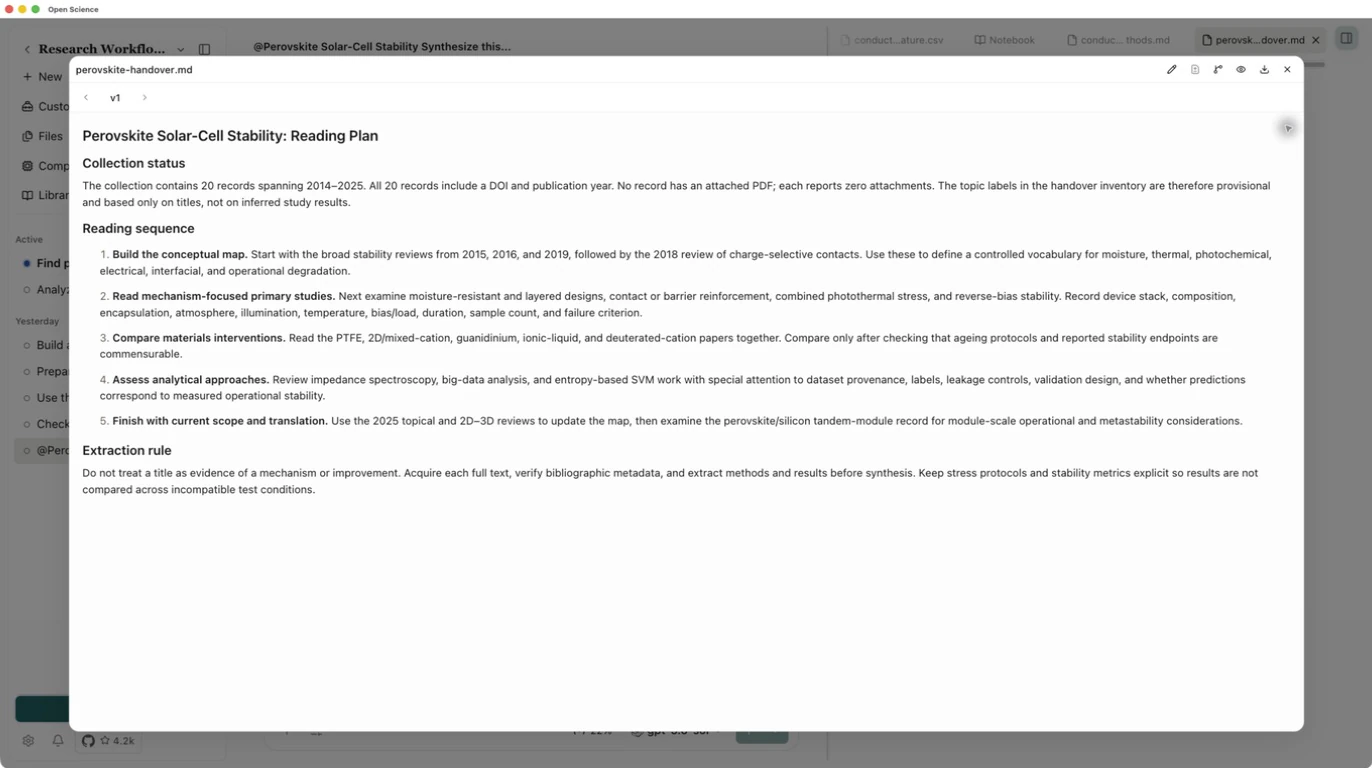
Use the file preview’s expand button to read the plan, then Download to retain it alongside the CSV. Check that every proposed next action is feasible from the supplied material. A suggested reading sequence is not evidence that the papers have been read.
Before using the collection to compare stability results, obtain the relevant full texts and record the ageing protocol, temperature, illumination, atmosphere and endpoint. Check publisher updates too: the big-data stability paper has a linked addendum that belongs in a full-text review.
Download the example's saved handover CSV and reading plan to compare their structure with your own output.