Inspect a pathway and its interaction network
Worked example Human p53 signaling in Reactome via Pathway Commons
Use a curated pathway to inspect how TP53, MDM2 and CDKN1A appear in a network. The result is a saved source record, interaction table and research note. This retrieves curated connectivity; it does not test enrichment or measure pathway activity in a sample. For a statistical gene-list question, use gene-set enrichment.
1. Prepare the project
- Create a project named Pathway Commons Research and start a conversation.
- In Settings → Connectors, make Pathway Commons available to the active agent. It uses a public service; this example needs no private research files.
- Select a configured Main model. This example used Codex subscription. If Codex is marked Update required, update its runtime before sending the task.
2. Search and retain the returned identity
Send:
Use the Pathway Commons Connector to find human p53 signaling pathways and
inspect one pathway from Reactome. Keep its exact returned URI and source
attribution, export its interaction network, and explain what the network
can and cannot tell us about TP53, MDM2 and CDKN1A. Save the original
responses, a small readable interaction table and a short English research
note so I can inspect them again.
Open Notebook beside the conversation and inspect the query and returned records. This run searched p53 signaling, with type Pathway, organism 9606 and datasource reactome. It also used top_pathways with p53. The search reported 1,309 total hits; its first page is not the whole result set.
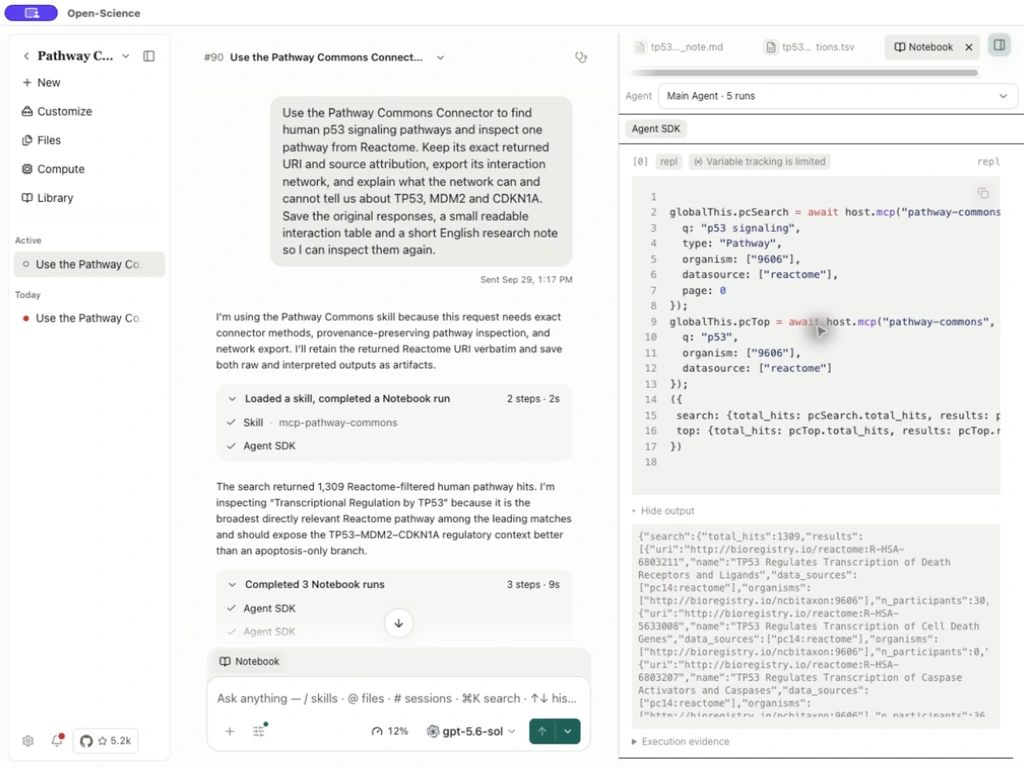
The selected record was Transcriptional Regulation by TP53, with exact URI http://bioregistry.io/reactome:R-HSA-3700989 and source pc14:reactome. Keep the URI returned by the query rather than reconstructing it from a label. Search results and counts may change as the source updates.
3. Export the selected pathway
Ask for the selected URI to be exported with subpathways included. In this run, the agent saved SIF, TXT and JSON-LD responses. SIF supplies flattened interaction records; TXT adds node records; JSON-LD retains richer model structure. See the operation reference when choosing a format or subpathway scope.
Inspect the retained response before reading the summary. The example's SIF export contained 3,318 interaction records, and its TXT export contained 387 nodes. These counts describe this selected pathway and export scope, not every human p53 interaction.
4. Open and inspect the results
- Select tp53_mdm2_cdkn1a_readable_interactions.tsv in the answer or generated-file cards. Open its full-screen preview if the columns are narrow.
- Check
source,interactionandtargetagainst the raw response. The nine-row reading table is a selection, not the complete network. - Open tp53_pathway_research_note.md. Confirm it retains the pathway URI, source, date and limitations.
- Download the files you need. Preserve the complete network and original responses alongside any excerpt used in a presentation.
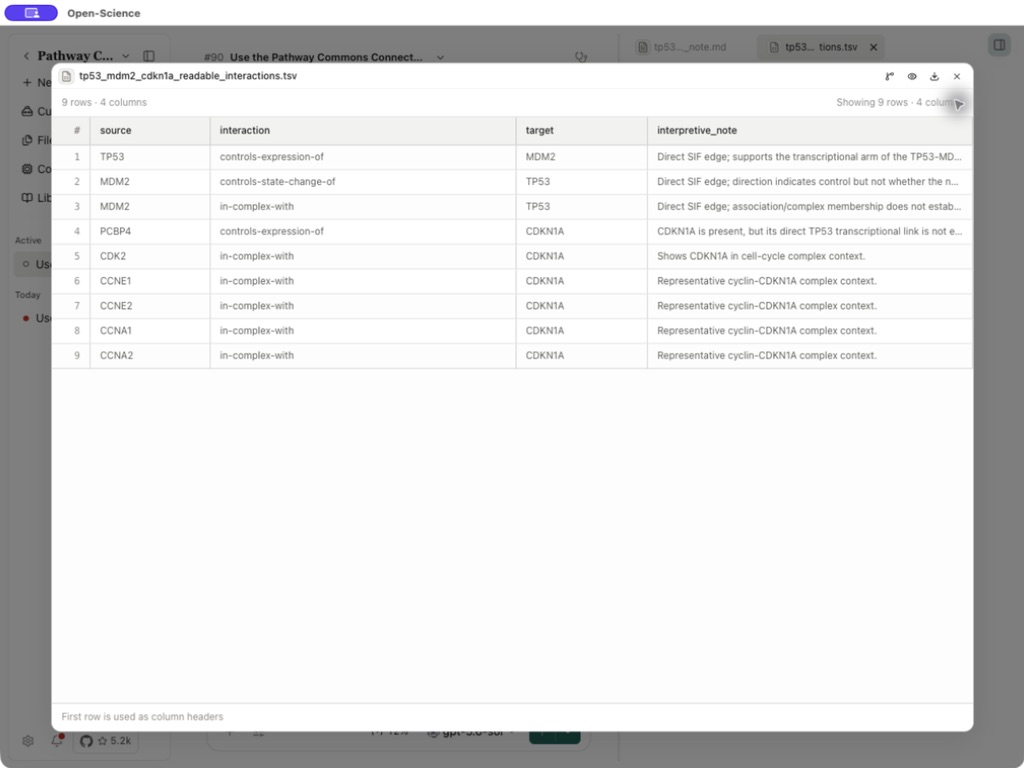
The returned records include TP53 controls-expression-of MDM2, MDM2 controls-state-change-of TP53 and MDM2 in-complex-with TP53. CDKN1A appears in six records, but this SIF export has no direct TP53-to-CDKN1A edge. An absent edge in a selected, flattened pathway is not evidence that a biological relationship is absent.
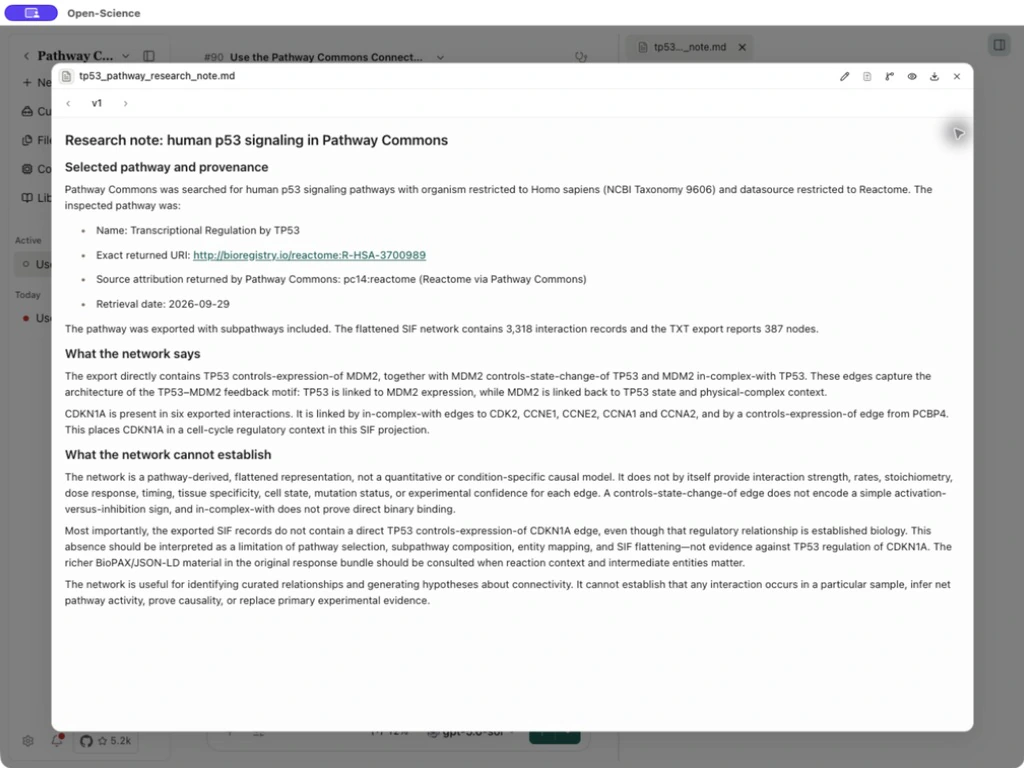
controls-state-change-of does not itself specify activation versus inhibition; in-complex-with does not establish direct binary binding. The network alone cannot establish tissue specificity, mutation effects, interaction strength, sample-level activity or causality. Use original pathway reactions and primary experiments to investigate those questions.
Saved example files
- Original Connector responses, compressed ZIP
- Complete exported interaction table
- Nine-row reading table
- English research note
To explore a gene neighborhood or paths between gene sets instead of a precisely selected pathway, use pathway_commons_graph and choose its direction, path mode and limits deliberately. That is a different query from this URI-based export. Sources and setup are described in Scientific databases.