Permissions and approvals
Use Agent controls to choose how the current conversation requests approval. Use Settings → Permissions to set the default for new conversations and inspect remembered access. These are separate operations: changing a default does not reset existing conversations or revoke their grants.
Choose a conversation mode
| Mode | Use it when | What to expect |
|---|---|---|
| Ask for approval | You want to inspect requested operations | Approval cards for actions that lack an applicable grant or exception |
| Auto-approve edits | You permit routine changes within the workspace | Supported edits pass automatically; commands, network and MCP operations can still need approval |
| Full access | You have chosen to allow agent operations without prompts | Commands, file changes and network requests can proceed without manual permission cards; other access and service requirements remain |
Open Agent controls beside the composer and read the selected mode. Check any compatibility message showing how the framework implements it. The Full access control has its own confirmation. Auto-review is a different control for reviewing results and does not mean auto-approving edits.
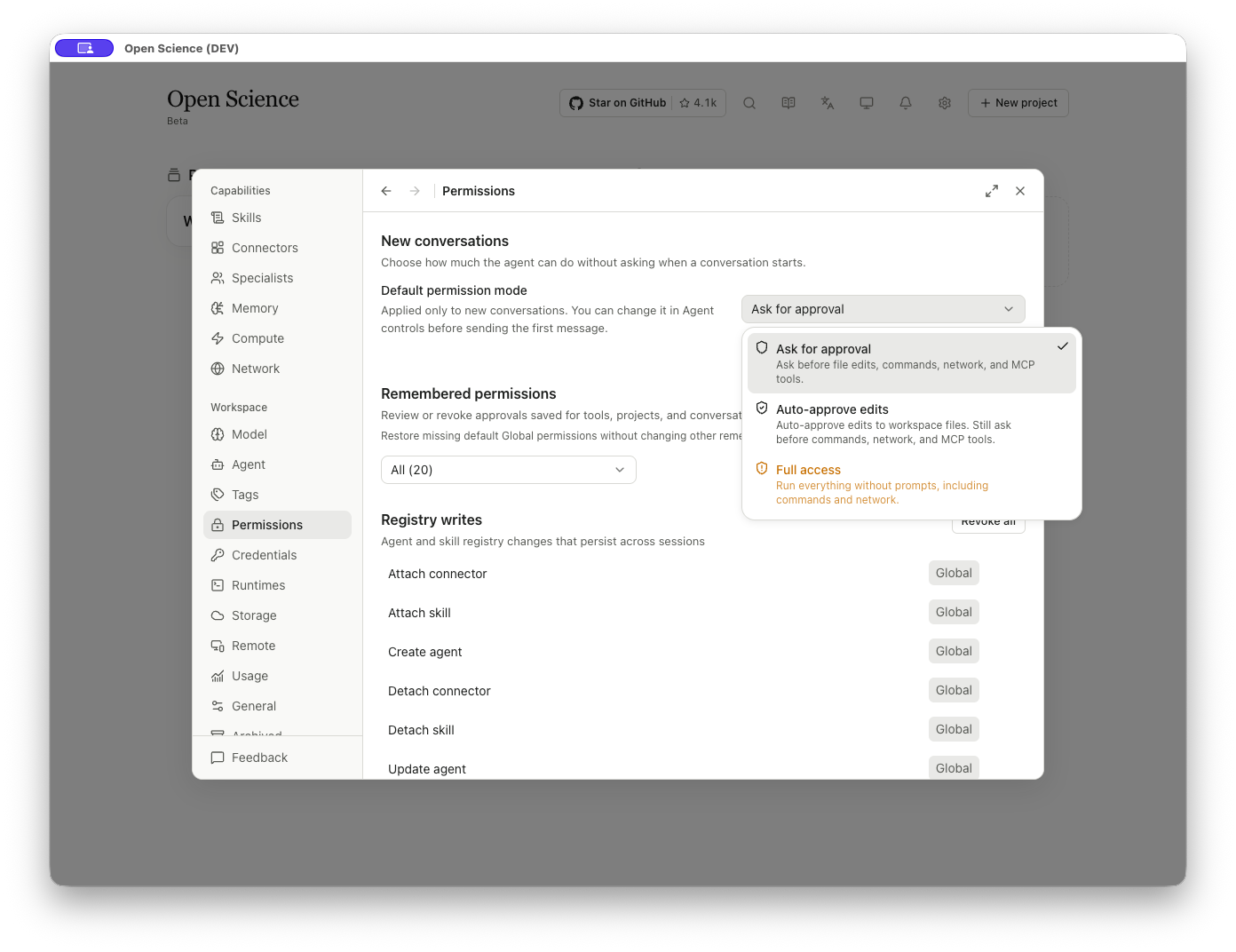
Check the effective mode shown for your Agent; supported approval behavior can differ by framework. Not every mode has been exercised across all four frameworks.
Read an approval card
Read the operation, selected environment and proposed code before approving. For a data check, confirm that it reads the intended input and writes only the requested outputs. Installing a missing dependency is a separate operation with a different purpose and effect.
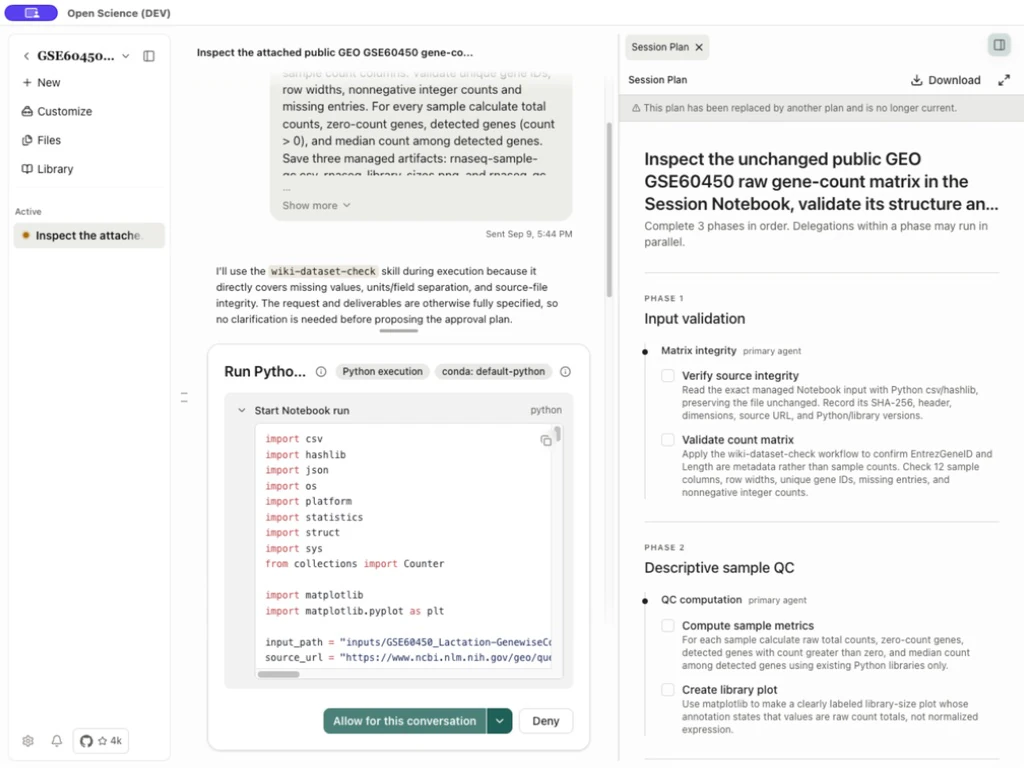
| Control or information | What to inspect or do |
|---|---|
| Tool title and summary | Identify the actual operation, target and source |
| Expandable code or arguments | Check paths, runtime, package names or service inputs |
| Authorization scope arrow | Choose from the scopes this request supports |
| Allow once | Release only this call |
| Allow for this conversation | Remember matching calls for this conversation, including across restarts |
| Allow for this project | Apply matching access across the project and confirm the broader scope |
| Allow globally | Apply matching access across projects and confirm the broader scope |
| Deny | Decline the presented operation; inspect the resulting response before choosing an alternative |
| Additional provider options, if present | Read their actual label and effect; available options vary by request |
The primary Allow button normally uses conversation scope when the request supports it. Read its label before clicking. For a command-prefix grant, inspect the displayed prefix: later commands starting with that prefix may match. A permission for one runtime is not permission for an unrelated external service.
Remember web-reading approval
For a supported Read web pages request, choose Allow for this conversation to remember that capability for later web reads in the same conversation. It can cover other websites, not only the first URL. Allow once applies only to that call. Review or revoke the grant under Remembered permissions; it does not add hosts to the Notebook network allowlist or authorize uploads.
Remember web-search approval
From v0.30.2, a supported Claude Agent native Search the web request also offers Allow for this conversation. Later matching searches in that conversation can reuse the grant; Allow once covers only the current request. Inspect or revoke Search the web under Remembered permissions. Search and Read web pages are separate permissions. This native-search option does not apply to every framework or Connector; read the scope actually offered.
Manage remembered access
Open Settings → Permissions → Remembered permissions. Filter by All, Global, Project or Session. Rows display a capability, scope and any qualifier or broader coverage. A session link opens its owner conversation; a Connector policy hint leads to the related configuration.
| Action | Result |
|---|---|
| Revoke on one row | Removes that remembered grant immediately; inspect the Undo notice |
| Group Revoke all | Requests removal of that group's grants; check that the displayed scope is complete before using it |
| Restore defaults | Adds missing baseline global grants and leaves other remembered access intact |
| Defaults restored | No baseline grants are missing; the restore button is disabled |
| Scope filter | Changes the displayed rows; it does not grant or revoke access |
Select Revoke to remove the intended grant. Use Undo while offered if this was a mistake. Restore defaults adds missing baseline grants; it does not restore every permission you previously removed.
Read a saved grant's effective scope
Inspect the Connector/tool, Global / Project / Session scope, and Any call / Specific input / Command group qualifier before revoking a grant. Command-group entries can include their approval summary and date.
Blocked in Connectors; this permission is currently inactive means the saved grant does not override the Connector policy. Allowed by Connector policy even without this permission means revoking this grant alone will not remove that policy allowance. Open the named Connector to inspect its rule. Use Undo while offered if the revocation was unintended, then check the restored state.
Revoke a group in the current scope
- Filter by the intended scope, such as Session.
- Select that group’s Revoke all action.
- Check that the group was cleared and that other scopes retain their grants.
- On the next matching operation, read any new approval request before proceeding.
Revocation affects future authorization. It does not reverse completed edits or network requests, and a broader grant can still authorize the operation.
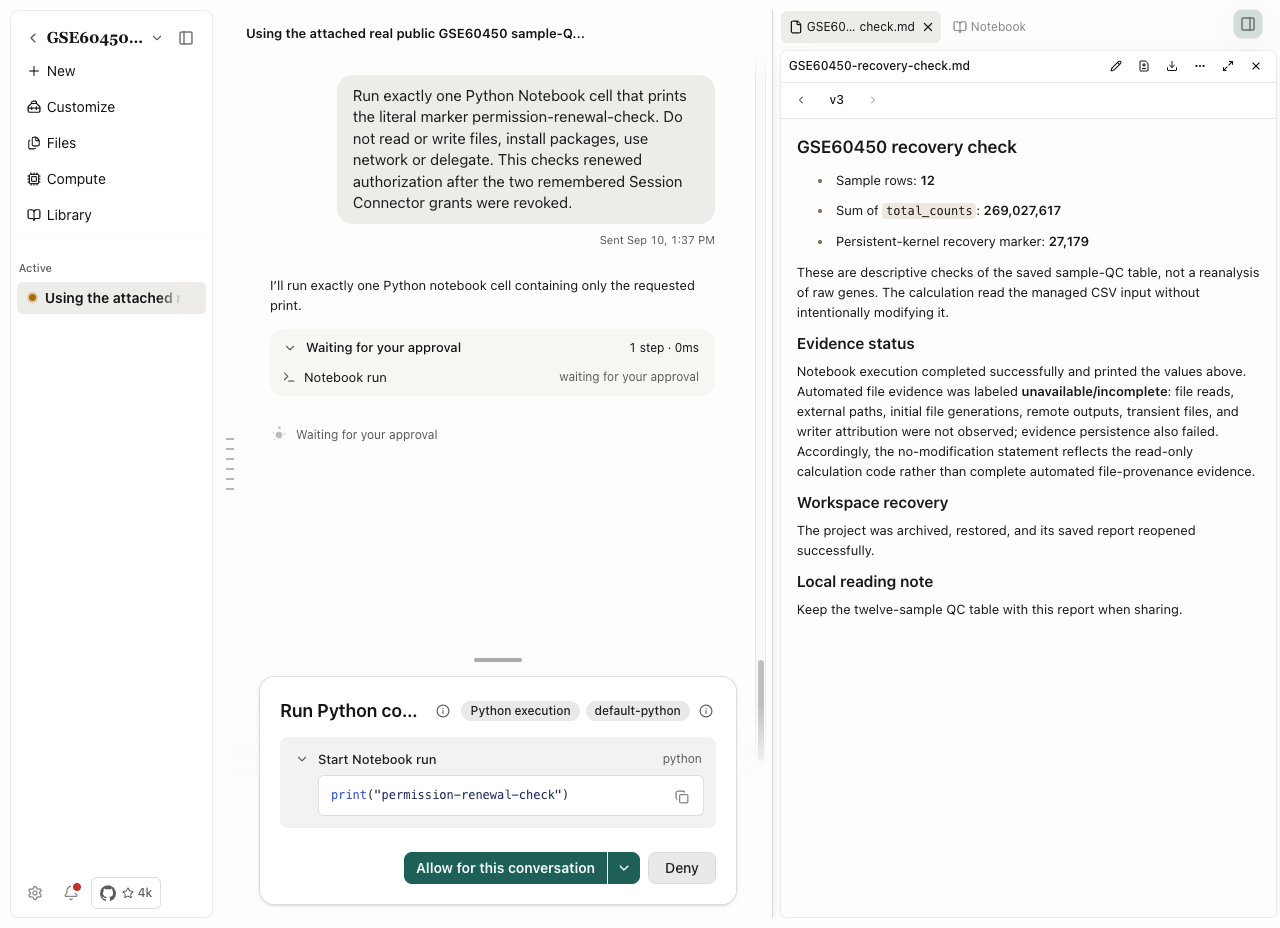
If the inventory is incomplete, wait for it to load or retry the failed request before using group revocation. Recheck the selected scope after revoking.
Diagnose unexpected behavior
| Issue | Checks and next steps |
|---|---|
| No card appeared in Ask mode | Check remembered grants, tool policy and application-owned exceptions. Ask does not force a prompt for every read, saved artifact or interaction question. The permission reference lists the baseline grants, including customization writes. |
| The same operation still runs after revocation | Look for a broader project/global grant or an allow policy. Removing a session row does not remove its global coverage. |
| An allowed operation still fails | Approval permits an attempt. For a missing package, inaccessible file, invalid credential or rejected network destination, resolve the reported cause before retrying. See Network for DNS and package-download failures. |
| Some scopes are absent | The card exposes only scopes supported by the current request and available project/session context. Do not use a broader scope merely to compensate for an unavailable narrower option. |
Source: Saved grants and undo.
Library work in Auto mode
With Auto-approve edits, a defined set of built-in Library operations can pass the agent's per-call approval automatically. These include searching and reading references, saving to Inbox, acquiring PDFs, formatting references and preparing citation documents. This reduces repeated prompts during routine Library work.
The rule applies to recognized app-owned literature tools, not every MCP call, command or network operation. The tools' own file, network and resource rules still apply, and this decision creates no permanent grant. Choose Ask for approval when you want to inspect agent requests individually. Review Inbox candidates before accepting them.