Planning before execution
Use Plan first to review inputs, method, outputs and acceptance criteria before execution. Plan approval and tool permission are separate decisions. Screenshot inputs are in Example data.
Submit a planning request
Worked example Review and revise a raw-count QC plan
- Attach the input file and describe the goal, methods, deliverables and limits in the Composer.
- Open More send options → Plan first. A text request is required; an attachment-only draft does not enable this option.
- Wait for planning. If a Plan control permission card appears, inspect it and allow the intended scope or deny it. This authorizes plan creation/decision recording, not all future execution.
- Wait for Plan ready for review. Do not treat a normal paragraph saying “here is my plan” as proof that a structured approval card exists.
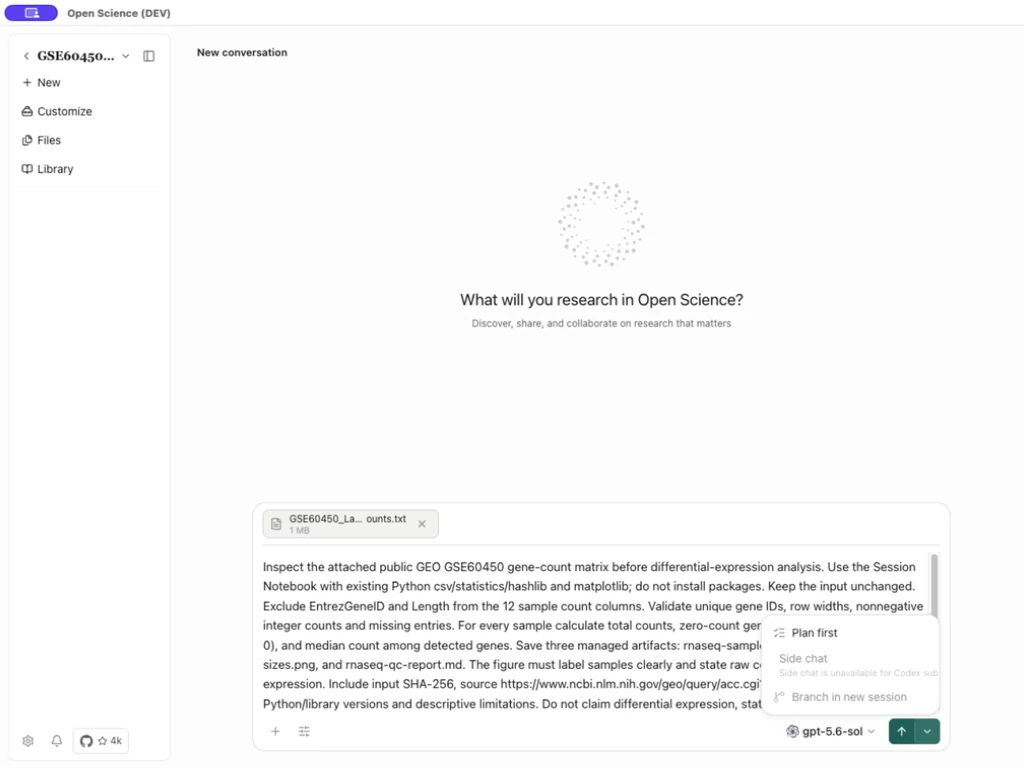
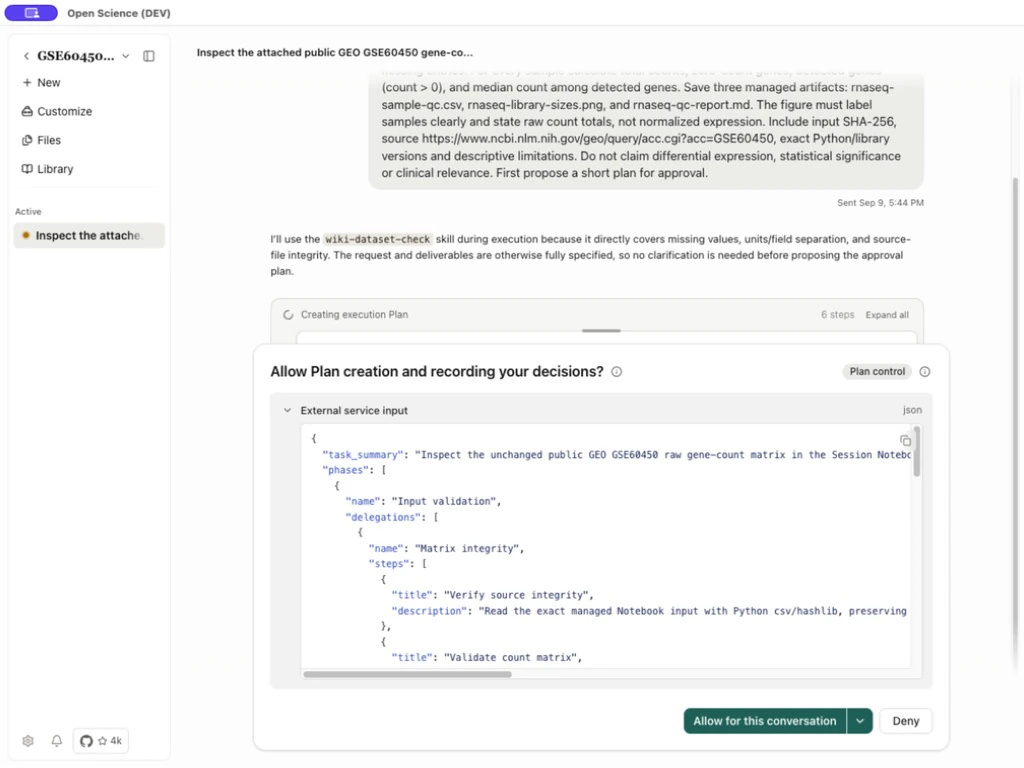
The task specified unchanged raw counts, separate ID/length metadata, per-sample QC, three managed outputs and no differential-expression claims. A precise initial request makes the plan easier to judge.
Inspect before approving
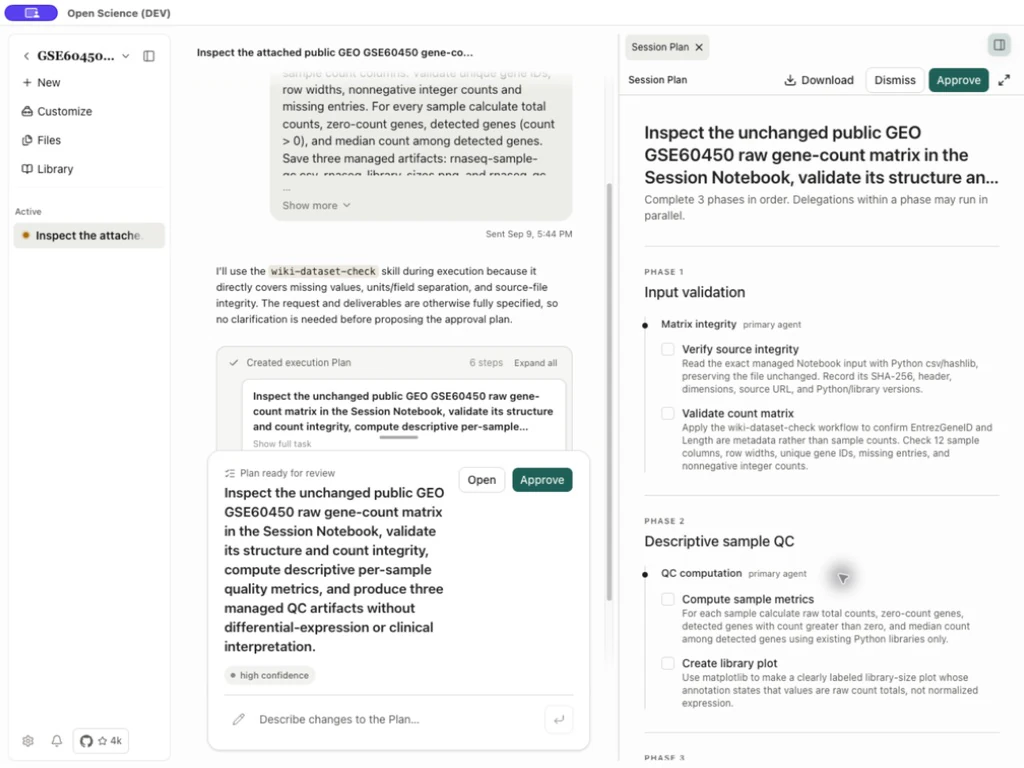
Select Open to view the structured plan beside the conversation. Inspect phases, step order, execution owner, desired outputs and feasibility notes. Use Enter full screen to read a long plan and Download Plan to retain it. The confidence label is the plan's assessment, not evidence that the code has already run.
| Control/state | What to do |
|---|---|
| Open | Read the full plan; opening is not approval. |
| Approve | Authorize the current plan to proceed. Tool-specific approvals can still appear. |
| Respond to Plan | Describe an actionable correction to inputs, method, output or acceptance criteria. |
| Send Plan feedback | Submit nonempty feedback and wait for the revised plan. |
| Dismiss, when shown on the approval preview | Reject/dismiss that pending plan; it is distinct from merely closing a preview. |
| Replaced/newer-plan warning | This snapshot is stale and cannot approve the current plan. Reopen the current card. |
Request changes and review the replacement
In Respond to Plan, state exactly what must change. For example, request an input-integrity check, reopening every output, and a mapping between shortened plot labels and original identifiers. Select Send Plan feedback, wait for the replacement, then check that each requested change is present.
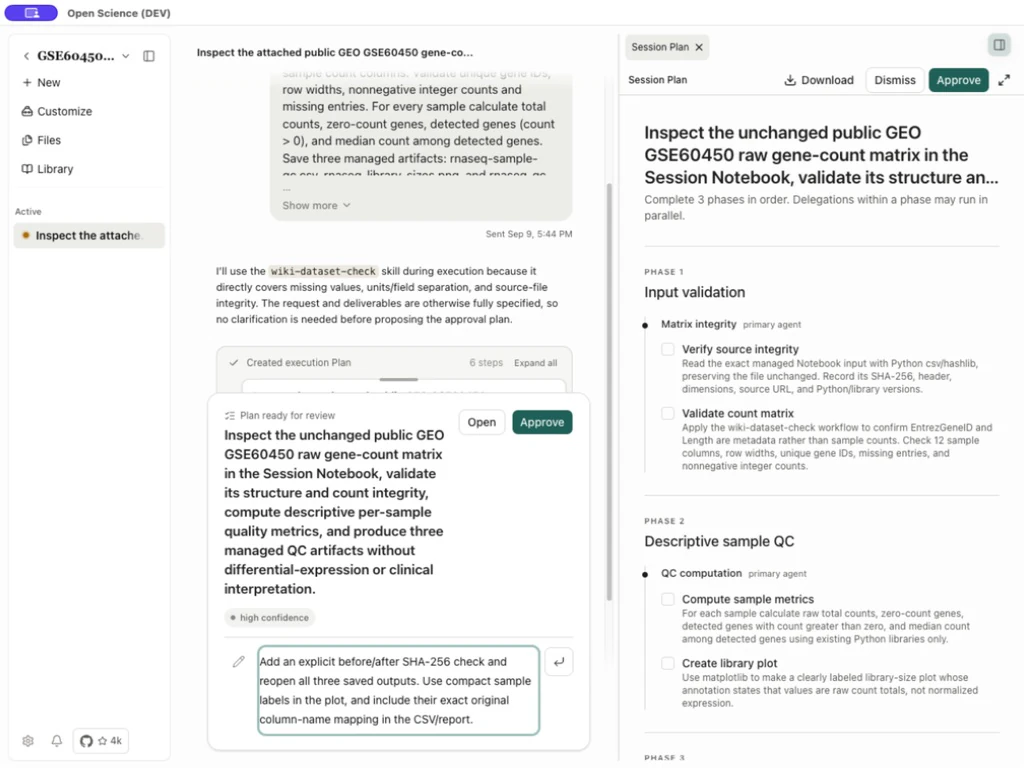
Read the replacement and use its Approve button. The already open old preview can remain visible with a warning that it was replaced; its displayed steps are not the active plan's latest progress. Reopen the active plan rather than approving an old screenshot.
Follow execution and verify results
For queued follow-ups, use Composer queue controls. Editing the queue does not approve a plan.
After approval, the session starts executing the plan. In Ask mode, separate tool-permission cards can still appear. Inspect the command, target and scope. If an operation fails, identify the actual input, environment or access error before retrying; approving the plan does not resolve those requirements.
Step statuses can include not started, in progress, completed, blocked, skipped and not run. A completed plan is not scientific validation by itself. Open the actual CSV, figure and report; compare their contents with the acceptance criteria. In this example, the 12 sample summaries matched an independent calculation from the original matrix.
Continue with Files and versions, Notebook evidence and Permissions.
Source: plan approval and preview controls.
Resume after context reconstruction
From v0.31.0, the agent can recover the current Session Plan, its revision and pending approvals after rebuilding its context. Reopen the active plan and check which steps actually completed before asking it to continue. A pending approval is still pending; recovering the plan does not approve it or confirm an operation whose outcome was not recorded.