Replay and discuss a recorded session
Session replay presents the messages, tool steps and file versions retained in a session. Use it to follow an analysis, locate its evidence and ask a focused question. Playback does not rerun code or establish that an analysis is reproducible; use reproducibility verification for that separate task.
Open a replay
- Open the session's action menu in the sidebar and choose View replay. For an imported
.sciencesession, the Imported research history panel also provides View replay. - Check the session title and branch. When Replay branch is offered, select the branch you intend to inspect.
- Use Enter full screen for more space. Exit full screen returns to the workspace; closing the preview does not delete the session.
Imported research remains read-only. You can inspect and discuss it; choose Fork to continue if you need a writable continuation. Follow research-package import before opening its replay.
Follow the recorded steps
| Control | Action |
|---|---|
| Play replay / Pause replay | Start or pause presentation of the saved sequence |
| Previous step / Next step | Move to an adjacent recorded step |
| Replay progress | Seek to another point in the recording |
| Playback speed | Change presentation speed; this does not accelerate a computation |
| Browse steps | Select a message, tool step or file-version event by its label |
| Notebook / View files | Inspect the recorded Notebook material or file list available at that point |
| Watch again | Restart after playback reaches Completed |
Expand a tool card to read its retained inputs and outputs. Inspect filenames and version numbers before using a result. The replay position is retained for returning to the same recording. Older sessions may show a timeline reconstructed from archived records; its presentation duration is not a benchmark of the original computation.
Worked example Discuss the evidence in a TP53 pathway analysis
This example opens the recorded Pathway Commons analysis, which selected Reactome Transcriptional Regulation by TP53. Its export contains 3,318 interaction records and 387 nodes. Those are results of this saved analysis, not counts to expect from every future query.
In Browse steps, locate the exported network, original responses, research note and small TP53–MDM2–CDKN1A interaction table. The example has 12 recorded steps. Select the table's file-version step, then read the preceding explanation of the network's scope.
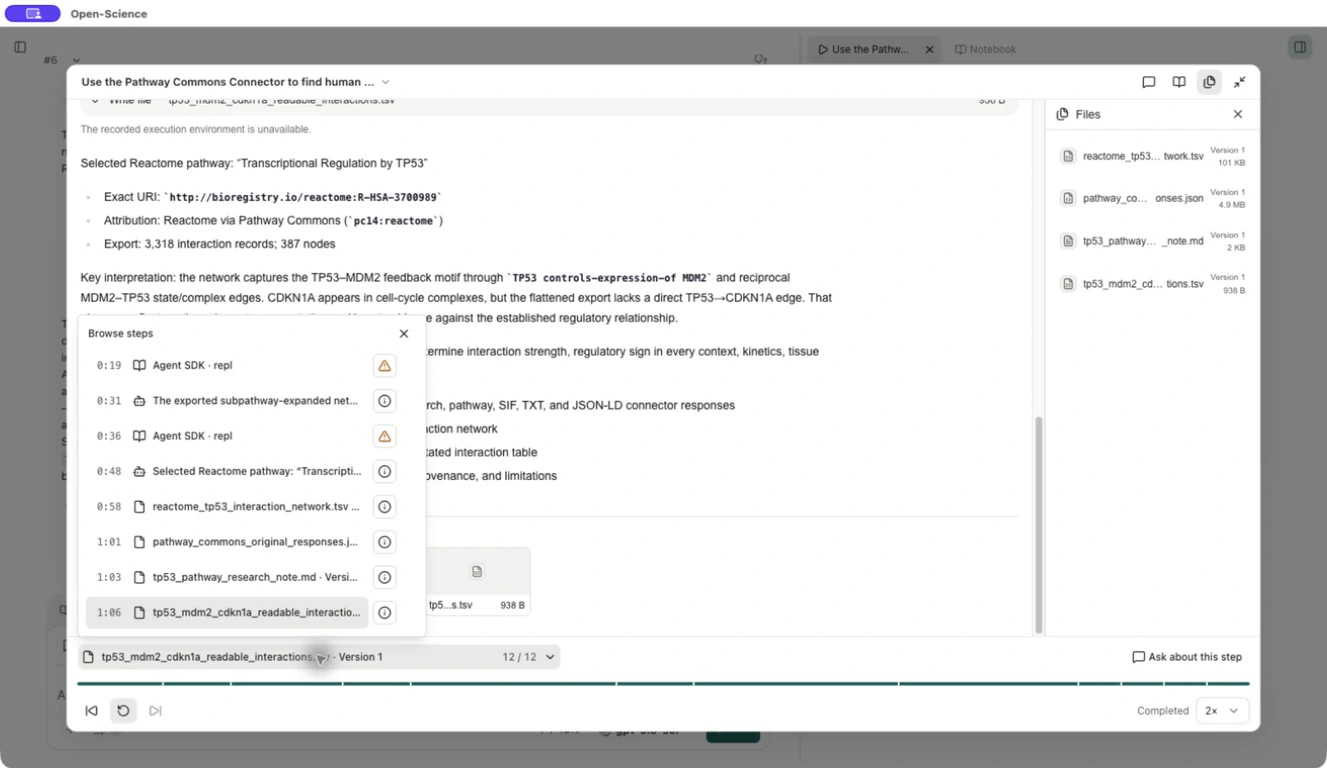
Ask about a step
- Pause at the relevant step and select Ask about this step. For a broader discussion, use Ask about this research in the header.
- In Ask in a conversation, choose a writable conversation or New conversation. The action adds context to a draft; it does not send a question by itself.
- Check the Discuss attachment and its session/step label. Enter your question, choose a connected model and select Send. The example uses Codex subscription.
- If a tool approval is requested, inspect the proposed access before allowing the needed operation. Then compare the response with the saved evidence and its source context.
From the recorded TP53 pathway analysis, explain why the missing direct
TP53–CDKN1A edge does not show that regulation is absent. Identify the
saved evidence and separate the recorded result from a new biological
claim. Keep the response in English.
The answer identifies tp53_mdm2_cdkn1a_readable_interactions.tsv and distinguishes what the flattened export contains from a biological conclusion. It points to the selected source session, branch and step. Read that source again before adopting the interpretation; a linked record does not make every model claim correct.
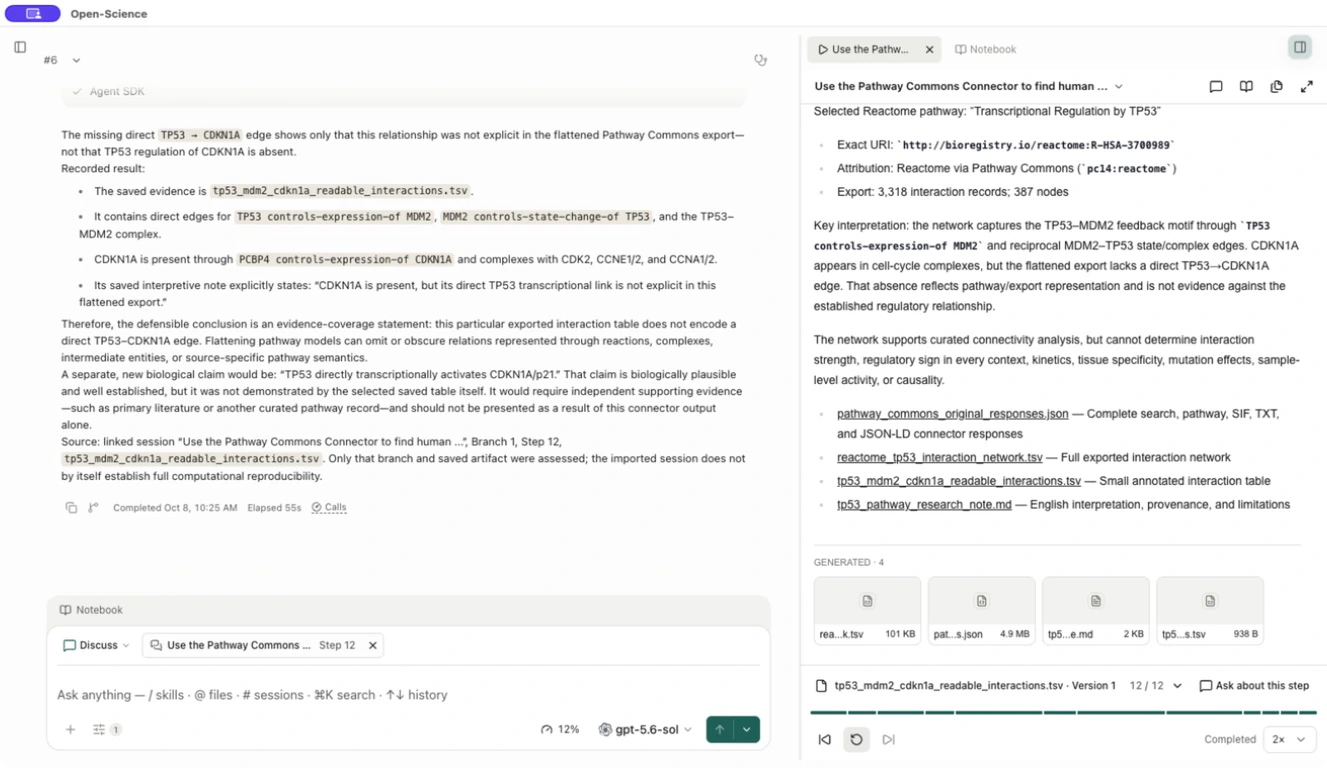
When evidence is unavailable
A recorded tool call can remain visible even when its original execution environment is unavailable. Read the retained code and output; do not treat the environment warning as a new execution result.
If a file reports Preview unavailable or The recorded evidence is unavailable, check the original session's file card and selected version. If that view also cannot open it, use a separately retained original file or obtain a complete research package from its author. A filename and a completed playback timeline do not prove that the file's contents are available. Discuss only the evidence you can actually inspect.
For a fresh computation, fork the session, supply the required files/environment and run the analysis. To compare a new run with a saved artifact, use reproducibility verification, not the replay's Completed indicator.